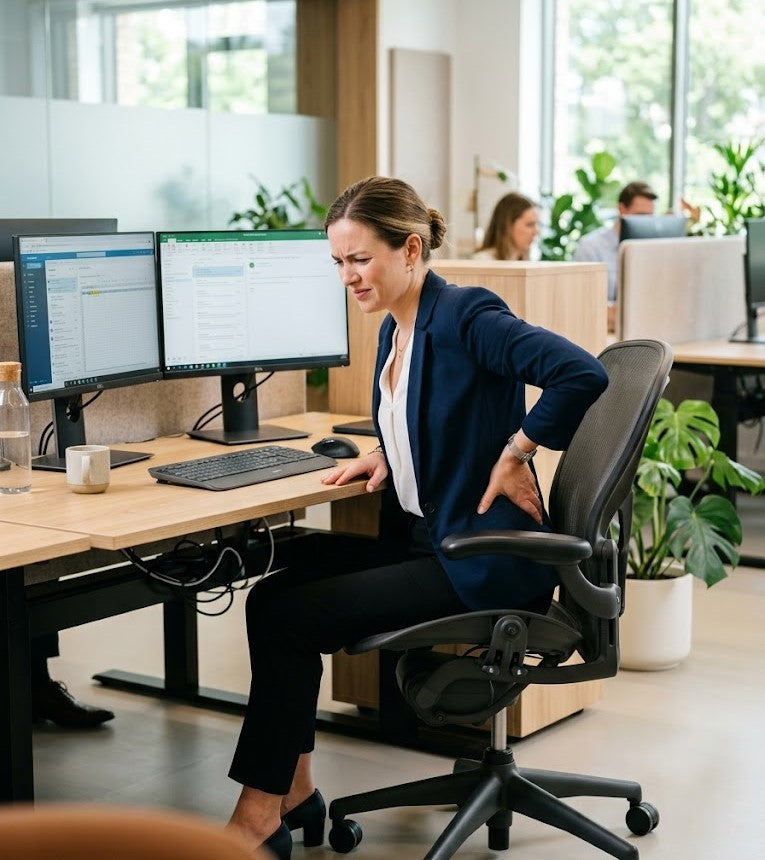
8 Reasons Your Back Hurts With Good Chair
Investing in a high-quality office chair is often viewed as the definitive solution to sitting discomfort. Many professionals upgrade their workspace expecting that an ergonomic chair—with features such as lumbar support, adjustable armrests, and premium cushioning—will immediately resolve persistent back pain and improve posture throughout the workday.
Yet for many people, the discomfort remains.
Lower back tension, posture fatigue, stiffness, and general sitting discomfort frequently persist even after purchasing a chair specifically designed for ergonomics. If this experience feels familiar, you are far from alone.
One of the most common misconceptions surrounding workplace ergonomics is the belief that a chair alone can fully solve the physical strain associated with prolonged sitting. In reality, sitting comfort is influenced by a much broader system of factors, including posture mechanics, pressure distribution, workstation alignment, lower-body support, movement patterns, and muscular workload throughout the day.
This is why so many professionals continue searching for answers to questions such as:
- Why does my back hurt even with an ergonomic chair?
- Why is my office chair causing lower back pain?
- Why am I still uncomfortable while sitting for long periods?
The answer is more nuanced than most marketing claims suggest.
An ergonomic chair can certainly improve support, but it cannot independently control every variable that affects spinal alignment, muscle tension, and seated posture. When critical support is missing elsewhere in the workspace, the body naturally compensates. Over time, those compensations increase physical strain, accelerate fatigue, and contribute to the discomfort many desk workers experience daily.
In many cases, the issue is not that the chair is “bad.” The issue is that the body is being asked to maintain stability and posture without adequate support from the rest of the environment.
Understanding this distinction is essential because sustainable sitting comfort rarely comes from a single product alone. It comes from creating a workspace that supports the body more completely and reduces unnecessary physical effort throughout the workday.
Below are eight common reasons your back may still hurt—even with a “good” chair—and the ergonomic principles that can help make sitting more comfortable, stable, and sustainable over time.

1. Your Lower Body Lacks Stable Support
One of the most underestimated contributors to lower back pain while sitting is inadequate lower-body support. Although many people focus primarily on backrests, lumbar cushions, or upper-body posture, the foundation of seated ergonomics begins much lower—at the feet, knees, and pelvis. Correct seat height helps keep your feet flat on the floor, which promotes better posture.
When the lower body is not properly supported, the rest of the body is forced to compensate.
This often occurs when:
- chair height is adjusted incorrectly
- feet do not rest flat on the floor
- knees sit too high or too low relative to the hips
- weight distribution becomes uneven while sitting
At first, these imbalances may feel minor. Over the course of a full workday, however, even subtle instability in the lower body can create significant strain throughout the spine and surrounding muscles.
When the feet lack stable support:
- the pelvis becomes less grounded
- the hips may shift or rotate forward
- spinal alignment gradually deteriorates
- lower back muscles remain active longer to maintain balance
- posture becomes more difficult to sustain comfortably
This is one reason many people continue experiencing ergonomic chair back pain despite investing in high-quality seating.
Why the Lower Body Matters in Seated Posture
The body relies on the lower body as the structural base for sitting posture. Stable foot positioning helps create balance throughout the hips and spine, allowing the upper body to remain more relaxed and aligned during prolonged sitting.
Without that stability, the body begins compensating automatically.
Research and ergonomic guidance from the Occupational Safety and Health Administration (OSHA) emphasize the importance of proper foot positioning in maintaining healthy seated posture and reducing musculoskeletal strain during prolonged desk work. When the feet remain properly supported, pressure distribution improves and the spine is better able to maintain a more neutral position throughout the day, supporting a neutral spine position.
In practical terms, posture does not begin with the shoulders or neck—it begins at the foundation beneath the body.
Why This Problem Often Goes Unnoticed
Many professionals concentrate on visible posture cues:
- keeping the shoulders back
- adjusting lumbar support
- positioning the monitor correctly
- avoiding the tendency to slouch forward
While these adjustments are important, they often overlook the role of lower-body stabilization.
If the feet are unsupported or the pelvis lacks balance, the spine and core must continuously compensate to preserve upright posture. That ongoing muscular effort may not feel obvious immediately, but over time it contributes to:
- lower back fatigue
- hip tightness
- constant repositioning while sitting
- increased muscular tension
- overall sitting discomfort
This is especially common among remote workers and office employees who remain seated for extended periods without realizing how much physical effort unsupported sitting requires.
Even the best ergonomic chair cannot fully compensate for instability beneath the body.
Small Ergonomic Adjustments Can Improve Stability Significantly
The encouraging part is that meaningful improvements often come from relatively simple ergonomic adjustments.
To improve lower-body support while sitting:
- keep feet resting flat and stable
- maintain knees near a 90-degree angle
- avoid excessive forward sliding in the chair
- keep hips supported evenly
- reduce pressure concentration around the tailbone and thighs
If the chair is too high to keep your feet supported well, an adjustable footrest can help maintain lower-body support.
These adjustments help stabilize the pelvis, reduce unnecessary spinal strain, and create a more sustainable sitting posture throughout the workday.
When the lower body feels supported, the rest of the body typically responds with less muscular tension and improved sitting comfort overall.

2. Your Chair Cannot Fix Poor Pelvic Positioning
When people think about ergonomic sitting posture, attention is often placed almost entirely on lumbar support. While lower-back support is important, it is only one part of a much larger biomechanical system. One of the most influential—and frequently overlooked—factors in sitting comfort is pelvic positioning.
The pelvis serves as the structural foundation of the spine. Its position directly affects how the spine aligns, how pressure is distributed through the body, and how much muscular effort is required to remain upright throughout the day.
When the pelvis loses proper alignment during sitting:
- the lower back begins to round
- spinal curves become less stable
- pressure increases around the tailbone and hips
- surrounding muscles tighten to compensate
- posture gradually collapses forward
Over time, these changes contribute significantly to lower back pain while sitting, even in otherwise well-designed ergonomic chairs.
This is why many people continue searching for answers to questions such as:
- Why does my back still hurt with an ergonomic chair?
- Why is sitting uncomfortable after a few hours?
- Why do I constantly shift positions while working?
In many cases, the issue is not the chair itself—it is the unsupported positioning of the pelvis over prolonged periods of sitting.
The Problem With Prolonged Sitting Pressure
Even high-quality office chairs can create concentrated pressure around the hips, tailbone, and lower spine during extended sitting sessions. While ergonomic chairs improve support compared to standard seating, they still cannot completely eliminate the effects of sustained pressure and static posture.
As hours pass, this pressure often contributes to:
- slouching forward in the seat
- pelvic instability
- spinal compression
- reduced sitting endurance
- discomfort in the hips and lower back
The body naturally attempts to relieve this pressure by shifting positions repeatedly throughout the day. While occasional movement is healthy, constant repositioning is often a sign that the body is struggling to maintain comfortable support.
This is where pressure distribution becomes especially important.
Why Ergonomic Seat Support Matters
An ergonomic seat cushion does not replace an office chair, and even in a comfortable chair it can still improve how the body interacts with the seat by enhancing support beneath the pelvis and redistributing seated pressure more evenly.
When seated pressure is better balanced:
- the pelvis remains more stable
- spinal alignment becomes easier to maintain
- muscular compensation decreases
- prolonged sitting becomes less physically demanding
The Serenform Summit Seat Cushion was designed specifically to support healthier sitting mechanics during long work sessions. By helping redistribute pressure away from concentrated areas such as the tailbone and hips, it encourages a more balanced seated posture while reducing strain associated with prolonged sitting.
Rather than simply adding softness, the goal of ergonomic seat support is to improve structural support where the body needs it most.
Comfort Is Not Defined by Softness Alone
One of the most common misconceptions about sitting comfort is the belief that softer seating automatically provides better ergonomic support.
In reality, excessive softness can sometimes create the opposite effect.
When seating surfaces compress too easily:
- the pelvis may sink unevenly
- posture becomes less stable
- spinal alignment deteriorates more quickly
- muscles work harder to maintain balance
Initially, very soft seating may feel comfortable because it reduces surface pressure temporarily. However, over extended periods, insufficient structural support often contributes to increased fatigue and posture collapse.
Sustainable sitting comfort is typically the result of:
- balanced support
- proper pressure distribution
- pelvic stability
- spinal alignment
- reduced muscular strain throughout the day
This is what allows sitting to feel more stable, efficient, and comfortable over long periods—not simply more cushioned.
When the pelvis is properly supported, the entire sitting experience changes. The body expends less energy maintaining posture, movement becomes easier, and prolonged desk work becomes significantly more sustainable.

3. Your Monitor Height Is Pulling Your Spine Out of Alignment
A surprisingly common cause of ergonomic chair back pain has very little to do with the chair itself.
In many cases, the issue originates from screen positioning.
Whether working from a laptop, desktop monitor, or hybrid workstation setup, screen height plays a major role in posture mechanics throughout the day. When a monitor sits too low—or too far forward—the body naturally adapts in ways that gradually place additional strain on the spine and surrounding muscles.
Over time, even small positioning errors can significantly affect sitting comfort.
When screens are positioned improperly:
- the head shifts forward
- the neck extends unnaturally
- shoulders round inward
- upper back muscles remain under constant tension
- spinal alignment gradually deteriorates
This posture pattern is especially common among remote workers and professionals who spend long hours working directly from laptops without proper screen elevation.
Although discomfort may begin in the neck or shoulders, the effects rarely remain isolated to one area of the body. Because the spine functions as a connected system, upper-body misalignment often creates compensatory strain throughout the lower back and pelvis as well.
Forward Head Posture Creates More Strain Than Most People Realize
The human head weighs approximately 10 to 12 pounds when aligned in a neutral position above the spine. However, as the head moves forward—even slightly—the effective load placed on the neck and upper back increases substantially.
Research published in Surgical Technology International found that forward head posture significantly increases mechanical stress on the cervical spine and surrounding musculature over time. As posture shifts farther forward, the body must work progressively harder to support the weight of the head throughout the workday.
This matters because prolonged forward positioning affects far more than the neck alone.
When the upper body leans forward:
- the lower back compensates to maintain balance
- seated pressure distribution changes
- spinal muscles remain activated longer
- posture fatigue develops more quickly
- prolonged sitting becomes more physically demanding
As a result, many people assume their office chair is causing lower back pain when the underlying issue is actually workstation alignment.
Why Laptop Use Often Worsens Posture
Laptops create a unique ergonomic challenge because the screen and keyboard are attached. For the keyboard to remain usable, the computer screen often sits below eye level. This encourages users to lean downward and forward for extended periods without realizing how much strain is accumulating.
Over time, this posture pattern contributes to:
- neck stiffness
- upper-back tension
- shoulder fatigue
- spinal compression
- reduced sitting endurance
The longer the posture is maintained, the harder the body must work to compensate.
Small Ergonomic Adjustments Can Create Noticeable Improvements
Fortunately, improving monitor ergonomics does not usually require a complete workspace redesign. Even relatively small adjustments can significantly improve sitting posture and reduce muscular strain throughout the day.
Proper screen positioning can help:
- reduce neck and shoulder tension
- improve upper-body alignment
- minimize forward head posture
- support healthier spinal mechanics
- reduce fatigue during prolonged sitting
A widely recommended ergonomic guideline is to position the top portion of the screen near eye level while maintaining relaxed shoulders and a neutral head position, with the monitor set so the head facing forward is maintained rather than tilting down. Ideally, the screen should allow the eyes to look slightly downward without requiring the neck to bend forward continuously.
For laptop users, elevating the screen and using an external keyboard can often make a meaningful difference in overall posture comfort.
When workstation alignment improves, the body no longer has to compensate as aggressively throughout the day. Sitting becomes less physically demanding, posture feels easier to maintain, and fatigue tends to accumulate more slowly over long work sessions.

4. You Are Sitting Still for Too Long
Even the most supportive ergonomic chair cannot completely protect the body from the effects of prolonged stillness.
This is one of the most misunderstood aspects of workplace ergonomics. Many people believe the goal is to discover a single “perfect posture” and maintain it consistently throughout the day. In reality, the human body was never designed to remain motionless for hours at a time—even in an ideal sitting position.
Posture is important, but movement is equally essential.
A posture that feels comfortable initially can gradually become stressful when held statically for extended periods. Over time, the body begins experiencing the cumulative effects of continuous loading, reduced circulation, and muscular fatigue associated with prolonged sitting.
This is why many professionals continue experiencing discomfort even after investing in ergonomic office chairs and improving their workspace setup.
Why Prolonged Sitting Creates Fatigue
When the body remains seated without sufficient movement:
- circulation slows
- muscles remain engaged for extended periods
- joints experience reduced mobility
- pressure accumulates around the hips and lower spine
- spinal tissues remain under continuous stress
Although these effects develop gradually, they compound throughout the workday. What begins as mild stiffness in the morning often progresses into noticeable lower back tightness, hip discomfort, posture fatigue, or generalized physical exhaustion by the afternoon.
Research published in the International Journal of Environmental Research and Public Health has linked prolonged sedentary behavior with increased musculoskeletal discomfort, fatigue, and posture-related strain among office workers. The longer the body remains static, the more difficult it becomes to maintain comfort and spinal support efficiently.
This helps explain why even individuals using high-end ergonomic chairs may still experience:
- lower back pain while sitting
- stiffness after work
- hip and tailbone discomfort
- muscular fatigue throughout the day
- difficulty maintaining posture comfortably for long periods
The issue is often not the chair itself. The issue is prolonged static loading on the body.
Ergonomics Is About Sustainable Posture — Not Rigid Posture
One of the most effective mindset shifts in ergonomics is understanding that healthy posture is dynamic, not fixed.
The goal is not to sit perfectly still.
The goal is to reduce unnecessary strain while allowing the body to move naturally throughout the day.
Healthy sitting habits typically include:
- posture variation
- occasional standing
- regular movement breaks
- repositioning naturally
- reducing prolonged static pressure on the spine and hips
These small movements help restore circulation, reduce muscular fatigue, and interrupt the continuous loading that contributes to discomfort over time.
Even subtle movement matters.
Standing briefly, stretching, walking for a few minutes, or simply changing sitting positions periodically can help reduce accumulated stress on the spine and surrounding muscles. Regular movement and stretching also help counter prolonged static posture and may reduce the risk of spinal degeneration, including degenerative disc disease or herniated discs.
Why Small Movement Breaks Make a Meaningful Difference
Many professionals assume ergonomic improvements require major workspace changes. In reality, one of the most effective interventions is often simply introducing more movement into the workday.
Brief standing or walking breaks at least every half hour to 60 minutes can help:
- reduce spinal compression
- relieve muscular tension
- improve circulation
- minimize stiffness
- reduce posture fatigue accumulation
Movement helps restore balance to the body after prolonged static positioning.
Importantly, this does not mean sitting is inherently harmful. Modern work often requires extended sitting, and ergonomic seating remains valuable. The key is understanding that even supportive sitting should be complemented by regular movement and posture variation throughout the day.
When movement becomes part of the work routine, sitting generally feels less physically demanding, posture becomes easier to sustain, and discomfort tends to accumulate more slowly over time.

5. Your Core Is Working Harder Than It Should
Many people think of sitting as a passive activity—something the body simply “rests” through during the workday.
Biomechanically, however, prolonged sitting often requires far more muscular effort than most people realize.
When a workspace lacks proper ergonomic support, the body must continuously recruit muscles to maintain balance, posture, and spinal positioning throughout the day. Instead of being supported efficiently by the environment, the body compensates internally.
Over time, that compensation becomes physically exhausting.
This is one reason many professionals feel surprisingly fatigued after long desk sessions, even when their day involved very little physical movement.
The Hidden Cost of Unsupported Sitting
Maintaining seated posture requires coordination between the spine, pelvis, hips, shoulders, and core musculature. When ergonomic support is incomplete or poorly aligned, stabilizing muscles remain active for prolonged periods to prevent the body from collapsing forward or shifting excessively.
Without adequate support:
- the core remains engaged continuously
- lower back muscles work harder to stabilize the spine
- shoulders tighten to maintain upper-body positioning
- muscular fatigue accumulates more quickly
- sitting becomes increasingly uncomfortable over time
Although these muscular compensations may develop subtly, they gradually increase physical strain throughout the workday.
This helps explain why sitting can sometimes feel physically draining despite minimal activity levels. The body is effectively performing low-level stabilization work for hours at a time.
In many cases, discomfort is not caused by weakness or poor discipline. It is caused by an environment that requires the body to work harder than necessary simply to remain upright comfortably.
Signs Your Body May Be Overcompensating While Sitting
Many posture-related symptoms are actually signs of muscular compensation caused by inadequate ergonomic support.
| Common Symptom | Possible Ergonomic Cause |
|---|---|
| Lower back fatigue |
Pelvic instability or inadequate lumbar support |
| Tight shoulders |
Forward-leaning posture or poor screen positioning |
| Neck tension | Monitor height positioned too low |
| Constant shifting while sitting | Uneven pressure distribution |
| Feeling physically drained after desk work | Prolonged muscular compensation |
These symptoms often appear gradually and become normalized over time, especially among professionals who sit for extended hours daily. However, persistent fatigue and discomfort are frequently indicators that the body is working excessively to maintain posture.
Why Proper Lumbar Support Reduces Muscular Strain
One of the primary functions of ergonomic support is to reduce unnecessary muscular workload.
Proper adjustable lumbar support helps maintain the natural curvature of the lower spine, allowing the body to rely less heavily on continuous muscular stabilization throughout the day. When the spine receives adequate structural support, surrounding muscles can relax more efficiently rather than remaining constantly activated. Maintaining the spine's natural curve helps prevent back pain.
The Serenform Atlas Lumbar Pillow was designed to support the natural curve of the lower back while helping reduce strain associated with prolonged sitting. By supporting spinal alignment more effectively, it helps create a sitting posture that requires less compensatory effort from the surrounding musculature. Clinical research has shown that adjustable lumbar support can reduce disc pressure in the lumbar spine.
When lumbar support is properly positioned:
- posture becomes easier to maintain
- muscular tension may decrease
- lower back fatigue develops more slowly
- sitting feels more stable and sustainable
- the body expends less energy remaining upright
Importantly, ergonomic support should not force the body into rigid positioning. Instead, it should reduce the amount of unnecessary work the body performs throughout the workday.
Good ergonomics creates efficiency.
When the environment supports the body appropriately, sitting no longer feels like an endurance exercise. It becomes a posture the body can maintain with less tension, less fatigue, and significantly greater comfort over time.

6. Your Chair Supports Sitting — But Not Your Specific Body
One of the most important realities of ergonomics is that no single chair works perfectly for every individual.
This is significant because ergonomic marketing often creates the impression that purchasing the “right” chair will automatically eliminate discomfort and solve posture-related issues universally. In practice, however, sitting comfort is highly individual. A chair that feels supportive for one person may feel uncomfortable or incomplete for another—even when both are using the exact same product.
A chair may be objectively well-designed while still failing to fully accommodate:
- your body proportions
- your sitting habits
- your desk configuration
- your spinal curvature
- your hip positioning
- your leg length or posture tendencies
This is one reason why some people continue experiencing lower back pain while sitting despite using chairs that are widely considered ergonomic.
The issue is not always that the chair is poorly made. Often, the issue is that the chair alone cannot fully adapt to the unique mechanical needs of every body.
Ergonomics Is Highly Individual
Human posture and body structure vary considerably from person to person. Small anatomical and environmental differences can dramatically influence how pressure is distributed while sitting and how effectively the body maintains alignment over time.
Two professionals can sit in the same ergonomic chair and experience completely different results based on factors such as:
- overall height
- torso length
- pelvic structure
- spinal curvature
- muscle tension patterns
- flexibility and mobility
- desk height
- work habits
- daily sitting duration
For example, a chair that supports one person’s lumbar curve effectively may sit too high or too low for another. Similarly, seat depth that feels comfortable for taller individuals may create pressure or instability for someone with shorter legs.
This is why ergonomic seating is rarely one-size-fits-all. An ergonomic office chair works best when adjusted to the user’s body proportions.
Why Personalization Matters More Than Perfection
Many people spend years searching for the “best office chair,” assuming the next upgrade will finally solve their discomfort completely. In reality, sustainable sitting comfort often comes less from finding a flawless chair and more from improving how the entire workspace supports the body.
This is where ergonomic accessories become especially valuable.
Rather than replacing a chair entirely, targeted ergonomic support can help bridge the gap between generic seating and individualized comfort, since even the right office chair still needs personalization. Small adjustments often create meaningful improvements by helping the chair work more effectively with the body’s unique needs.
For many professionals, supplemental ergonomic support helps:
- improve pressure distribution
- stabilize posture more effectively
- reduce muscular compensation
- support healthier spinal alignment
- minimize discomfort during prolonged sitting
This approach is often more practical—and more effective—than repeatedly replacing office chairs in search of a universal solution.
Support Should Adapt to the Body
Good ergonomics is not about forcing every person into the same posture or setup, but about letting support adapt in such a way that the body stays balanced with less effort. It is about creating an environment that adapts more naturally to the body’s structure, movement patterns, and workload demands.
When ergonomic support becomes more personalized:
- posture generally feels easier to maintain
- prolonged sitting becomes less fatiguing
- pressure is distributed more evenlypressure is distributed more evenly
- the body expends less effort remaining stable throughout the day
This is ultimately what sustainable ergonomic comfort is designed to achieve—not rigid positioning, but a workspace that supports the body more intelligently over time.

7. Your Workspace Encourages Slouching Without You Realizing It
Posture is often viewed as a matter of discipline or personal habit. While body awareness certainly plays a role, posture is influenced just as strongly by the environment surrounding you.
In many cases, people are not consciously choosing to slouch. Their workspace is gradually guiding them into positions that place unnecessary strain on the body throughout the day.
When a workstation encourages reaching, leaning forward, twisting, or collapsing inward, the body adapts to those positions automatically over time. What begins as a subtle adjustment to interact with a screen, keyboard, or desk setup can slowly evolve into sustained posture patterns that contribute to fatigue and discomfort.
This is one reason many professionals experience lower back pain while sitting even when using a high-quality ergonomic chair.
The chair may provide support, but the overall workspace may still be encouraging poor positioning elsewhere.
Small Ergonomic Inefficiencies Add Up Over Time
Many posture-related issues develop through repeated small movements rather than one major problem. Individually, these habits often seem insignificant. Over the course of an entire workday, however, they place continuous stress on the spine, shoulders, hips, and surrounding musculature.
Common workspace habits that contribute to strain include:
- positioning the keyboard too far away
- leaning forward toward laptop screens
- working with unsupported elbows or upper arms
- using a desk height that forces shoulder elevation
- poor armrest adjustability, which can increase shoulder strain
- twisting slightly to view a secondary monitor
- reaching repeatedly for frequently used items
- sitting asymmetrically for prolonged periods
At first, the body compensates easily. Over time, those compensations become increasingly fatiguing.
This is especially common among remote workers and hybrid professionals whose workspaces may not have been designed with long-term ergonomics in mind.
Why Workspace Layout Influences Posture So Strongly
The body naturally seeks efficiency during repetitive tasks. If the environment requires forward reaching, neck extension, or uneven positioning, the body gradually adopts those postures as its default working position, reinforcing poor posture over time.
The result is often:
- rounded shoulders
- forward head posture
- spinal compression
- increased muscular tension
- posture fatigue during prolonged sitting
Importantly, these patterns usually develop gradually rather than suddenly. Because the changes occur over time, many people fail to recognize how strongly their workstation setup is shaping the way they sit.
This is why workstation ergonomics matter just as much as the chair itself.
Why Ergonomic Setup Reduces Unnecessary Physical Effort
A properly configured workspace helps reduce the amount of compensation the body must perform throughout the day. Rather than forcing the body to continually adapt to the environment, ergonomic design allows the environment to support more natural positioning.
Good ergonomic desk setup principles generally include:
- keeping screens centered directly in front of the body
- positioning monitors near eye level
- maintaining relaxed shoulders while typing, with armrests placed so the elbows can rest comfortably at about 90 degrees
- keeping frequently used items within comfortable reach
- supporting the forearms comfortably during desk work
- minimizing excessive forward reaching or twisting
- allowing the body to remain balanced and neutral while working
A proper setup also means adjustable armrests can reduce upper-back and shoulder strain when they support the elbows comfortably at about a right angle.
These adjustments may appear small individually, but together they significantly reduce accumulated strain during prolonged sitting.
Ergonomics Is About Reducing Friction Throughout the Workday
One of the most important aspects of ergonomics is understanding that comfort is often determined by how much effort the body must expend repeatedly throughout the day.
A workspace that constantly encourages small compensations eventually creates fatigue—even if no single posture feels dramatically uncomfortable in the moment.
The goal of ergonomic setup is not rigid perfection or forced posture correction. The goal is to reduce unnecessary physical stress and create a workspace where healthier positioning happens more naturally and sustainably.
When the environment supports the body properly:
- posture generally improves more effortlessly
- muscular tension decreases
- sitting becomes less fatiguing
- focus becomes easier to maintain throughout the workday
Often, the most meaningful ergonomic improvements come not from dramatic changes, but from eliminating the small sources of strain that quietly accumulate hour after hour.

8. Comfort Without Support Eventually Creates Fatigue
One of the most common misconceptions in workplace ergonomics is the belief that comfort and support are interchangeable.
They are not.
A chair may feel comfortable initially because it is:
- soft
- deeply padded
- plush
- highly cushioned
At first, these qualities often create an immediate sense of relaxation. The seating surface feels gentle, pressure feels reduced, and the body sinks into the chair easily. However, initial comfort does not always translate into long-term ergonomic support.
In many cases, the opposite occurs.
Over extended sitting periods, seating that lacks sufficient structural support can gradually increase fatigue rather than reduce it. What feels comfortable for a few minutes may become physically demanding after several hours because the body must work harder to maintain stability and alignment.
This distinction is important because sustainable sitting comfort is not determined solely by softness. It is determined by how effectively the body is supported throughout the workday.
Why Softness Alone Can Become Problematic
When seating surfaces are overly soft or lack adequate ergonomic structure:
- posture becomes less stable
- the pelvis may sink unevenly
- spinal alignment becomes harder to maintain
- muscles compensate continuously for instability
- pressure distribution often worsens over time
As the body sinks into unsupported seating, surrounding muscles must remain engaged longer to preserve balance and posture, which can reduce lasting pain relief over time despite the initial softness. Although this compensation may not feel obvious immediately, it gradually increases muscular fatigue and physical strain throughout the day.
This is why many people experience a familiar pattern:
- a chair feels comfortable initially
- discomfort begins after prolonged sitting
- posture gradually collapses
- fatigue accumulates more quickly
- shifting positions becomes more frequent
The issue is not necessarily softness itself. The issue is insufficient support beneath the softness.
Why Sustainable Comfort Requires Stability
True ergonomic comfort is not simply about reducing pressure temporarily. It is about creating an environment where the body can maintain posture with less physical effort over time.
Sustainable sitting comfort typically depends on:
- posture stability
- balanced pressure distribution
- healthy spinal alignment
- reduced muscular compensation
- support that remains consistent during prolonged sitting
This is why many ergonomic support products prioritize structural integrity and pressure management rather than excessive cushioning alone.
Supportive ergonomic design helps:
- stabilize the pelvis
- maintain more neutral spinal positioning
- distribute seated pressure more evenly
- reduce unnecessary muscular workload
- improve sitting endurance throughout the day
When support improves, the body no longer has to work as aggressively to maintain posture.
Good Ergonomics Should Make Sitting Easier
One of the clearest signs of effective ergonomic support is that sitting begins to feel less physically demanding over time—not more.
The goal of ergonomic seating is not to create a sensation of softness alone. The goal is to reduce the amount of compensation, tension, and muscular effort required throughout prolonged sitting sessions.
When posture is supported appropriately:
- the body remains more balanced
- muscles fatigue more slowly
- spinal strain decreases
- sitting becomes more sustainable throughout the workday
This is ultimately what distinguishes temporary comfort from true ergonomic support.
Comfort that lacks structure often fades quickly. Support that improves alignment and stability, however, helps create a sitting experience the body can maintain more comfortably hour after hour.
True ergonomic comfort helps the body work less—not harder.

Why Ergonomics Works Better as a System — Not a Single Product
One of the most important principles in workplace ergonomics is understanding that sitting comfort is rarely determined by a single product alone.
A chair can certainly improve support, but it cannot independently solve every factor contributing to discomfort during prolonged sitting. Back pain while sitting is usually the result of multiple small mechanical stresses accumulating throughout the workday rather than one isolated issue.
This is why many people continue experiencing discomfort even after purchasing an expensive ergonomic chair.
In most cases, the problem is not caused by one major flaw. It develops through a combination of factors working together over time, including:
- unsupported posture
- uneven pressure distribution
- poor workstation alignment
- prolonged static sitting
- muscular compensation
- inadequate lower-body stabilization
- insufficient lumbar support
- improper screen positioning
Each of these elements influences how the body functions during desk work. When several areas lack support simultaneously, the body must compensate continuously to maintain balance, alignment, and posture throughout the day.
Over time, those compensations contribute to:
- muscular fatigue
- spinal tension
- posture collapse
- reduced sitting endurance
- chronic discomfort during work
This is why ergonomics works most effectively as a coordinated system rather than a single purchase.
Why a Complete Ergonomic Setup Matters
A supportive workspace is not necessarily built around expensive equipment or complicated office redesigns, and the same applies when choosing an office chair for back support. More often, it is created by ensuring that different elements of the environment work together to reduce unnecessary physical strain.
A sustainable ergonomic setup may include:
- supportive seating that promotes stability
- proper lumbar support for spinal alignment and back pain relief
- pressure-relieving seat cushioning
- monitor positioning near eye level
- stable lower-body support and foot positioning
- forearm and shoulder support while working
- regular movement and posture variation throughout the day
Individually, each adjustment may seem relatively small. Collectively, however, these elements significantly influence how the body feels after hours of sitting.
This is because ergonomics is cumulative.
When one area of the body receives better support, strain throughout the rest of the body often decreases as well. For example:
- improved pelvic stability can reduce lower back fatigue
- better monitor height can reduce neck and shoulder tension
- proper lumbar support can reduce muscular compensation
- balanced pressure distribution can improve sitting endurance
Each component supports the others.
Ergonomics Is About Reducing Effort Throughout the Workday
One of the clearest signs of an effective ergonomic workspace is that the body no longer feels like it is constantly working to maintain posture.
When ergonomic elements function together effectively:
- posture stabilizes more naturally
- muscles fatigue more slowly
- pressure distribution improves
- spinal alignment becomes easier to maintain
- prolonged sitting feels less physically demanding
- focus becomes easier to sustain throughout the day
Importantly, the goal of ergonomics is not rigid or “perfect” posture.
The goal is to create an environment that reduces unnecessary physical effort and allows the body to function more efficiently during prolonged sitting.
Good ergonomics should not feel restrictive or forced. It should feel supportive, sustainable, and easier to maintain over time.
When a workspace is properly aligned with the body’s needs, sitting no longer feels like something that must be endured hour after hour. Instead, the environment begins working with the body rather than against it.
That shift is often what makes the greatest difference in long-term sitting comfort.

Small Ergonomic Adjustments That Can Make Sitting More Comfortable
Improving sitting comfort does not always require replacing your entire workspace or investing in an entirely new office chair. In many cases, meaningful ergonomic improvements come from smaller, more intentional adjustments that reduce unnecessary strain throughout the workday.
This is an important distinction because discomfort during prolonged sitting is often cumulative. Small posture inefficiencies, pressure imbalances, and repetitive compensations gradually add stress to the body over time. When those stressors are reduced—even slightly—the overall sitting experience can improve significantly.
The goal of ergonomics is not perfection. It is creating a workspace that allows the body to work more efficiently and comfortably over long periods.
Often, relatively simple adjustments can help:
- reduce muscular fatigue
- improve posture stability
- support healthier spinal alignment
- minimize pressure accumulation
- make prolonged sitting feel less physically demanding
Practical Ergonomic Changes to Try
Support the Natural Curve of the Lower Back
The lower spine is designed to arch slightly in a healthy seated posture while sitting. Without adequate lumbar support, the pelvis often rotates backward, causing the lower back to round in the lumbar spine and increasing muscular strain throughout the day.
Adding targeted lumbar support can help:
- maintain healthier spinal positioning
- reduce lower back fatigue
- improve sitting stability
- decrease the amount of muscular effort required to remain upright
The Serenform Atlas Lumbar Pillow is designed to support the natural curvature of the spine while helping reduce strain associated with prolonged desk work.
When the lower back receives proper support, posture generally becomes easier to maintain without excessive tension or effort.
Improve Pressure Distribution While Sitting
Pressure concentration around the hips, pelvis, and tailbone is one of the most common contributors to sitting discomfort during long work sessions.
Over time, uneven pressure distribution can contribute to:
- posture shifting
- pelvic instability
- spinal compression
- lower back and hip fatigue
An ergonomic seat cushion can help redistribute seated pressure more evenly, which may also help people dealing with back and hip pain during long work sessions, while improving overall sitting support.
The Serenform Summit Seat Cushion was developed to support pressure relief and pelvic stability during prolonged sitting. By helping reduce concentrated pressure around the tailbone and hips, it encourages a more balanced and sustainable sitting posture throughout the day.
Raise Your Screen to Reduce Forward Head Posture
Monitor height has a major influence on posture mechanics. When screens sit too low, the body naturally leans forward, increasing strain on the neck, shoulders, and spine.
Positioning screens closer to eye level can help:
- reduce forward head posture
- improve upper-body alignment
- minimize neck and shoulder tension
- reduce compensatory strain throughout the spine
Even a modest screen elevation adjustment can noticeably improve posture comfort over the course of a full workday.
Keep the Lower Body Stable and Supported
The feet and lower body provide the foundation for seated posture. When the feet are unsupported or positioned unevenly, the pelvis and spine often compensate automatically.
Maintaining stable foot positioning helps:
- improve pelvic alignment
- reduce lower back strain
- support better posture stability
- minimize unnecessary muscular compensation
Ideally, adjust the seat height so feet stay flat on the floor, with knees positioned near a 90-degree angle whenever possible.
Introduce More Movement Throughout the Day
Even excellent posture becomes stressful when maintained statically for prolonged periods.
One of the simplest ergonomic improvements is increasing movement frequency throughout the workday. Brief standing breaks, stretching, walking, or posture variation can help:
- reduce muscular fatigue
- improve circulation
- decrease spinal loading
- minimize stiffness accumulation
Even standing for a few minutes every hour can help interrupt prolonged static stress on the body.
Reduce Forward Reaching and Workspace Strain
The farther the body must repeatedly reach during desk work, the more stress accumulates in the shoulders, upper back, and spine over time, which can also contribute to neck strain over time.
Keeping commonly used items within comfortable reach helps:
- reduce forward leaning
- maintain more neutral posture
- minimize shoulder tension
- improve overall workspace efficiency
Small workstation layout adjustments often create disproportionately large ergonomic benefits because they reduce the number of compensatory movements repeated throughout the day.
Why Small Ergonomic Improvements Matter
Many people assume ergonomics requires dramatic workspace changes. In reality, the most effective ergonomic improvements are often the ones that quietly reduce physical effort throughout the day.
When the body no longer needs to compensate constantly for poor positioning or inadequate support:
- posture stabilizes more naturally
- sitting becomes less fatiguing
- muscular tension decreases
- focus becomes easier to sustain
- long work sessions feel more manageable
Small ergonomic adjustments may appear subtle individually, but collectively they can significantly improve how the body feels during prolonged sitting.
Over time, those improvements often make the difference between simply enduring desk work and working comfortably in a way that feels more sustainable long term.

Conclusion: A Good Chair Helps — But Support Is What Makes Sitting Sustainable
If your back hurts even with a good chair, the issue may not be the chair itself.
More often, persistent sitting discomfort develops because the body is not receiving complete ergonomic support throughout the workday. While a well-designed office chair can certainly improve posture and reduce strain, no chair alone can fully compensate for every factor that influences how the body functions during prolonged sitting.
Discomfort typically develops through the combined effects of:
- uneven pressure distribution
- unsupported posture
- poor workstation alignment
- prolonged static sitting
- muscular compensation and fatigue
- inadequate lower-body stability
- insufficient spinal support
This is why even expensive ergonomic chairs sometimes fail to deliver the level of comfort people expect. The chair may provide one important layer of support, but the body still depends on the rest of the environment to function efficiently and sustainably over time. Persistent or chronic back pain should be evaluated by a qualified clinician, and in some cases a spine surgeon may be appropriate.
True ergonomic comfort is rarely created by a single product. It is created through a system of support that works together to reduce unnecessary physical stress throughout the day.
When the body is properly supported:
- posture becomes easier to maintain naturally
- muscles no longer need to compensate as aggressively
- pressure is distributed more evenly
- fatigue develops more gradually
- prolonged sitting becomes significantly more manageable
- focus and productivity are easier to sustain
This is ultimately what effective ergonomics is designed to accomplish—not forcing the body into rigid positioning, but creating a workspace that allows the body to work with less strain and greater efficiency.
The most supportive ergonomic setups are not built around chasing a “perfect” chair. They are built around understanding how posture, pressure distribution, movement, and workstation mechanics work together as a complete system.
For many professionals, relatively small ergonomic improvements can create meaningful changes in daily comfort. Supportive tools such as the Serenform Summit Seat Cushion and the Serenform Atlas Lumbar Pillow are designed to help improve pressure distribution, spinal support, and sitting stability during prolonged work sessions—without requiring a complete workspace overhaul.
Because when your workspace supports the body properly, sitting no longer feels like something that must simply be tolerated throughout the day.
It becomes a posture the body can sustain more comfortably, efficiently, and consistently over time.