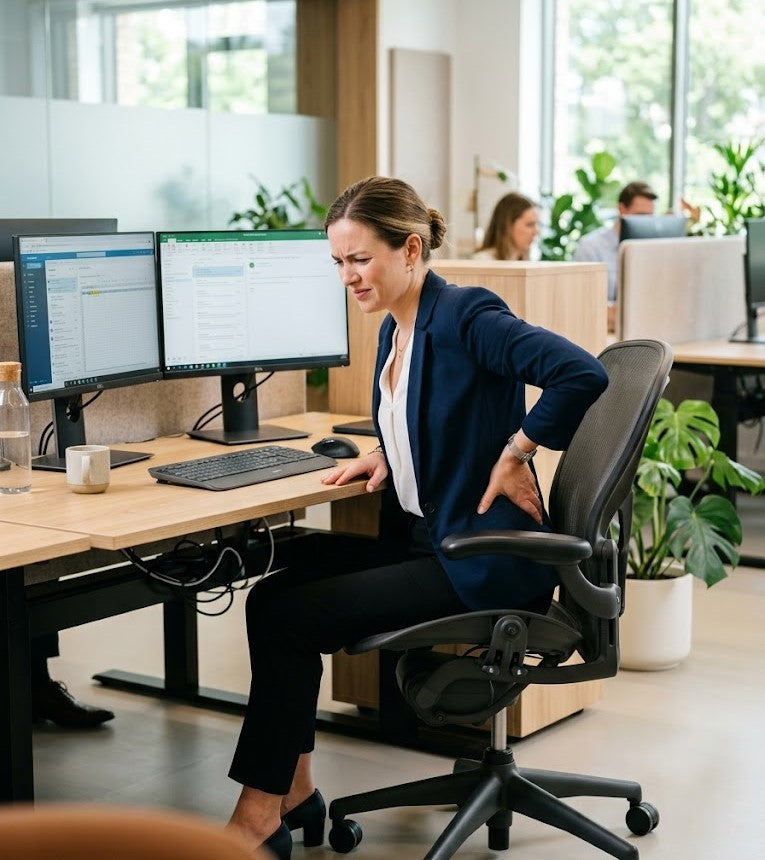
How to Avoid Fatigue at Work: Make Your Workspace Better
For many professionals, the workday often follows a familiar pattern. The morning begins with clarity, focus, and momentum, but as the afternoon approaches, energy levels begin to decline. Concentration becomes more difficult to maintain, physical tension starts to build in the neck and shoulders, and even routine tasks can begin to feel mentally demanding.
While afternoon fatigue is commonly attributed to poor sleep, stress, or the post-lunch energy dip, there is another contributing factor that is frequently overlooked: workspace ergonomics.
The way a workspace is designed has a significant impact on how the body functions throughout the day. Desk height, monitor positioning, seating support, foot placement, and overall posture all influence circulation, muscle engagement, breathing efficiency, and cognitive performance. When these elements are poorly aligned, the body is forced to compensate continuously for hours at a time. Over time, that physical strain can contribute to reduced energy, mental fatigue, discomfort, and decreased productivity. Proactively fighting fatigue through ergonomic adjustments can help minimize these negative effects and support better overall well-being.
This is particularly relevant in today’s work environment, where many people spend prolonged hours seated at desks, often in home office setups that were never designed with ergonomics in mind. Small issues such as slouching toward a laptop, unsupported sitting positions, or poor lower-body alignment may seem minor initially, but their cumulative effect throughout the day can be substantial.
The encouraging reality is that improving workplace ergonomics does not necessarily require a complete office redesign. In many cases, relatively simple adjustments can lead to meaningful improvements in comfort, posture, focus, and sustained energy levels.
In this guide, we will explore the connection between posture, ergonomics, and afternoon fatigue, identify common signs that your workspace may be contributing to low energy, and outline practical tips and strategies for managing and fighting fatigue at work to help create a healthier, more productive work environment.

How Poor Ergonomics Contributes to Fatigue
When people think about ergonomics, they often associate it primarily with preventing back pain or improving comfort during long workdays. While those are certainly important benefits, ergonomics also plays a much larger role in overall energy levels, concentration, and cognitive performance than many people realize.
The human body is not designed to remain in poorly supported positions for hours at a time. Yet for many desk workers, that is exactly what happens every day. A workspace that does not properly support posture and movement forces the body to compensate continuously throughout the workday. Over time, those small physical compensations accumulate into muscular tension, reduced circulation, mental fatigue, and decreased productivity.
In other words, poor ergonomics does not only affect how your body feels. It also affects how efficiently your body functions.
When your desk, chair, monitor, and seating position are not aligned properly, your muscles must work harder simply to maintain balance and stability. That constant low-level strain may not always feel obvious immediately, but it gradually consumes physical energy and contributes to the afternoon fatigue many professionals experience daily.
Poor Posture Restricts Circulation and Oxygen Flow
Posture has a direct impact on breathing efficiency and circulation, both of which are closely tied to energy and mental alertness.
When working in a slouched or forward-leaning position, the chest and diaphragm can become compressed. This limits the body’s ability to take deep, efficient breaths and may reduce oxygen intake over time. Since the brain depends heavily on oxygen-rich blood to function optimally, reduced breathing efficiency can contribute to:
- sluggishness
- mental fog
- difficulty concentrating
- reduced cognitive endurance
Poor posture can also negatively affect circulation in the lower body. Sitting for prolonged periods, particularly with poor hip and leg alignment, may reduce healthy blood flow and increase feelings of stiffness or heaviness in the legs.
This helps explain why many people begin to feel physically drained after several hours at a desk, even if their work is not physically demanding.
Over time, inadequate circulation and restricted movement can contribute to the familiar symptoms of workplace fatigue:
- afternoon energy crashes
- restlessness
- muscle stiffness
- reduced focus
- discomfort while sitting
Muscle Tension Quietly Consumes Energy
One of the most overlooked consequences of poor ergonomics is the amount of muscular effort required to maintain unsupported posture throughout the day.
Common workplace posture issues such as:
- forward head posture
- rounded shoulders
- unsupported lower back positioning
- uneven foot placement
place continuous strain on stabilizing muscles in the neck, shoulders, spine, and hips.
Even when the discomfort feels subtle, the body remains under constant physical demand. Muscles stay activated for prolonged periods to compensate for poor alignment, and that sustained effort gradually increases fatigue.
A useful comparison is holding a lightweight object in your hand. The object itself may not feel heavy initially, but after enough time, even a small amount of continuous effort becomes exhausting. Poor posture functions in much the same way.
According to the Occupational Safety and Health Administration (OSHA), poorly designed workstations can contribute to musculoskeletal strain, discomfort, and reduced workplace wellbeing, all of which may negatively impact productivity and overall work performance.
Over time, chronic muscular tension can also contribute to:
- headaches
- neck pain
- shoulder tightness
- lower back discomfort
- reduced concentration
- increased physical exhaustion
For many professionals, these symptoms become normalized because they develop gradually. However, they are often indicators that the workspace itself is not adequately supporting the body.
Static Sitting Reduces Mental Focus and Cognitive Performance
The body is designed for movement, not prolonged stillness.
Remaining seated in one position for hours at a time reduces circulation, increases joint stiffness, and limits muscular activity. While this may appear harmless on the surface, prolonged static sitting can significantly affect both physical and mental energy over the course of a workday.
Research published in the International Journal of Environmental Research and Public Health found that prolonged sedentary behavior is associated with lower energy levels, reduced wellbeing, and increased fatigue.
This connection between physical inactivity and cognitive performance is particularly important for desk workers, remote professionals, and knowledge-based employees who rely heavily on sustained concentration throughout the day.
When movement decreases, many people begin to experience:
- brain fog
- slower thinking
- decreased focus
- reduced motivation
- irritability
- afternoon tiredness
This can occur even in individuals who are otherwise well-rested and healthy.
The issue is not necessarily a lack of motivation or discipline. In many cases, it is a physiological response to prolonged static posture and insufficient ergonomic support.
This is one reason why movement-friendly workspaces, ergonomic seating, and posture support have become increasingly important in modern office and remote work environments. Incorporating physical activity—such as short exercises, stretching, or walking breaks—into the workday can help support energy levels and cognitive performance.
Signs Your Workspace May Be Contributing to Fatigue
The effects of poor ergonomics are not always immediately obvious. In many cases, fatigue develops gradually throughout the day and becomes normalized over time.
Below are some of the most common signs that a workspace may be negatively affecting energy, posture, and concentration.
| Workspace Issue | Possible Effect |
|---|---|
| Monitor positioned too low |
Neck strain, forward-head posture, headaches |
| Unsupported sitting posture |
Lower back fatigue and muscular tension |
| Feet dangling or uneven | Reduced circulation and hip discomfort |
| Prolonged sitting without movement | Stiffness, low energy, reduced alertness |
| Poor screen positioning | Eye strain and mental fatigue |
| Inadequate chair support | Pressure buildup and poor posture |
| Limited posture variation | Increased physical exhaustion throughout the day |
| Improper keyboard or mouse positioning | Wrist strain and discomfort |
Recognizing these warning signs early is important. Small ergonomic adjustments made proactively can help improve comfort, reduce fatigue, and support healthier long-term work habits before discomfort becomes chronic.

Signs Your Workspace Is Draining Your Energy
One of the challenges with poor workplace ergonomics is that its effects often develop gradually. Most people experience these symptoms over time and may not immediately connect them to workspace ergonomics. Unlike acute discomfort or injury, ergonomic strain tends to build subtly over time, which makes it easy for many professionals to overlook the connection between their workspace and their daily energy levels.
As a result, symptoms such as fatigue, stiffness, reduced focus, and physical discomfort are often accepted as a normal part of desk work. However, these issues are frequently signs that the body is under unnecessary physical strain throughout the day.
A workspace that does not properly support posture, circulation, and movement can quietly contribute to both physical and cognitive fatigue. Recognizing the early warning signs is important because even relatively small ergonomic adjustments can significantly improve comfort, focus, and sustained energy.
Below are some of the most common indicators that your workspace setup may be negatively affecting your wellbeing and productivity.
1. You Feel Increasingly Fatigued After Long Periods of Sitting
It is normal for energy levels to fluctuate slightly throughout the day, but consistent afternoon exhaustion after prolonged sitting may indicate that your body is working harder than it should to maintain posture and stability.
When a workstation is poorly configured, muscles remain continuously engaged to compensate for unsupported positioning. Over time, this creates physical fatigue that can also affect concentration and mental clarity.
Many people describe this type of fatigue as:
- feeling mentally drained after sitting for several hours
- struggling to stay focused during the afternoon
- experiencing sluggishness despite adequate sleep
- feeling physically stiff or heavy late in the workday
If your energy consistently improves after standing, stretching, or walking, there is a strong possibility that your workspace setup is contributing to the problem.
2. You Experience Frequent Neck or Shoulder Tension
Persistent tension in the neck, shoulders, and upper back is one of the most common symptoms of poor ergonomics.
This discomfort often develops when the body is forced into unnatural positions for prolonged periods, particularly during computer-based work.
Several workstation issues commonly contribute to upper-body strain, including:
- monitors positioned too low
- laptop screens that encourage forward-head posture
- poorly adjusted armrests
- improper support for arms and elbows, leading to strain from unsupported or awkward arm positioning
- unsupported lower-back positioning
- desks that place the shoulders under continuous tension
Forward-head posture is especially problematic because it places additional stress on the cervical spine and surrounding muscles. Even a slight forward tilt of the head can significantly increase muscular workload in the neck and shoulders over time.
What begins as mild tightness during the afternoon can gradually evolve into chronic discomfort, headaches, and ongoing fatigue if left unaddressed.
3. You Frequently Shift Positions Trying to Get Comfortable
Occasional movement while sitting is natural and healthy. However, constant repositioning throughout the day often indicates that the body lacks proper ergonomic support.
Many workers unconsciously adjust their posture repeatedly because of:
- pressure buildup in the hips or lower back
- poor seat support
- uneven leg positioning
- inadequate spinal alignment
- discomfort from prolonged static sitting
- lack of back rest
When a chair or workstation fails to support neutral posture effectively, the body continuously searches for temporary relief. Unfortunately, these compensatory movements rarely solve the underlying issue and can actually increase muscular fatigue over time.
If you find yourself regularly leaning forward, crossing your legs, shifting weight, or readjusting your sitting position throughout the day, it may be a sign that your workspace needs better ergonomic support.
4. Your Legs or Feet Feel Numb, Restless, or Uncomfortable
Lower-body positioning is often overlooked in workplace ergonomics, yet it plays a major role in circulation, posture, and seated comfort. It is important to keep your feet flat on the floor or on a footrest to promote stability and reduce strain during work.
When feet do not rest comfortably and evenly, the body’s alignment becomes compromised from the ground up. For proper alignment, your feet should rest flat, which helps maintain a neutral posture. Adjust your chair so that your feet rest flat on the floor and your thighs are roughly parallel to it, supporting comfort and healthy posture. This may contribute to:
- reduced circulation
- hip discomfort
- lower-back strain
- leg numbness
- pressure buildup in the thighs
These issues are especially common when:
- chairs are positioned too high
- feet dangle above the floor
- knees and hips are poorly aligned
- workers remain seated for prolonged periods without movement
Proper lower-body support helps stabilize posture and distribute pressure more evenly throughout the body.
For individuals who spend extended hours sitting, ergonomic accessories such as footrests can help improve posture and support healthier seated positioning. Products like the Serenform Axis Footrest are designed to encourage better lower-body alignment while also promoting subtle movement throughout the workday, which may help reduce stiffness and improve overall comfort.
5. You Notice Improved Energy When Away From Your Desk
One of the clearest signs that your workspace may be contributing to fatigue is feeling noticeably better when you step away from it.
Many professionals experience:
- improved alertness while standing
- reduced tension during walks
- greater comfort working in alternative environments
- increased focus after movement breaks
Stepping away from your desk and moving can also help reduce stress, in addition to improving energy.
This pattern often suggests that the body is responding positively to changes in posture and movement after prolonged periods of strain.
While occasional fatigue is normal during busy workdays, a consistent improvement in energy away from your workstation may indicate that your desk setup is creating unnecessary physical stress.
Quick Ergonomic Self-Assessment Checklist
If you are unsure whether your workspace may be affecting your energy and focus, consider the following questions:
- Does your neck or upper back feel stiff by the afternoon?
- Do you frequently slouch toward your monitor or laptop?
- Do you feel mentally foggy after sitting for long periods?
- Do your hips, legs, or lower back become uncomfortable during the workday?
- Do you regularly reposition yourself trying to get comfortable?
- Do you struggle to maintain concentration late in the afternoon?
- Do you feel more energized after standing or moving around?
If several of these symptoms feel familiar, your workspace ergonomics may be contributing more to your fatigue than you realize.
The encouraging reality is that these issues are often highly manageable. In many cases, relatively small ergonomic improvements can lead to noticeable gains in comfort, focus, posture, and overall workplace wellbeing, and are an important part of fighting fatigue at work.

Ergonomic Changes That Improve Afternoon Energy
One of the most important things to understand about workplace ergonomics is that meaningful improvements do not always require dramatic changes. In many cases, relatively small adjustments to posture, workstation setup, and seated support can have a significant impact on daily comfort, concentration, and energy levels.
For professionals who spend long hours at a desk, fatigue often develops not because of a single major issue, but because of repeated minor strains that accumulate throughout the day. Poor posture, unsupported sitting positions, improper monitor placement, improper chair height, and prolonged static sitting all place additional demands on the body over time.
The goal of ergonomics is not perfection. Rather, it is to create a workspace that supports the body more naturally, reduces unnecessary strain, and encourages healthier movement patterns during the workday.
When the body is properly supported, muscles can relax more efficiently, circulation improves, and energy is no longer wasted compensating for poor positioning. The result is often better physical comfort, improved focus, and greater consistency in energy throughout the afternoon.
Below are several ergonomic adjustments that can help reduce workplace fatigue and support a healthier, more productive work environment.
Improve Your Sitting Posture
Posture is one of the foundational elements of workplace ergonomics because it directly affects muscle balance, circulation, breathing efficiency, and spinal support.
Unfortunately, many desk workers spend hours each day sitting in positions that place unnecessary stress on the neck, shoulders, lower back, and hips. Over time, these small postural imbalances contribute to muscular fatigue and physical discomfort.
A healthier seated posture generally includes:
- feet resting flat on the floor or on a supportive footrest
- knees positioned at approximately 90 degrees
- hips aligned comfortably with the knees
- shoulders relaxed rather than elevated
- elbows positioned close to the body
- arms and elbows supported by chair armrests to prevent strain
- a neutral spine with natural spinal curvature maintained, with lumbar support to help maintain spinal alignment and prevent back pain
- keyboard and mouse positioned so your forearms stay parallel to the floor and wrists remain straight to prevent strain
Proper posture does not mean sitting rigidly or perfectly upright at all times. In fact, the body benefits from natural movement and posture variation throughout the day. However, maintaining a more neutral and supported position helps reduce the amount of compensatory muscular effort required during prolonged sitting.
When posture improves, the body can function more efficiently. Muscles are no longer forced to continuously stabilize unsupported positions, which helps reduce physical fatigue and conserves energy over long work sessions.
Use a Supportive Seat Cushion
Many office chairs, particularly older or lower-quality models, lack adequate support and pressure distribution for extended sitting. Both a supportive seat cushion and a back rest are important for comfort during long hours at a desk.
Over time, unsupported seating can create pressure buildup in the hips, tailbone, and lower back, contributing to discomfort, stiffness, and poor posture. As discomfort increases throughout the day, concentration and productivity often decline as well.
A supportive ergonomic seat cushion can help improve seated comfort by:
- promoting healthier posture
- distributing pressure more evenly
- reducing strain on the lower back and hips
- supporting better spinal alignment during prolonged sitting
For individuals working long hours at a desk, this additional support can make a meaningful difference in overall comfort and endurance throughout the day.
The Serenform Summit Seat Cushion is specifically designed to improve seated support during extended work sessions. By helping reduce pressure buildup and encouraging better alignment, it supports a more comfortable and ergonomically balanced sitting experience.
For remote workers, office professionals, and anyone spending six or more hours seated daily, improving sitting support is often one of the simplest and most effective ways to reduce afternoon discomfort and fatigue.
Raise Your Monitor to Eye Level
Monitor positioning is one of the most commonly overlooked aspects of workspace ergonomics, yet it has a major influence on posture and upper-body tension.
When a monitor or laptop screen is positioned too low, the body naturally compensates by leaning forward and tilting the head downward. Over time, this posture places substantial strain on the neck, shoulders, and upper spine.
Poor monitor positioning often contributes to:
- forward-head posture
- neck stiffness
- shoulder tension
- headaches
- upper-back discomfort
- reduced concentration from physical strain
To support healthier alignment:
- the top of the monitor should generally sit at or slightly below eye level
- the screen should be positioned approximately an arm’s length away
- the neck should remain in a relatively neutral position while viewing the screen
One of the simplest solutions is raising the laptop screen while using an external keyboard and mouse. The Serenform Elevate Laptop Stand helps position the screen closer to eye level, supporting a more neutral neck position and reducing the forward-head posture commonly associated with laptop use.
Proper monitor height encourages a more upright posture, reduces muscular strain, and helps minimize the physical fatigue that often develops during long periods of computer work.
Support Your Feet Properly
Lower-body positioning plays a much larger role in workplace comfort and fatigue than many people realize.
When feet do not rest comfortably and evenly, posture throughout the entire body can become compromised. For optimal support, it is important that your feet rest flat on the floor or on a footrest. Unsupported foot positioning often increases strain in the:
- hips
- knees
- lower back
- thighs
It may also negatively affect circulation, particularly during prolonged sitting.
These issues commonly occur when:
- chairs are too high for the user’s height
- feet dangle above the floor
- knees and hips are improperly aligned
- workers remain seated in static positions for long periods
Proper foot support helps stabilize the body from the ground up and promotes more balanced seated posture.
An ergonomic footrest can be particularly beneficial for improving lower-body positioning and encouraging subtle movement during the workday. The Serenform Axis Footrest is designed to support neutral posture while helping reduce pressure and stiffness associated with prolonged sitting.
In many cases, relatively small adjustments to foot positioning can improve comfort throughout the entire body, especially during extended desk work.
Alternate Between Sitting and Standing
One of the most effective ways to reduce sedentary fatigue is to avoid remaining in any single position for too long.
This is one reason standing desks and sit-stand workstations have become increasingly popular in modern office environments. Alternating between sitting and standing throughout the day introduces movement variability, which helps reduce the physical strain associated with prolonged static posture.
Regular posture changes may help:
- improve circulation
- reduce muscular stiffness
- increase alertness
- support better energy levels
- reduce pressure buildup from sitting
- improve overall workplace comfort
It is important to note that standing continuously is not necessarily better than sitting continuously. The key is balance and movement variation rather than extremes.
Many ergonomics professionals recommend changing positions approximately every 30 to 60 minutes whenever possible. Even brief posture adjustments or short standing intervals can help interrupt the buildup of physical and mental fatigue during the workday.
The most effective ergonomic workspaces are typically those that encourage regular movement rather than prolonged stillness.
Ergonomic Upgrades That Help Reduce Workplace Fatigue
| Ergonomic Improvement | Potential Benefit |
|---|---|
| Monitor positioned at eye level |
Reduced neck strain and improved posture |
| Ergonomic footrest |
Better circulation and lower-body support |
| Supportive seat cushion | Reduced pressure buildup and improved comfort |
| Sit-stand workstation transitions | Increased movement and energy levels |
| Neutral sitting posture | Reduced muscular fatigue and tension |
| External keyboard and mouse | Improved shoulder and wrist positioning |
| Adjustable keyboard tray | Improved wrist and arm positioning |
| Regular movement breaks | Better circulation and sustained focus |
Improving workplace ergonomics does not require rebuilding an entire office. Often, a series of smaller adjustments can work together to create a much healthier and more energy-supportive environment.
Over time, these improvements can contribute to:
- greater physical comfort
- improved concentration
- reduced afternoon fatigue
- healthier posture habits
- more sustainable productivity throughout the workday

Movement: The Missing Piece of Workplace Energy
Even the most thoughtfully designed ergonomic workspace cannot fully compensate for one essential human need: movement.
A supportive chair, properly positioned monitor, and ergonomic accessories can significantly reduce physical strain, but the body is still not designed to remain stationary for hours at a time. Prolonged sitting, even with good posture, gradually reduces circulation, increases muscular stiffness, and contributes to both physical and cognitive fatigue.
This is why movement is such an important component of workplace wellness and sustained productivity.
In many modern work environments, fatigue is not caused solely by workload or mental stress. It is often the result of extended physical stillness combined with repetitive posture throughout the day. Over time, static sitting can leave the body feeling sluggish and the mind less alert, even in otherwise healthy individuals.
Incorporating regular movement into the workday helps interrupt that cycle. Small, consistent posture changes and movement breaks can improve circulation, reduce tension, support energy levels, and help maintain focus more effectively throughout the afternoon. Even a brisk walk during breaks can help restore energy and focus, making it a simple and effective way to avoid fatigue at work.
Rather than viewing movement as a disruption to productivity, it is more accurate to see it as a tool that supports better long-term performance.
Why Microbreaks Matter
Microbreaks are short movement breaks that typically last between one and two minutes. Although brief, they can have a surprisingly positive impact on physical comfort and mental clarity during long periods of desk work.
These breaks may involve:
- standing up from the desk
- stretching the shoulders or hips
- walking briefly around the room
- repositioning posture
- stepping away from the screen momentarily
While these activities may seem minor, they help counteract the effects of prolonged static sitting by encouraging circulation and reducing muscular tension.
Research has shown that short movement breaks throughout the workday may help improve mental performance while also reducing discomfort associated with prolonged sitting. This is particularly important for remote workers and office professionals who spend extended periods focused on computer-based tasks.
Microbreaks also provide the body with opportunities to reset posture before tension accumulates excessively. Instead of waiting until discomfort becomes severe, regular movement helps prevent fatigue from building gradually throughout the day.
Importantly, effective movement breaks do not need to be disruptive or time-consuming. Even standing for a minute or briefly stretching between tasks can help restore energy and improve alertness.
For many professionals, the most sustainable approach is integrating movement naturally into existing routines rather than treating it as a separate activity.
Stretching Helps Reduce Physical Tension
Desk work often places repetitive stress on specific muscle groups, particularly when posture remains relatively unchanged for long periods.
Over time, many desk workers develop tightness in areas such as:
- the neck
- shoulders
- chest
- hips
- hamstrings
- lower back
These areas tend to become restricted because prolonged sitting shortens certain muscles while weakening others. This imbalance contributes to stiffness, discomfort, and reduced mobility over time.
Gentle stretching throughout the workday can help:
- reduce muscular tension
- improve flexibility and mobility
- support better posture
- relieve physical stress
- improve overall comfort while working
Stretching is especially beneficial during the afternoon, when tension and fatigue often begin to accumulate more noticeably.
Some effective desk-friendly stretches include:
- shoulder rolls to reduce upper-body tension
- chest-opening stretches to counter rounded posture
- neck rotations to relieve cervical stiffness
- standing hip stretches to reduce lower-body tightness
- hamstring stretches to improve circulation and mobility
The goal is not necessarily intense exercise, but rather restoring movement and relieving the physical compression that develops during prolonged sitting.
Consistent stretching also encourages greater body awareness, helping workers recognize tension earlier before discomfort escalates.
Walking Helps Restore Energy and Mental Focus
One of the simplest and most effective ways to reduce workplace fatigue is walking.
Even short walks can help interrupt prolonged sedentary behavior and provide both physical and cognitive benefits. Walking increases circulation, encourages movement in multiple muscle groups, and gives the eyes and mind a brief reset from continuous screen exposure.
Many professionals notice improved alertness and mental clarity after stepping away from their desks for only a few minutes.
Short walking breaks may help:
- improve blood flow
- reduce physical stiffness
- refresh concentration
- lower stress levels
- improve mood and alertness
- reduce feelings of mental fatigue
Walking is particularly effective during the afternoon when energy levels naturally begin to decline. Rather than relying solely on additional caffeine or pushing through fatigue, a brief walk can often help restore focus more effectively.
For remote workers, this may be as simple as:
- walking around the home
- stepping outside briefly
- pacing during phone calls
- using stairs during breaks
In office environments, short walks between meetings or around the workspace can serve a similar purpose.
The key is consistency. Small movement sessions repeated throughout the day are often more beneficial than remaining sedentary for long periods followed by a single longer workout later.
Simple Movement Habits for Desk Workers
Creating a movement-friendly work routine does not require major interruptions to the workday. In many cases, small habits performed consistently are enough to significantly reduce fatigue and improve comfort.
Below are several practical movement habits that can support healthier energy levels and workplace wellbeing.
| Movement Habit | Recommended Frequency | Potential Benefit |
|---|---|---|
| Stand up from your desk |
Every 30–60 minutes |
Improves circulation and reduces stiffness |
| Reposition posture |
At least hourly |
Reduces static muscular strain |
| Stretch neck and shoulders | 2–3 times daily |
Relieves upper-body tension |
| Take short walks | Every few hours | Restores focus and energy |
| Rest eyes from the screen | Every 20 minutes | Helps reduce eye strain and mental fatigue |
| Alternate sitting and standing | Throughout the day | Encourages movement variability |
| Perform gentle hip stretches | Daily | Reduces lower-body tightness from sitting |
The most effective ergonomic workspaces are not necessarily those with the most expensive equipment. They are the environments that support healthy posture, encourage movement, and reduce prolonged physical strain throughout the day.
When movement becomes a regular part of the work routine, many people experience:
- better sustained energy
- reduced afternoon fatigue
- improved focus
- greater physical comfort
- healthier long-term work habits
Ultimately, ergonomics and movement work best together. A supportive workspace helps reduce unnecessary strain, while regular movement helps the body remain energized, mobile, and resilient throughout the workday.

The Connection Between Ergonomics and Productivity
Workplace ergonomics is often viewed primarily through the lens of physical comfort, but its impact extends far beyond reducing aches and pains. In reality, ergonomics plays a significant role in productivity, concentration, cognitive performance, and overall work quality.
For professionals who spend long hours at a desk, the physical work environment directly influences how efficiently the brain and body can perform throughout the day. When posture is unsupported, movement is limited, or discomfort gradually accumulates, focus naturally becomes more difficult to maintain.
This relationship between physical strain and mental performance is frequently underestimated. Many workers assume declining focus during the afternoon is simply a matter of motivation or mental discipline. However, in many cases, cognitive fatigue is closely connected to the physical demands placed on the body during prolonged desk work.
A workspace that supports healthy posture and movement helps reduce unnecessary strain, allowing more mental energy to remain directed toward productive work rather than physical discomfort.
Physical Discomfort Competes for Mental Attention
The human brain constantly processes signals from the body, including tension, pressure, stiffness, and discomfort. Even relatively mild physical strain requires attention at some level, whether consciously or subconsciously.
When the body experiences ongoing discomfort during work, part of the brain’s cognitive resources shifts toward managing that discomfort rather than maintaining full concentration on tasks.
For example:
- neck tension may create persistent distraction
- lower-back discomfort can reduce sitting tolerance
- eye strain may contribute to mental fatigue
- shoulder tightness can increase physical stress throughout the day
Although these distractions may seem minor individually, their cumulative effect over several hours can significantly reduce focus and productivity.
Over time, poorly supported work environments may contribute to:
- reduced concentration
- slower task completion
- decreased cognitive endurance
- increased mental fatigue
- reduced work quality
- difficulty sustaining attention during complex tasks
This is particularly important in knowledge-based work where sustained focus, problem-solving, and decision-making are essential.
In many cases, improving physical comfort also improves the ability to think clearly and work more efficiently.
Better Posture Supports Sustained Focus
Posture affects more than physical appearance. It also influences breathing efficiency, muscular strain, circulation, and overall physical energy throughout the day.
When posture is poorly supported, the body expends additional energy maintaining balance and compensating for muscular imbalances. This constant low-level strain gradually contributes to physical and mental fatigue.
By contrast, a more ergonomically supportive posture allows the body to function with less unnecessary effort.
Proper posture may help:
- improve breathing efficiency
- reduce muscular tension
- support healthier circulation
- decrease physical distractions
- improve overall comfort during prolonged work sessions
As physical strain decreases, many professionals notice improved concentration and greater ability to remain mentally engaged for longer periods.
Relatively small ergonomic adjustments can often produce meaningful improvements in focus and productivity, including:
- raising monitors to eye level
- improving sitting posture
- using supportive ergonomic seating
- reducing lower-body strain
- incorporating posture variation throughout the day
Proper ergonomics, such as aligning your monitor at eye level and using external peripherals, helps reduce the energy lost to physical compensation and prevents unnecessary strain and discomfort.
For remote workers especially, these adjustments can be highly impactful because home office environments are frequently less ergonomically optimized than traditional office spaces.
Over time, better ergonomic support helps reduce the energy lost to physical compensation, allowing greater mental capacity to remain available for productive work.
Ergonomics Helps Reduce Cognitive Fatigue
Cognitive fatigue does not develop solely from mentally demanding work. Physical strain also contributes significantly to how mentally exhausted a person feels by the end of the day.
When the body remains tense or uncomfortable for extended periods, the nervous system stays under a subtle but continuous level of stress. This prolonged physical demand can gradually reduce alertness, patience, motivation, and mental resilience throughout the workday.
Many common symptoms associated with “burnout” or work exhaustion may be amplified by poor ergonomic conditions, including:
- difficulty concentrating
- irritability
- mental fog
- reduced motivation
- lower energy levels
- feeling mentally depleted late in the day
This is one reason why many professionals experience noticeable improvements in energy and focus after upgrading their workspace ergonomics. Reducing physical strain helps lower the cumulative fatigue that builds during long work sessions.
Importantly, ergonomics should not be viewed only as a reactive solution after discomfort appears. It is also a proactive strategy for fighting fatigue and supports long-term workplace performance and wellbeing.
Ergonomics Supports Sustainable Productivity
Sustainable productivity is not simply about working longer hours. It is about maintaining consistent performance, focus, and wellbeing over time without excessive physical or mental exhaustion.
A poorly designed workspace may allow someone to work temporarily, but it often does so at the expense of comfort, energy, and long-term health. Eventually, ongoing physical strain can reduce both productivity and overall work satisfaction.
Creating an ergonomic workspace helps support:
- healthier posture habits
- reduced physical fatigue
- improved concentration
- greater workplace comfort
- more consistent energy levels
- better long-term work sustainability
For remote workers and desk-based professionals, ergonomic improvements are often among the most practical investments they can make in both daily performance and long-term wellbeing. These improvements help manage fatigue by minimizing strain and supporting energy levels, making it easier to sustain productivity throughout the workday.
This does not necessarily require a complete office redesign. Even relatively modest adjustments such as improving monitor height, adding posture support, using ergonomic accessories, or encouraging regular movement can create noticeable benefits over time.
The most effective workspaces are not simply optimized for efficiency. They are designed to support the physical and cognitive demands of modern work in a sustainable way.

Creating an Energy-Friendly Workspace at Home
Remote and hybrid work have fundamentally changed the modern work environment. For many professionals, the home office has become a permanent or semi-permanent workspace rather than a temporary arrangement.
While this shift has created greater flexibility and convenience, it has also introduced a new challenge: many home workspaces were never designed with ergonomics in mind.
Unlike traditional office environments that may include adjustable desks, ergonomic seating, and professionally designed workstations, home offices are often created using whatever space and furniture are readily available. Kitchen tables, dining chairs, couches, and laptops on low surfaces have become common work setups for millions of people. Additionally, ensuring good ventilation and access to fresh air in your workspace is important for comfort and concentration, as it helps maintain good indoor air quality and can reduce fatigue.
Although these arrangements may feel manageable in the short term, they often contribute to:
- poor posture
- muscular tension
- reduced circulation
- physical discomfort
- increased afternoon fatigue
- decreased concentration over time
The encouraging reality is that improving home office ergonomics does not necessarily require a complete renovation or expensive redesign. In many cases, a series of relatively simple adjustments can create a workspace that feels significantly more supportive, comfortable, and energy-efficient throughout the day.
The goal is not to create a perfect office. It is to create an environment that better supports posture, movement, and sustained focus during long work sessions.
Prioritize the Ergonomic Essentials
When improving a home workspace, it is helpful to focus first on the elements that have the greatest impact on posture and physical comfort.
Several foundational factors influence how the body functions throughout the workday:
- chair support
- monitor height
- foot positioning
- keyboard and mouse alignment (consider using a keyboard without a number pad to bring the mouse closer and reduce shoulder strain)
- lighting and screen visibility
- opportunities for movement
Even relatively modest adjustments in these areas can significantly reduce strain and improve comfort over time.
For many remote workers, the most effective approach is gradual improvement. Rather than replacing an entire workspace immediately, small ergonomic upgrades introduced strategically can collectively create a much healthier work environment.
Often, the cumulative effect of multiple small improvements is far more impactful than any single major change alone.
Improve Laptop Ergonomics
Laptops are one of the most common sources of poor posture in home office environments.
Because the screen and keyboard are attached together, laptop users are often forced into awkward positions. To see the screen clearly, many people lean forward or angle their neck downward for extended periods, which increases strain on the:
- neck
- shoulders
- upper back
- wrists
Over time, this posture contributes to muscular fatigue and reduced comfort during long work sessions.
Improving laptop ergonomics typically involves separating screen height from keyboard positioning.
Some of the most effective adjustments include:
- raising the laptop using a stand or riser
- positioning the screen at eye level
- using an external keyboard and mouse, which allows you to keep the mouse closer and reduce strain
- maintaining a more neutral neck position while working
These changes help reduce forward-head posture and allow the body to remain in a more balanced and supported position throughout the day.
Even a simple laptop stand can make a meaningful difference in reducing upper-body tension and improving overall comfort.
Reduce Lower-Body Strain and Improve Foot Positioning
Lower-body ergonomics is frequently overlooked in home office setups, yet it plays a critical role in posture, circulation, and overall seated comfort.
When feet do not rest comfortably and evenly, the body’s alignment becomes less stable. This often increases pressure in the hips, thighs, and lower back while also contributing to reduced circulation during prolonged sitting.
Common signs of poor lower-body support include:
- dangling feet
- pressure behind the knees
- hip discomfort
- restless legs
- lower-back fatigue
These issues are especially common when working from dining chairs or desks that are not properly matched to the user’s height.
Supporting the feet properly helps stabilize posture throughout the entire body and may reduce fatigue during long periods of desk work.
An ergonomic footrest can be particularly helpful for remote workers who spend extended hours seated. The Serenform Axis Footrest is designed to support healthier lower-body positioning while encouraging subtle movement throughout the workday.
This type of support can be especially beneficial in:
- compact home office setups
- non-adjustable workstations
- smaller desk environments
- prolonged sitting situations
Small improvements in foot positioning often lead to noticeable improvements in overall comfort and posture.
Make Comfort Sustainable for Long Workdays
One of the most important goals of home office ergonomics is sustainability.
Many people can tolerate poor posture or uncomfortable seating temporarily. The problem is that repetitive strain accumulates gradually over weeks, months, and years of daily work.
What begins as mild discomfort may eventually develop into:
- chronic neck tension
- recurring headaches
- lower-back pain
- reduced energy levels
- decreased concentration
- physical exhaustion during workdays
An ergonomically supportive workspace helps reduce these cumulative physical demands and allows the body to work more efficiently over longer periods of time.
Importantly, ergonomic comfort is not solely about reducing pain. It is also about supporting:
- sustained focus
- healthier movement habits
- improved workplace energy
- better productivity
- long-term physical wellbeing
For remote professionals especially, investing in home office ergonomics is often an investment in both performance and health.
A workspace that supports the body properly makes it easier to maintain energy, concentration, and comfort consistently throughout the day. Additionally, prioritizing a good night's sleep is essential for supporting energy levels and helping to avoid fatigue at work.
Home Office Ergonomic Priorities
Below are several of the most important areas to focus on when creating a healthier and more energy-supportive home workspace.
| Ergonomic Priority | Why It Matters |
|---|---|
| Monitor positioned at eye level |
Helps reduce neck and upper-back strain |
| Supportive chair or seat cushion |
Improves posture and seated comfort |
| Proper foot positioning | Supports circulation and spinal alignment |
| External keyboard and mouse | Reduces shoulder and wrist tension |
| Document holder | Reduces neck strain and improves reading comfort |
| Regular movement breaks | Helps prevent fatigue buildup |
| Adjustable lighting | Reduces eye strain and visual fatigue |
| Organized workspace layout | Supports focus and productivity |
Ensure your workspace is properly lit and comfortable for better ergonomics.
Creating an ergonomic home office does not require perfection. What matters most is designing a workspace that supports the body more naturally and reduces unnecessary physical strain throughout the workday.
As remote and hybrid work continue to evolve, ergonomics will likely become an increasingly important part of maintaining both productivity and long-term wellbeing.
Small adjustments made consistently today can help create healthier, more comfortable, and more sustainable work habits for years to come.

Simple Daily Habits to Prevent Afternoon Slumps
An ergonomic workspace creates the foundation for better comfort and productivity, but maintaining consistent energy throughout the workday also depends on daily habits, including balanced nutrition with healthy fats for sustained energy.
Even a well-designed desk setup cannot fully offset the effects of prolonged sitting, physical inactivity, dehydration, or poor work routines. Sustainable workplace energy comes from the combination of supportive ergonomics and healthy day-to-day behaviors that help the body remain engaged, mobile, and mentally alert. Choosing snacks like nuts, fruit, or yogurt over sugary alternatives can also help avoid energy crashes.
The encouraging news is that preventing afternoon fatigue does not necessarily require major lifestyle changes. In many cases, small habits practiced consistently throughout the day can significantly improve focus, physical comfort, and energy levels.
Below are several simple but highly effective habits that can help reduce workplace fatigue and support healthier desk work routines over time.
1. Reposition Your Posture Regularly
One of the most common misconceptions about posture is that there is a single “perfect” sitting position that should be maintained continuously throughout the day.
In reality, even good posture can become uncomfortable if held rigidly for long periods without movement.
The body functions best when posture changes naturally and regularly. Remaining completely still for hours increases muscular tension, reduces circulation, and contributes to physical fatigue.
Making small posture adjustments throughout the day helps:
- reduce static muscular strain
- relieve pressure buildup
- improve circulation
- maintain comfort during prolonged work sessions
This can be as simple as:
- sitting more upright periodically
- relaxing the shoulders
- repositioning the hips
- adjusting foot placement
- alternating between sitting and standing
Rather than striving for perfect posture at every moment, the goal should be maintaining supported and varied movement throughout the workday.
2. Stay Hydrated Throughout the Day
Hydration plays a larger role in workplace energy and concentration than many people realize.
Even mild dehydration may contribute to:
- fatigue
- headaches
- reduced mental clarity
- difficulty concentrating
- lower physical energy levels
Because desk work is relatively sedentary, many professionals unintentionally consume less water throughout the day than they should.
Keeping water easily accessible at the workstation encourages more consistent hydration habits and can help support better energy levels during long periods of focused work.
Simple strategies that may help include:
- keeping a water bottle visible on the desk
- drinking water during movement breaks
- replacing some afternoon caffeine intake with water
- setting reminders for regular hydration
While hydration alone will not eliminate afternoon fatigue, it can meaningfully support cognitive performance and overall wellbeing during the workday.
3. Avoid Working From Beds or Couches
Remote work has increased flexibility considerably, but it has also normalized working from spaces that are not designed to support healthy posture.
Beds, couches, and soft lounge furniture may feel comfortable initially, but they generally provide very little ergonomic support during prolonged work sessions.
These environments often encourage:
- slouched spinal positioning
- forward-head posture
- unsupported hips and lower back
- awkward wrist and shoulder positioning
Over time, these postural compromises contribute to muscular tension, reduced circulation, and increased fatigue.
Occasional casual work sessions may not create significant issues, but consistently working from unsupported surfaces can gradually place unnecessary stress on the body.
Whenever possible, creating a designated workspace with proper seating, monitor positioning, and ergonomic support helps improve both comfort and concentration during the day.
4. Use Natural Light Whenever Possible
Lighting has a meaningful influence on both physical comfort and mental alertness.
Poor lighting conditions may contribute to:
- eye strain
- headaches
- visual fatigue
- reduced concentration
- lower energy levels
Natural light is especially beneficial because it helps support alertness and may contribute to healthier energy regulation throughout the day.
Whenever possible, positioning a workspace near a window or incorporating natural daylight into the work environment can help create a more energizing and comfortable atmosphere.
In addition to natural light, it is also important to reduce excessive screen glare and ensure the workspace is adequately illuminated without creating visual strain.
A brighter, well-balanced environment often supports better focus and reduces the mental fatigue associated with dim or poorly lit workspaces.
5. Take Intentional Movement Breaks
One of the most effective ways to reduce afternoon fatigue is incorporating intentional movement throughout the workday.
Many professionals attempt to remain continuously seated for long periods in an effort to stay productive. In reality, prolonged static sitting often reduces both physical comfort and mental efficiency over time.
Brief movement breaks help:
- improve circulation
- reduce muscular stiffness
- refresh concentration
- increase alertness
- interrupt sedentary fatigue
Even short activities can make a noticeable difference, including:
- standing for a few minutes
- stretching beside the desk
- walking briefly around the office or home
- performing light mobility exercises
- taking calls while standing or walking
The goal is not intense exercise during work hours, but rather regular movement that helps the body avoid remaining static for excessive periods.
Consistent movement breaks are particularly valuable during the afternoon when physical and cognitive fatigue tend to increase most noticeably.
6. Optimize Your Sitting Comfort
Sitting for extended periods is inherently demanding on the body, especially when seating lacks proper support.
Discomfort caused by pressure buildup, poor posture, or inadequate lower-body support often contributes to:
- reduced focus
- increased physical fatigue
- stiffness
- frequent repositioning
- lower-back tension
Improving sitting comfort helps reduce unnecessary physical strain and allows the body to remain more supported during long work sessions.
Supportive ergonomic accessories can be especially beneficial for individuals who spend six or more hours seated each day.
For example:
- ergonomic seat cushions may help improve pressure distribution and posture support
- footrests can support healthier lower-body positioning and circulation
- adjustable seating helps reduce static posture strain
Products such as the Serenform Summit Seat Cushion and Serenform Axis Footrest are designed to support more comfortable and movement-friendly sitting throughout the workday.
Even relatively small ergonomic improvements can help make long periods of desk work feel significantly more sustainable physically and mentally.
7. Create a Workspace That Encourages Focus
The physical environment influences more than posture alone. It also affects concentration, stress levels, and mental clarity.
Cluttered, uncomfortable, or poorly organized workspaces often increase what psychologists sometimes refer to as “mental friction.” In other words, the environment itself creates subtle distractions and cognitive fatigue that make focused work more difficult.
By contrast, organized and supportive workspaces tend to feel calmer and easier to work within.
A workspace that encourages focus typically includes:
- adequate lighting
- task lighting for focused illumination on specific work areas
- comfortable seating
- proper ergonomic alignment
- minimized clutter
- easy access to frequently used items
- enough space for natural movement
The goal is not necessarily aesthetic perfection, but creating an environment that feels functional, comfortable, and mentally supportive throughout the workday.
For many professionals, improving workspace organization and ergonomics simultaneously leads to noticeable improvements in both productivity and overall work satisfaction.
Daily Habits That Help Reduce Afternoon Fatigue
| Habit | Potential Benefit |
|---|---|
| Reposition posture regularly |
Reduces muscular tension and stiffness |
| Stay hydrated |
Supports focus and energy levels |
| Avoid working from couches or beds | Encourages healthier posture |
| Use natural light | Helps reduce eye strain and fatigue |
| Take movement breaks | Improves circulation and alertness |
| Improve sitting comfort | Pressure buildup and poor posture |
| Limited posture variation | Reduces pressure and physical strain |
| Maintain an organized workspace | Supports concentration and productivity |
Preventing workplace fatigue is rarely about one single solution. Instead, it is usually the result of multiple small habits working together to support healthier posture, movement, comfort, and focus throughout the day.
When these habits become consistent, many desk workers notice:
- improved afternoon energy
- reduced physical discomfort
- better concentration
- healthier work routines
- more sustainable productivity over time
Ultimately, the most effective workspace is one that supports not only efficiency, but also long-term physical and mental wellbeing.

Your Workspace Has More Impact on Energy Than You Think
For many professionals, afternoon fatigue is often interpreted as a lack of motivation, discipline, or mental endurance. However, in many cases, the issue is not purely psychological. It is a physiological response to the way the body experiences the workday.
The modern workplace requires millions of people to spend prolonged hours seated at desks, focused on screens, and performing repetitive tasks with minimal movement. When posture is unsupported and the workspace is poorly aligned with the body’s natural mechanics, physical strain gradually accumulates throughout the day.
Over time, this strain affects far more than physical comfort alone.
Poor posture, prolonged sitting, muscular tension, restricted circulation, and inadequate ergonomic support all place additional demands on the body. Even relatively minor ergonomic issues may seem insignificant individually, but their cumulative effect can contribute to:
- reduced energy levels
- mental fatigue
- difficulty concentrating
- physical discomfort
- lower productivity
- increased stress throughout the workday
This helps explain why many desk workers experience declining focus and energy during the afternoon, even when they are otherwise healthy and well-rested.
The encouraging reality is that meaningful improvements often come from relatively simple changes.
Workplace ergonomics does not require creating a perfect office or investing in complex equipment. In many cases, small adjustments made consistently can significantly improve how the body feels and functions throughout the day.
For example:
- improving monitor height can reduce neck and shoulder strain
- better sitting posture can support breathing and circulation
- supportive seating may reduce pressure buildup and discomfort
- ergonomic foot support can improve lower-body positioning
- regular movement breaks help reduce sedentary fatigue
- posture variation encourages healthier muscular balance
Collectively, these changes help reduce the amount of unnecessary energy the body spends compensating for poor positioning and physical strain.
As comfort improves, many professionals also notice improvements in:
- sustained focus
- mental clarity
- concentration
- physical endurance
- workplace productivity
- overall wellbeing
Importantly, ergonomics should not be viewed solely as a response to pain or discomfort after problems develop. It is also a proactive strategy for supporting healthier and more sustainable work habits over the long term.
Whether working remotely, in a traditional office, or within a hybrid environment, creating a workspace that supports posture and movement is one of the most practical ways to improve both comfort and performance during the workday.
An ergonomically supportive workspace can help contribute to:
- healthier posture
- reduced muscular tension
- improved circulation
- better workplace comfort
- more consistent energy levels
- greater long-term productivity
As remote and desk-based work continue to become more common, the importance of workplace ergonomics will likely continue to grow. The environments in which people work each day have a measurable influence on how they feel, think, and perform over time.
Small ergonomic improvements made today may help support healthier, more comfortable, and more productive workdays for years to come.