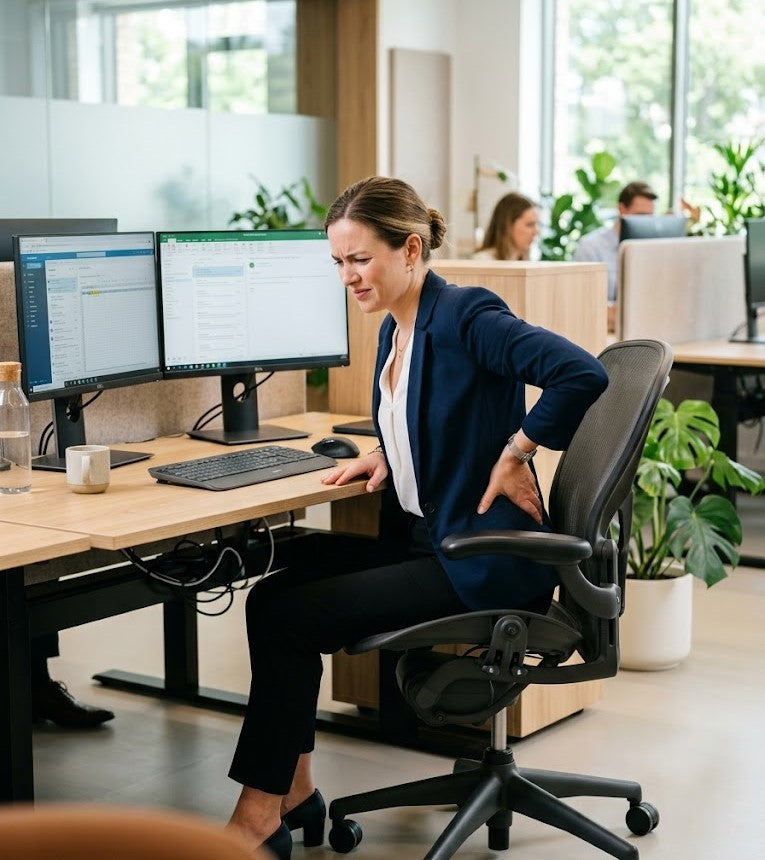
10 Red Flags Your Home Office Is Wrecking Your Posture
If your neck feels stiff before the workday is even halfway over, your lower back aches by mid-afternoon, or you find yourself constantly adjusting in your chair trying to get comfortable, your body is responding to the demands of your workspace.
And in most cases, those signals should not be ignored.
For many remote workers, hybrid professionals, freelancers, and students, posture-related discomfort develops gradually and often unnoticed. What begins as occasional tension or mild fatigue can slowly evolve into persistent stiffness, recurring headaches, muscular strain, and discomfort that lingers long after the workday ends.
One of the most frustrating aspects of poor posture is that people often assume the problem is personal.
They believe:
- they need to “sit up straighter”
- they lack discipline or consistency
- they simply have naturally poor posture
But more often than not, the issue is not the individual—it is the environment surrounding them.
A poorly designed home office can place the body into compromised positions for hours at a time. Unsupported sitting, improper screen height, inadequate lower-body support, and uneven pressure distribution force the body into continuous compensation patterns throughout the day. Over time, these small ergonomic stressors accumulate, placing ongoing strain on the neck, shoulders, spine, hips, and lower back.
And because many professionals now spend 6–10 or more hours each day seated at a desk, even relatively minor ergonomic issues can become increasingly amplified over time.
Research published by the National Institutes of Health has consistently shown a strong association between prolonged sitting, poor workstation ergonomics, and musculoskeletal discomfort among desk workers. These issues are no longer isolated concerns—they have become a widespread consequence of modern work habits.
The encouraging reality is that posture problems caused by a home office setup are often highly correctable once the underlying issues are identified. In many cases, meaningful improvements begin with recognizing the warning signs early and making targeted ergonomic adjustments before discomfort becomes more persistent and difficult to reverse.
Below are 10 clear red flags that your home office may be negatively affecting your posture—and the practical changes that can help you create a healthier, more supportive workspace.

1. Your Screen Forces You to Look Down All Day
One of the most common—and most underestimated—causes of poor posture while working from home is improper screen height.
For many remote workers, the laptop becomes the center of the workspace. But when that screen sits too low, the body is forced into a posture it was never designed to maintain for hours at a time.
If your laptop rests flat on your desk, your neck is likely spending much of the day in a forward-flexed position. This posture, commonly referred to as “tech neck,” places continuous strain on the cervical spine, upper back, and surrounding muscles responsible for supporting the head.
While the human head weighs approximately 10–12 pounds in a neutral position, the effective load on the neck increases significantly as the head shifts forward. Even a relatively small forward angle can dramatically increase muscular strain over the course of a workday.
Over time, this posture can contribute to:
- persistent neck stiffness
- upper-back tension
- shoulder tightness
- tension headaches
- reduced mobility
- forward head posture
- muscular fatigue during computer work
This issue is especially common among people working from:
- kitchen tables
- couches
- beds
- dining chairs
- low desks without monitor elevation
The problem is not necessarily the laptop itself. It is the prolonged downward viewing angle that many home office setups unintentionally create.
And because the body adapts to positions it repeats consistently, these posture patterns gradually become normalized over time. What initially feels like mild discomfort can slowly evolve into chronic tension and structural strain if the environment remains unchanged.
One of the most effective ergonomic adjustments is also one of the simplest: raising the screen to eye level.
When the monitor is positioned properly:
- the head remains more neutral
- the shoulders relax more naturally
- upper-back strain decreases
- spinal alignment becomes easier to maintain
Even small changes in screen height can create noticeable improvements in comfort during long work sessions.
However, maintaining proper positioning consistently throughout the day is often more difficult than people expect—especially during prolonged laptop use. This is where ergonomic support tools become particularly valuable. Rather than relying entirely on posture awareness or constant self-correction, supportive tools help create a workstation that naturally encourages healthier alignment throughout the workday.
For remote professionals who spend 6–10+ hours daily in front of a screen, reducing repetitive neck strain is not simply about comfort. It is about protecting long-term posture, reducing cumulative muscular stress, and creating a workspace that supports sustainable productivity over time.

2. You Slouch By Midday Without Realizing It
Most people do not begin the workday with poor posture.
In fact, many remote workers start the morning sitting relatively upright and attentive. But as the hours pass, subtle physical changes begin to occur. Muscles gradually fatigue, postural support decreases, and the body starts searching for positions that require less effort to maintain.
This is when slouching begins to develop.
The spine slowly collapses into a rounded posture. The shoulders drift forward, the pelvis tilts backward, and maintaining an upright seated position starts feeling increasingly difficult. By mid-afternoon, many people are leaning heavily into their desk, craning toward their screen, or sitting in positions that place significant strain on the neck and lower back—often without even realizing it.
This phenomenon is extremely common among remote workers and professionals who spend long hours sitting.
And contrary to popular belief, it is rarely caused by laziness or lack of discipline.
More often, it is a support problem.
When a workstation lacks proper ergonomic alignment, the body must work continuously to stabilize itself throughout the day. Core muscles, spinal stabilizers, and postural muscles remain engaged for prolonged periods simply to maintain sitting posture. Eventually, those muscles fatigue—and slouching becomes the body’s most energy-efficient alternative.
Common signs of posture fatigue include:
- rounded shoulders
- leaning heavily into the desk
- lower-back exhaustion
- collapsing through the chest
- forward head posture
- difficulty sitting upright comfortably
- feeling physically “compressed” after work
Over time, these posture patterns can place increasing stress on the spine, shoulders, hips, and surrounding musculature.
Poor sitting posture also affects more than physical comfort alone. As the chest collapses and the upper body rounds forward, breathing mechanics become less efficient. Muscle tension increases, circulation may decrease, and sustained focus often becomes harder to maintain during long work sessions.
This is one reason why posture fatigue and mental fatigue frequently occur together.
And once slouching becomes repetitive, the body begins adapting to those positions. What starts as occasional end-of-day discomfort can gradually become a persistent postural habit that affects how the body sits, moves, and feels throughout the day.
Many people attempt to solve this problem by repeatedly reminding themselves to “sit up straight.” While posture awareness is certainly helpful, unsupported posture correction is difficult to sustain for hours at a time—especially in a poorly designed workspace.
Healthy posture is not maintained through constant tension or rigid self-correction.
It is maintained through proper support.
When the body is adequately supported:
- muscles work less aggressively
- spinal alignment becomes easier to maintain
- posture feels more natural and sustainable
- fatigue develops more slowly throughout the day
This is why ergonomic support is so important for remote professionals and desk workers. The goal is not to force perfect posture every minute of the day. The goal is to create an environment where healthier posture requires less effort to maintain consistently.

3. Your Feet Don’t Rest Flat on the Floor
Foot positioning is one of the most overlooked aspects of home office ergonomics—yet it plays a foundational role in posture, stability, and long-term sitting comfort.
Most people focus primarily on their chair, desk, or monitor setup. But posture does not begin at the shoulders or lower back. It begins at the base of the body.
When the feet are not properly supported, the effects travel upward through the entire seated posture system.
If your feet cannot rest flat and comfortably on the floor:
- the pelvis becomes less stable
- the hips rotate improperly
- pressure distribution changes
- spinal alignment becomes more difficult to maintain
- muscles throughout the core and lower back work harder to compensate
Over time, these small instabilities can contribute to widespread discomfort during prolonged sitting.
This issue is especially common in home office environments where furniture was not originally designed for long-term desk work. Many remote workers use:
- dining chairs that sit too high
- desks with improper height proportions
- makeshift workstations
- office chairs adjusted incorrectly
- setups that force awkward leg positioning
As a result, the body unconsciously compensates throughout the day.
Common signs of poor lower-body support include:
- dangling feet
- pressure behind the knees
- crossing legs repeatedly for stability
- constantly shifting position
- hip tightness
- lower-back fatigue
- feeling restless while seated
What many people do not realize is that unsupported feet affect the spine directly.
A stable seated posture starts from the ground up. When the lower body lacks support, the pelvis loses stability, making it significantly harder for the spine to maintain healthy alignment. The body then compensates by recruiting additional muscular effort from the hips, core, shoulders, and lower back.
This is one reason prolonged sitting can feel surprisingly exhausting—even when the work itself is not physically demanding.
Proper ergonomic foot support helps create a more stable foundation for the body by:
- improving seated balance
- supporting pelvic positioning
- reducing pressure buildup
- promoting healthier lower-body alignment
- decreasing unnecessary muscular compensation
Even relatively small stabilization improvements can create noticeable changes in comfort during long work sessions.
And importantly, these adjustments often improve more than posture alone. Many desk workers also notice reduced lower-back strain, less fidgeting, and improved sitting endurance throughout the day.
Posture Problems Rarely Come From One Mistake Alone
By this point, many people begin recognizing an important pattern:
Poor posture is rarely caused by a single habit or isolated ergonomic mistake.
More often, it is the cumulative result of multiple small stressors repeated day after day.
These may include:
- unsupported sitting
- improper screen height
- poor lower-body positioning
- pressure imbalance
- prolonged static posture
- inadequate lumbar support
- repetitive muscular compensation
Individually, each issue may seem minor.
But together, they gradually create an environment that places continuous strain on the body during work hours.
This is also why isolated posture “fixes” often fail to produce lasting relief.
You can improve monitor height—but still experience lower-back pain.
You can purchase a high-quality office chair—but continue slouching by afternoon.
You can stretch regularly—but still feel exhausted after sitting all day.
Because posture does not operate in isolated parts.
It functions as an interconnected system.
When one area of the body lacks support, other areas are forced to compensate. Over time, these compensation patterns become physically tiring and increasingly difficult to overcome through awareness alone.
This is where a more complete ergonomic approach becomes valuable.
The goal is not perfection. Nor is it about creating a rigid or overly complicated workspace.
The goal is to reduce unnecessary strain by supporting the body more effectively throughout the workday.
And often, the most meaningful improvements come not from dramatic changes, but from creating better support across the entire sitting environment.

4. You Constantly Shift Around in Your Chair
If you find yourself frequently repositioning throughout the workday—crossing and uncrossing your legs, leaning from side to side, adjusting your hips, or constantly trying to “get comfortable”—your body may be responding to pressure, instability, or inadequate support within your seating setup.
This type of restless sitting is extremely common among remote workers and desk professionals who spend long hours seated.
And in many cases, it is not simply a matter of restlessness or poor concentration.
It is a physical response to discomfort.
When pressure distribution across the seat is uneven or posture becomes difficult to maintain, the body instinctively begins searching for relief. Small adjustments and repeated repositioning become compensation strategies aimed at reducing strain and relieving pressure buildup around sensitive areas of the body.
Frequent shifting is often a sign that:
- pressure distribution is uneven
- support is insufficient
- posture stability is lacking
- muscles are compensating excessively
- sitting has become physically fatiguing
Over time, this can contribute to:
- tailbone discomfort
- hip tightness
- pelvic pressure
- numbness in the legs
- lower-back fatigue
- difficulty concentrating comfortably
- reduced sitting endurance
Many office chairs—even higher-end models—still create significant pressure concentration around the hips, pelvis, and coccyx during prolonged sitting sessions. While a chair may initially feel comfortable, the body’s tolerance for sustained pressure decreases over time, particularly during workdays that involve several consecutive hours of sitting.
As discomfort gradually builds, the body responds by moving constantly in an attempt to redistribute pressure and reduce strain.
This is one reason prolonged sitting can feel surprisingly exhausting, even when the work itself is relatively sedentary.
The body is continuously compensating.
This is also why ergonomic seat cushions are often used not simply to create softness or temporary comfort, but to improve pressure distribution and posture stability during long sitting sessions.
A properly designed ergonomic cushion helps:
- distribute body weight more evenly
- reduce pressure concentration around the tailbone
- stabilize pelvic positioning
- support healthier spinal alignment
- minimize excessive muscular compensation
When seated support improves, many people notice immediate differences in how their body feels throughout the day.
Sitting becomes less physically draining.
Posture becomes easier to maintain.
The need to constantly reposition decreases.
And prolonged work sessions feel significantly more manageable.
Importantly, the goal is not to eliminate movement altogether. Movement remains healthy and necessary during long workdays. The goal is to reduce the constant discomfort-driven shifting that often signals inadequate ergonomic support.
For professionals who spend 6–10+ hours per day seated, improving pressure distribution can have a meaningful impact not only on comfort, but also on focus, posture sustainability, and overall work endurance.
And often, the difference becomes noticeable far sooner than expected—sometimes within the first full day of improved support.

5. Your Lower Back Feels Tired Even When Sitting
Sitting should not feel physically exhausting.
Yet for many remote workers, hybrid professionals, and desk employees, lower-back fatigue develops surprisingly quickly during the workday. What begins as mild tightness in the morning often progresses into persistent aching, stiffness, and discomfort by afternoon—sometimes after only a few hours of sitting.
This is one of the clearest signs that the body is not being adequately supported.
In many home office setups, the lumbar spine—the natural inward curve of the lower back—loses proper support during prolonged sitting. As posture gradually collapses, the pelvis tilts backward, the spine rounds, and surrounding muscles are forced to compensate continuously in order to stabilize the body.
Without proper support:
- the pelvis becomes less stable
- spinal curves flatten or collapse
- core muscles remain overactive
- lower-back muscles work continuously to maintain posture
- pressure on the lumbar spine increases over time
Eventually, sitting itself begins to feel physically draining.
This often leads to familiar symptoms such as:
- aching lumbar muscles
- stiffness when standing up
- discomfort during long meetings
- tension that worsens throughout the day
- fatigue after prolonged computer work
- difficulty sitting comfortably for extended periods
Lower-back pain from sitting remains one of the most common ergonomic complaints among remote workers and office professionals—and for good reason.
The human body is designed for movement and positional variation. But modern work environments frequently require prolonged static sitting, often in positions that provide inadequate structural support. Over time, this creates cumulative muscular strain that many people mistakenly accept as normal.
And while stretching, posture reminders, and movement breaks can provide temporary relief, they often fail to address the underlying issue: the body is still returning to the same unsupported environment afterward.
This is why many people experience recurring lower-back discomfort despite actively trying to improve their posture.
The problem is not always awareness.
Often, it is sustainability.
A properly supported ergonomic setup helps reduce the amount of muscular effort required simply to remain seated upright throughout the day. When the pelvis is stabilized and the lumbar spine is supported appropriately:
- posture becomes easier to maintain
- muscles fatigue more slowly
- spinal strain decreases
- prolonged sitting feels more manageable
This distinction matters far more than most people realize.
Healthy posture should not require constant muscular tension or continuous self-correction. Ideally, the workspace itself should help support the body so that sitting becomes less physically demanding over time.
And in many cases, improving support around the pelvis and lumbar spine can dramatically change how the body feels during and after the workday.

6. Your Shoulders Stay Tense Throughout the Day
Persistent shoulder tension is one of the most common signs that a workstation is placing the body under continuous ergonomic strain.
For many remote workers and desk professionals, the discomfort develops so gradually that it eventually feels normal. Tight shoulders at the end of the day, stiffness across the upper back, or recurring neck tension become accepted as part of working long hours at a computer.
But in most cases, these symptoms are not inevitable consequences of desk work.
They are indicators that the body is compensating for poor workstation positioning.
When a desk setup forces the arms too high, too far forward, or unsupported for prolonged periods, the muscles surrounding the neck, shoulders, and upper back remain partially activated throughout the day. Instead of relaxing between movements, these muscles stay engaged continuously to stabilize posture and support the upper body.
Over time, this constant low-grade muscular tension can contribute to:
- tight shoulders
- upper trapezius strain
- neck stiffness
- tension headaches
- upper-back fatigue
- reduced mobility
- discomfort during prolonged computer work
Often, the issue stems from relatively small ergonomic problems that become amplified through repetition.
Common causes include:
- improper keyboard placement
- unsupported forearms
- armrests positioned incorrectly
- monitors positioned too low
- leaning toward the screen
- desks that sit too high relative to the chair
When the workstation lacks proper alignment, the body adapts by elevating the shoulders and overusing stabilizing muscles throughout the upper body. This creates unnecessary muscular workload that accumulates gradually over the course of the day.
And because these compensation patterns develop slowly, many people stop recognizing how physically demanding their setup has become.
One of the most overlooked realities of poor posture is that discomfort often becomes normalized long before it becomes unbearable.
But persistent shoulder tension should not be considered a normal outcome of computer work.
When the body is properly supported:
- the shoulders relax more naturally
- muscles work less aggressively
- posture becomes easier to sustain
- tension accumulates more slowly
- long work sessions feel less physically draining
Even relatively small ergonomic adjustments can create substantial improvements in comfort and posture sustainability.
Raising the screen height, improving arm support, stabilizing seated posture, and reducing forward-reaching positions can significantly reduce strain across the neck and shoulders during prolonged sitting sessions.
And importantly, these changes often improve more than physical comfort alone. When muscular tension decreases, many professionals also notice improvements in focus, concentration, and work endurance throughout the day.
Better Habits Help — But Structure Creates Sustainability
This is where many people become frustrated.
They recognize that their posture needs improvement.
They try to sit more upright.
They stretch throughout the day.
They take movement breaks.
They become more aware of their habits.
Yet by the end of the workday, the same discomfort returns.
The neck tightens again.
The shoulders fatigue again.
The lower back aches again.
Why?
Because posture is not determined by awareness alone.
It is heavily influenced by the environment surrounding the body hour after hour.
If a workstation continuously places the body into unsupported or mechanically inefficient positions, maintaining healthy posture becomes physically exhausting over time. Even strong posture habits become difficult to sustain when the environment consistently works against the body’s alignment.
This is why ergonomic support matters so much for remote workers and desk professionals.
The purpose of ergonomic tools is not to force the body into rigid posture.
It is to reduce unnecessary physical strain so the body can maintain healthier alignment more naturally and with less effort.
For professionals spending 40 or more hours each week at a desk, that support can meaningfully influence:
- daily comfort
- muscular fatigue
- posture endurance
- sustained focus
- productivity
- long-term posture sustainability
And often, the difference is not created by a single dramatic change.
It comes from improving how the entire workspace supports the body as a system.
When screen height improves, the neck relaxes.
When the pelvis stabilizes, the spine aligns more naturally.
When pressure distribution improves, sitting becomes less fatiguing.
When the body no longer has to compensate constantly, posture becomes significantly easier to maintain.
This is why truly effective ergonomic setups are not built around isolated products or quick posture “fixes.” They are built around reducing the physical demands that poor workstations place on the body every day.
For remote workers navigating long hours of computer work, that distinction can make the difference between simply enduring the workday—and finishing it feeling substantially better.

7. You Feel More Fatigued After Desk Work Than You Should
Many people assume fatigue after a workday is simply the result of mental effort, heavy workloads, or long hours.
But in many cases, the exhaustion associated with desk work is not purely cognitive.
It is physical.
One of the clearest signs that a home office setup is negatively affecting posture is feeling disproportionately drained after prolonged sitting—even when the work itself is relatively sedentary.
This happens because poor posture creates physical inefficiency throughout the body.
When the body lacks proper ergonomic support:
- muscles must work harder to maintain stability
- circulation becomes less efficient
- tension accumulates gradually
- breathing mechanics may become restricted
- the nervous system remains under low-grade physical stress
- energy is consumed more quickly throughout the day
Over time, even subtle postural strain becomes physically exhausting.
This is why poor ergonomics and reduced productivity are so closely connected.
An inefficient workstation forces the body into continuous compensation patterns during tasks that should feel relatively sustainable. Instead of conserving energy for focus, concentration, and performance, the body spends much of the day managing unnecessary muscular effort and structural stress.
Initially, this strain may feel minor.
But after weeks or months of prolonged sitting, the cumulative effects become increasingly noticeable.
Common signs include:
- afternoon energy crashes
- mental fogginess
- difficulty concentrating
- irritability during long work sessions
- stiffness after sitting
- physical exhaustion after desk work
- reduced work endurance late in the day
For many remote workers, this pattern becomes normalized. They assume feeling depleted after sitting at a desk all day is simply part of modern work life.
But persistent fatigue is often a signal that the body is working far harder than it should to maintain posture and stability throughout the day.
Research from the CDC and occupational health studies has repeatedly linked poor workstation ergonomics with increased musculoskeletal discomfort, physical strain, and reduced workplace well-being. When the body experiences prolonged physical stress—even at relatively low levels—mental fatigue often follows alongside it.
This relationship between posture and energy is frequently underestimated.
The body performs best when movement, support, and alignment work together efficiently. But when posture collapses or support is inadequate, muscles remain engaged continuously to compensate for instability. Over time, that constant effort becomes draining.
This is one reason why some people feel unexpectedly exhausted after a day of “just sitting.”
The body was never truly resting.
When ergonomic support improves, however, the opposite often occurs.
As the body becomes better supported:
- muscles work less aggressively
- tension accumulates more slowly
- circulation improves
- posture requires less conscious effort
- sitting feels less physically demanding
And when the body uses less energy compensating for poor posture, focus and endurance become significantly easier to sustain throughout the day.
This is why comfort should never be viewed as separate from productivity.
Comfort directly influences:
- concentration
- mental clarity
- work endurance
- stress levels
- long-term sustainability during computer work
For remote professionals spending 6–10+ hours seated each day, improving ergonomic support is not simply about reducing discomfort. It is about reducing unnecessary physical fatigue so the body and mind can perform more efficiently throughout the workday.
Even relatively small improvements in workstation alignment can meaningfully change how energized, focused, and physically capable you feel by the end of the day.

8. You Lean Forward Instead of Sitting Back
If you rarely make contact with the backrest of your chair during the workday, your workstation may be pulling your body out of alignment more than you realize.
Many remote workers unconsciously spend hours leaning forward toward their screen—hovering over the keyboard, reaching toward the laptop, or sitting at the very edge of the chair without adequate back support.
At first, this posture may feel productive or attentive.
But over time, it places substantial strain on the body.
Forward-leaning posture is extremely common in home office environments, particularly when:
- the monitor sits too far away
- the laptop screen is positioned too low
- the chair lacks sufficient lumbar support
- the desk height is poorly aligned
- posture gradually collapses throughout the day
- the body compensates for visual or ergonomic discomfort
As the body leans forward, the spine loses much of the structural support the chair is intended to provide. Instead of allowing the backrest to support body weight, the muscles of the neck, shoulders, core, and lower back must remain continuously engaged to hold the body upright.
Over time, this forward-flexed posture increases strain across:
- the cervical spine
- upper back and shoulders
- lumbar spine
- hip flexors
- core stabilizing muscles
- lower-back musculature
And because desk workers often maintain this position for hours at a time, the effects accumulate gradually throughout the workday.
One of the challenges with forward-leaning posture is that it quickly becomes habitual.
The body adapts to repeated positions remarkably efficiently. What initially feels temporary or subtle gradually becomes the default sitting posture the body returns to automatically. As this pattern continues day after day, muscular tension, fatigue, and discomfort become increasingly persistent.
Many people do not recognize how physically demanding unsupported sitting actually is until they experience a properly aligned workstation.
A well-designed ergonomic setup encourages the body to remain supported rather than suspended forward under continuous muscular effort.
When screen height, chair support, and seated positioning are aligned appropriately:
- the spine remains more neutral
- the shoulders relax more naturally
- the lower back receives better support
- the body relies less on muscular compensation
- sitting becomes significantly less fatiguing
This distinction becomes especially important during prolonged sitting sessions.
The issue is not simply whether posture looks “good” or “bad.” It is whether the body can sustain that posture comfortably and efficiently over the course of an entire workday.
For remote workers, unsupported forward-leaning posture creates cumulative physical stress that often extends well beyond work hours. Neck stiffness, lower-back fatigue, shoulder tension, and end-of-day exhaustion frequently stem from the body spending prolonged periods unsupported and mechanically inefficient.
This is why ergonomic support should not be viewed as a cosmetic improvement.
It is structural support for the body during sustained computer work.
Even relatively small changes—such as improving screen height, supporting the lumbar spine, or stabilizing seated posture—can significantly reduce the tendency to lean forward and help the body maintain healthier alignment more naturally throughout the day.

How Ergonomic Support Actually Helps Posture
Many people assume ergonomic products are designed to “fix” posture directly.
But that is not really how effective ergonomic support works.
Good posture cannot realistically be sustained through constant muscular effort, rigid positioning, or repeated reminders to “sit up straight.” The body is not designed to maintain perfect alignment through tension alone—especially during long hours of computer work.
Instead, ergonomic support works by reducing the physical obstacles that make healthy posture difficult to maintain in the first place.
A properly designed workstation helps the body remain in more neutral, mechanically efficient positions with less strain, less compensation, and less fatigue throughout the day.
In other words, ergonomic tools do not force posture.
They support the conditions that allow healthier posture to happen more naturally and consistently.
For example:
| Ergonomic Tool | How It Supports Posture |
|---|---|
| Laptop Stand |
Raises the screen to eye level to reduce forward head posture and neck flexion |
| Seat Cushion |
Redistributes pressure, stabilizes the pelvis, and improves seated alignment |
| Lumbar Support | Helps maintain the spine’s natural lumbar curve during prolonged sitting |
| Footrest | Supports lower-body positioning and improves seated stability from the ground up |
While each adjustment may seem relatively small on its own, their combined effect can significantly change how the body feels during long work sessions.
Together, these forms of support help reduce:
- excessive muscular compensation
- pressure buildup around the hips and tailbone
- spinal strain from unsupported sitting
- posture fatigue during prolonged desk work
- tension accumulation throughout the neck and shoulders
This matters because the body is constantly responding to the environment around it.
When a workstation lacks support, muscles must work continuously to stabilize posture and compensate for imbalance. Over time, this creates fatigue, discomfort, and inefficient movement patterns that become increasingly difficult to maintain comfortably.
But when ergonomic support improves:
- posture requires less conscious effort
- the spine remains more stable
- muscles fatigue more slowly
- sitting becomes less physically demanding
- alignment becomes easier to sustain throughout the day
Many people are surprised to discover how much physical energy they were unconsciously spending simply trying to remain comfortable at their desk.
This is why sustainable posture should never be viewed as a matter of discipline alone.
It is heavily influenced by the structure of the environment itself.
The goal of ergonomics is not to create rigid, “perfect” posture every second of the day. Human posture is naturally dynamic and movement remains essential. The goal is to reduce unnecessary strain so the body can work, sit, and move more efficiently over prolonged periods.
When the workspace supports the body properly:
- posture feels more natural
- tension develops more slowly
- focus becomes easier to maintain
- long workdays become significantly more sustainable
And often, the most meaningful improvements come not from dramatic changes, but from creating small layers of support that work together throughout the day.
Because ultimately, healthy posture is not about forcing the body into position.
It is about creating an environment where proper alignment becomes easier, more comfortable, and more sustainable over time.

9. Your Hips or Tailbone Hurt After Long Sitting Sessions
Pressure-related discomfort is one of the clearest indicators that a seating setup is not adequately supporting the body during prolonged sitting.
If your hips feel sore after a few hours at your desk, your tailbone becomes increasingly uncomfortable throughout the day, or you feel stiff and compressed after long meetings, your body may be reacting to excessive pressure concentration within the seating surface itself.
This is especially common among remote workers and desk professionals who spend extended hours sitting without sufficient ergonomic support.
When sitting pressure becomes concentrated too heavily around the hips, pelvis, or tailbone:
- circulation may become less efficient
- muscles begin tightening defensively
- pressure points develop more rapidly
- posture becomes harder to maintain comfortably
- the body starts compensating through constant repositioning
Over time, this can contribute to:
- tailbone pain
- hip soreness
- numbness in the legs or glutes
- stiffness after sitting
- discomfort during long meetings
- reduced sitting endurance
- lower-back fatigue caused by unstable posture
One of the most important things to understand is that prolonged sitting itself is not always the primary issue.
In many cases, the real problem is how pressure is distributed while sitting.
Many office chairs—even relatively expensive ones—still create uneven pressure concentration around sensitive areas of the pelvis and coccyx during long work sessions. As tissue compression increases and support decreases, discomfort gradually builds throughout the day.
Unfortunately, many desk workers assume this is simply unavoidable.
They believe:
- sitting is supposed to hurt after several hours
- discomfort is part of office work
- shifting constantly is normal
- soreness after work is inevitable
But in many situations, these symptoms reflect inadequate ergonomic support rather than sitting itself.
Proper pressure distribution can dramatically change how the body experiences prolonged sitting.
This is why high-quality ergonomic seat cushions are designed not merely to feel softer, but to improve the mechanical relationship between the body and the chair.
A well-designed ergonomic seat cushion helps:
- distribute body weight more evenly
- reduce concentrated pressure around the tailbone
- stabilize pelvic positioning
- support healthier seated posture
- minimize excessive muscular compensation
- improve long-duration sitting comfort
When seated pressure becomes more balanced, the body no longer has to work as aggressively to compensate for discomfort and instability.
As a result:
- sitting feels less physically draining
- posture becomes easier to maintain
- muscular tension develops more slowly
- focus becomes easier to sustain during work
And for remote professionals spending 6–10+ hours per day at a desk, even relatively small reductions in pressure can create significant improvements in long-term comfort and posture sustainability.
This is one reason ergonomic support often feels cumulative rather than dramatic.
The goal is not necessarily to create an immediate “perfect” feeling posture. The goal is to reduce the ongoing strain that gradually wears the body down throughout the workday.
When pressure distribution improves, sitting often begins to feel more stable, less exhausting, and substantially more manageable over time.
For people working from home every day, that difference can meaningfully influence comfort, productivity, posture endurance, and overall physical well-being throughout the week.

10. You Feel Better Working Anywhere Except Your Desk
This may be one of the strongest indicators that your home office setup is negatively affecting your posture.
If you notice that:
- your neck or back discomfort decreases when you step away from your desk
- you feel more comfortable working from another location
- standing or moving around brings immediate relief
- tension returns shortly after sitting back down
- your body feels noticeably better on weekends or outside work hours
…the environment itself is likely contributing to the problem.
This is an important distinction because many people assume their discomfort originates entirely within the body. They blame stress, aging, lack of flexibility, or poor posture habits alone.
But often, the body is simply responding to the conditions it experiences repeatedly every day.
A poorly aligned workstation places the body into positions that require continuous compensation. Over time, the muscles, joints, and spine adapt to those repeated mechanical stresses. The result is not always immediate pain, but rather gradual accumulation of tension, fatigue, stiffness, and discomfort that becomes increasingly noticeable throughout the workweek.
One of the clearest signs that ergonomics are playing a major role is when symptoms improve outside the workspace itself.
If your body consistently feels better:
- walking around the house
- working temporarily from another location
- sitting in different environments
- standing or changing positions
- away from your primary desk setup
…it strongly suggests that your workstation may be creating unnecessary strain during prolonged sitting sessions.
This is why posture should never be viewed in isolation from the environment surrounding it.
The body constantly adapts to repeated conditions.
If a workstation encourages forward head posture, unsupported sitting, uneven pressure distribution, or muscular compensation for hours each day, those patterns gradually become reinforced over time. Eventually, discomfort begins to feel normal simply because the body experiences it so consistently.
And while posture exercises, stretching routines, and movement breaks can certainly help improve mobility and reduce temporary stiffness, they often cannot fully compensate for an environment that continuously recreates the same mechanical stressors day after day.
This is one reason many remote workers feel trapped in a cycle of temporary relief followed by recurring discomfort.
They stretch.
They adjust their posture.
They take short breaks.
But once they return to the same unsupported setup, the body resumes the same compensation patterns.
That is why improving home office ergonomics is so important for long-term posture sustainability.
When the workspace itself becomes more supportive:
- the spine remains more stable
- muscles work less aggressively
- pressure distribution improves
- posture becomes easier to maintain
- tension accumulates more slowly throughout the day
And importantly, the body often responds surprisingly quickly to improved support.
Many professionals notice that when their workstation alignment improves:
- sitting feels less exhausting
- tension decreases more gradually
- focus becomes easier to sustain
- discomfort no longer dominates the workday
Because the body adapts not only to poor environments—but also to supportive ones.
When the environment improves consistently, posture often improves alongside it.
For remote workers spending thousands of hours each year at a desk, this is not simply about creating a more comfortable workspace. It is about reducing the long-term physical strain that unsupported sitting places on the body every single day.
And in many cases, recognizing that the environment is contributing to the problem is the first meaningful step toward lasting improvement.

What To Do Next If These Warning Signs Sound Familiar
If several of these warning signs feel familiar, it does not necessarily mean you need to completely redesign your home office or invest in an entirely new workspace.
But it likely means your body needs better support than it is currently receiving.
For many remote workers and desk professionals, discomfort develops not because of one major problem, but because small ergonomic deficiencies accumulate hour after hour, day after day. Over time, unsupported sitting, poor alignment, and repetitive compensation patterns place increasing physical demands on the body until posture becomes difficult to sustain comfortably.
The encouraging part is that meaningful improvements often begin with relatively simple adjustments.
Start by improving the foundational elements of your workstation:
- raise your screen closer to eye level
- stabilize your seated posture
- support the natural curve of the lower back
- reduce pressure concentration while sitting
- improve lower-body alignment and foot support
- minimize prolonged forward-leaning posture
Even modest ergonomic improvements can significantly reduce the amount of unnecessary strain placed on the body during long work sessions.
The challenge, however, is consistency.
Many people can temporarily improve their posture when they consciously focus on it. But maintaining healthy alignment becomes far more difficult when the workstation itself continuously encourages poor positioning.
This is why posture awareness alone is rarely enough for people spending 6–10+ hours each day at a desk.
Eventually, fatigue takes over.
Muscles compensate.
The body returns to familiar patterns.
And discomfort gradually returns alongside them.
That is where supportive ergonomic tools often become the missing piece.
Rather than forcing the body into rigid positions, ergonomic support helps reduce the physical effort required to maintain healthier posture throughout the day. The goal is not perfection—it is sustainability.
The Serenform Home Office Complete Bundle was designed specifically to help remote workers create a more supportive and ergonomically balanced workstation without requiring a complete office overhaul.
By combining multiple forms of ergonomic support into one integrated setup, the system helps address several of the most common posture-related stressors associated with prolonged desk work.
Used together, the bundle can help:
- improve overall posture alignment
- reduce neck and lower-back strain
- support healthier seated positioning
- stabilize the pelvis and lower body
- reduce sitting pressure during extended work sessions
- improve long-hour sitting comfort
- support more sustainable work habits over time
This is particularly valuable for professionals who spend most of the day seated in front of a screen.
Because when ergonomic support improves across the entire workspace—not just one isolated area—the cumulative effect on comfort and posture can become substantial surprisingly quickly.
Many people notice that:
- sitting feels less physically draining
- tension accumulates more slowly
- posture requires less conscious correction
- work endurance improves throughout the day
- discomfort no longer dominates their focus
And importantly, these improvements are not simply about comfort in the short term.
They are about creating a workspace that supports the body more effectively over months and years of daily use.
For remote workers building long-term careers around computer-based work, that distinction matters.
Because sustainable productivity depends heavily on sustainable physical support.

Better Posture Starts With Better Support
If your home office is negatively affecting your posture, the solution is rarely as simple as trying harder to “sit correctly.”
For many remote workers and desk professionals, posture problems are not caused by a lack of awareness or effort. They develop because the body is spending hours each day adapting to an environment that does not adequately support it.
And over time, the body always responds to the conditions it experiences repeatedly.
This is why posture should never be viewed as a habit alone.
It is also a physical response to the structure of the workspace itself.
When a workstation lacks proper ergonomic alignment:
- muscles compensate continuously to maintain stability
- pressure accumulates around the spine, hips, and shoulders
- fatigue develops more quickly throughout the day
- posture gradually collapses under prolonged strain
- discomfort becomes increasingly persistent over time
What often begins as occasional stiffness or mild fatigue can slowly progress into chronic tension, reduced sitting tolerance, and discomfort that affects concentration, productivity, and overall well-being.
And because many remote professionals spend 6–10+ hours seated every day, these physical stressors accumulate far more quickly than most people realize.
The encouraging reality is that the body also responds positively when support improves.
When a workspace is designed to support healthier alignment:
- posture becomes easier to maintain naturally
- muscular tension develops more slowly
- sitting requires less physical effort
- pressure distribution improves
- long work sessions feel substantially less exhausting
- focus and endurance become easier to sustain
This is one reason ergonomic support can have such a meaningful impact on daily comfort and long-term posture sustainability.
The goal is not to create rigid or “perfect” posture at all times.
The goal is to reduce unnecessary strain so the body can function more efficiently throughout the workday.
And importantly, the earlier these warning signs are addressed, the easier they are typically to improve.
Small ergonomic adjustments made today can help prevent much larger discomfort patterns from developing later. Improving screen height, supporting the lower back, stabilizing seated posture, and reducing sitting pressure may seem like relatively minor changes individually—but together, they can significantly change how the body feels during prolonged desk work.
For remote workers building long-term careers around computer-based work, those changes are not simply about comfort.
They are about sustainability.
Creating a workspace that supports the body properly can help reduce cumulative physical stress, improve posture endurance, and make daily work feel more manageable over time.
If you are ready to create a workstation that supports your posture instead of constantly working against it, ergonomic tools such as the Serenform Home Office Complete Bundle and the Serenform Elevate Laptop Stand can help make healthier alignment easier to maintain consistently throughout the day.
By improving screen positioning, seated stability, pressure distribution, and overall ergonomic support, these tools help transform the workspace into an environment that works with the body—not against it.
Because ultimately, better posture does not come from forcing the body into position.
It comes from giving the body the support it needs to function comfortably, efficiently, and sustainably every day.