The Future of Home Office Ergonomics: Trends That Will Shape Healthier, Smarter Workspaces
Working from home was supposed to make life easier.
No commute. More flexibility. Greater control over your schedule.
But for many remote workers, the reality has been different.
Ergonomic trends 2026 are moving home office design toward AI-powered posture coaching, smart automated workstations, movement-centered layouts, personalized ergonomic setups, and solutions that work across home and hybrid environments.
Months turned into years of working from kitchen tables, dining chairs, makeshift desks, and laptop screens positioned far below eye level. What felt manageable at first has slowly become something harder to ignore: persistent neck tension, lower back discomfort, afternoon fatigue, stiff shoulders, and a growing sense that your workspace may be working against you.
If you spend six, eight, or even ten hours a day sitting at a computer, small ergonomic problems rarely stay small.
Poor posture compounds over time.
Unsupported sitting creates strain that builds day after day.
Limited movement affects circulation, energy, and focus.
And while many people assume discomfort is simply part of modern work, it doesn't have to be.
The future of home office ergonomics is being shaped by a growing understanding that productivity and wellbeing are deeply connected. Companies, designers, researchers, and technology developers are exploring new ways to help people work more comfortably, move more frequently, and reduce the physical toll of long workdays.
Some of these innovations involve artificial intelligence and smart technology. Others are surprisingly simple.
But together, they point toward an important shift:
The future of ergonomics is becoming less about enduring discomfort and more about preventing it.
For remote employees, freelancers, entrepreneurs, hybrid workers, and anyone splitting time between work environments, the trends ahead matter because better ergonomics can reduce strain, support long-term wellbeing, and protect productivity. This article looks at the home office challenges driving change, the rise of AI and smart workstations, movement-centered and personalized solutions, hybrid work ergonomics, foundational setup principles, and practical ways to improve your workspace with tools like Serenform.

Why Home Office Ergonomics Is Evolving Faster Than Ever
For decades, ergonomics was often treated as an afterthought.
People typically only paid attention when pain became difficult to ignore.
Today, that mindset is changing.
The rise of long-term remote work has created a massive shift in how people think about workplace health. Millions of workers now spend most of their professional lives outside traditional offices, often without access to ergonomic furniture or workplace assessments.
At the same time, awareness of musculoskeletal health has increased significantly.
Workers are becoming more proactive about preventing problems rather than simply reacting to them.
Several factors are driving this change:
| Driving Trend | Impact on Ergonomics |
|---|---|
| Long-term remote work |
Greater focus on home office design |
| Workplace wellness initiatives |
Increased interest in prevention |
| Wearable technology | More health and posture tracking |
| Productivity optimization | Stronger connection between comfort and performance |
| Aging workforce | Greater demand for sustainable work habits |
Perhaps the biggest shift is recognizing that discomfort doesn't only affect physical health.
It affects how people work.
When posture deteriorates, muscles work harder to stabilize the body.
When discomfort increases, concentration suffers.
When fatigue accumulates, productivity often declines.
This is why modern ergonomic workspace design increasingly focuses on supporting both comfort and performance.
The goal is no longer simply preventing injury.
The goal is helping people work better every day.

The Biggest Ergonomic Challenges Remote Workers Still Face
Despite advances in technology, many home office ergonomics problems remain surprisingly common.
Poor Laptop Positioning
Laptops are convenient, but they create one of the biggest ergonomic challenges.
Because the screen and keyboard are attached, users often lower their heads to view the screen comfortably. Over time, this encourages forward-head posture and increased strain on the neck and upper back.
Unsupported Lower Back
Many people spend years sitting without adequate lumbar support.
When the lower back loses support, surrounding muscles must work harder to maintain posture. Fatigue develops more quickly, and discomfort often becomes more noticeable as the workday progresses.
Static Sitting
One of the most overlooked challenges isn't posture itself.
It's lack of movement.
Even an ideal sitting position becomes problematic when maintained for hours at a time.
Workspace Fatigue
Many remote workers report feeling mentally drained by mid-afternoon despite relatively low physical activity.
Part of this fatigue may be linked to prolonged sitting, limited movement, muscle tension, and workstation discomfort.
Common issues include:
| Ergonomic Problem | Potential Effect |
|---|---|
| Low screen height |
Neck strain |
| Poor lumbar support |
Lower back discomfort |
| Prolonged sitting | Fatigue |
| Limited movement | Reduced focus |
| Poor desk setup | Shoulder tension |
The challenge is that most people attempt to solve these problems individually.
Raise the monitor.
Adjust the chair.
Take occasional stretch breaks.
While these strategies help, they often address symptoms rather than the overall system.
Because ergonomics isn't about fixing one mistake.
It's about creating an environment that consistently supports your body throughout the day.

Insight: Why Individual Fixes Often Aren't Enough
Many remote workers spend years chasing small adjustments.
They tweak chair settings.
They move their monitor.
They set reminders to stretch.
Yet discomfort often returns.
Why?
Because maintaining healthy posture requires constant effort when your workspace isn't providing enough support.
The future of ergonomics recognizes an important truth:
The body performs best when the environment makes healthy positioning easier—not harder.
That's where many emerging ergonomic solutions are headed.
Trend #1: AI-Powered Posture Coaching and Real-Time Ergonomic Feedback
Artificial intelligence is beginning to influence nearly every aspect of work—and ergonomics is no exception.
One of the most exciting ergonomic workplace trends involves AI-powered posture monitoring systems.
These technologies use cameras, sensors, wearable devices, or computer vision software to detect posture patterns throughout the workday.
Instead of waiting until discomfort develops, they can provide real-time feedback such as:
- Straighten your neck position
- Adjust shoulder alignment
- Take a movement break
- Change sitting position
- Alternate between sitting and standing
Some systems can even identify recurring posture habits and provide personalized recommendations.
For remote workers who struggle with awareness, this can be extremely valuable.
Many posture problems develop gradually.
People rarely notice themselves leaning forward or slouching until discomfort appears.
AI-based feedback can help close that awareness gap.
However, there is an important limitation.
Technology can remind you to sit correctly.
It cannot physically support you while you do it.
If a chair lacks support, if a laptop remains too low, or if sitting pressure becomes uncomfortable, even perfect reminders have limits.
Future ergonomic technology will likely work best when combined with physical workspace improvements.

Trend #2: Smart Workstations That Adjust Automatically
Another major trend shaping the future of home office ergonomics is automation.
Traditional workstations rely on users to make adjustments manually.
Smart workstations aim to remove some of that friction.
Examples include:
- Desks that automatically transition between sitting and standing
- Personalized workstation presets
- Smart lighting systems that adapt throughout the day
- Connected office ecosystems that encourage movement
Imagine arriving at your desk each morning and having it automatically adjust to your preferred ergonomic settings.
Screen height.
Desk height.
Lighting.
Everything optimized for your needs.
These technologies are becoming increasingly accessible as smart office technology continues to evolve.
The larger goal isn't convenience alone.
It's consistency.
Many ergonomic benefits disappear when healthy habits become difficult to maintain.
Automated systems help reduce reliance on willpower.
And that's often where long-term success happens.
Improve Your Daily Comfort Without Constant Adjustments →
Trend #3: Movement-Centered Workspace Design
For years, ergonomics focused heavily on finding the "perfect" sitting posture.
Today's research suggests a more nuanced reality.
The best posture may simply be the next posture.
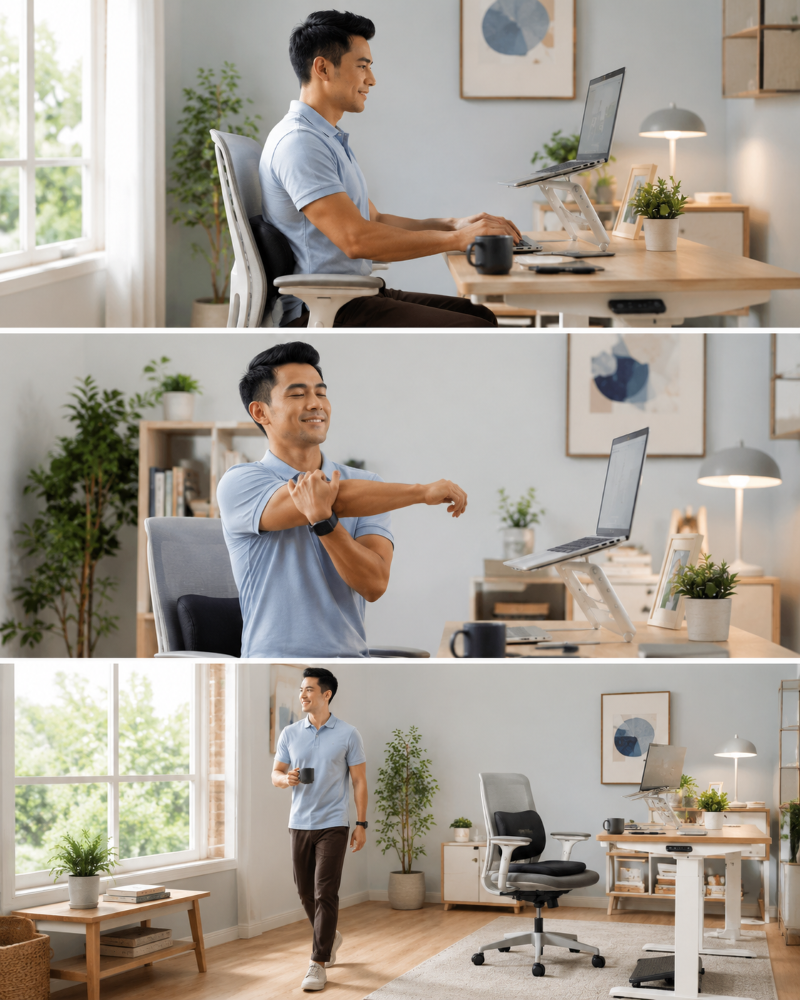
Movement-centered design is becoming one of the most influential trends in ergonomic workspace design.
Instead of encouraging people to sit perfectly for long periods, modern approaches prioritize regular movement throughout the day.
Examples include:
- Sit-stand workstations
- Dynamic sitting solutions
- Walking meetings
- Scheduled movement breaks
- Workspace layouts that encourage mobility
The reason is simple.
The human body was designed for movement.
When movement decreases:
- Muscles become stiff
- Circulation slows
- Energy declines
- Focus suffers
This doesn't mean everyone needs expensive equipment.
But it does mean movement should be intentionally built into the workday.
And maintaining those habits consistently is often easier when your workspace supports them.
Because even the best intentions tend to fade when work becomes busy.

Trend #4: Personalized Ergonomics and Data-Driven Comfort
One of the most significant shifts in the future of ergonomics is personalization.
For years, ergonomic recommendations were based on averages.
The problem is that people are not average.
We have different heights, body proportions, work habits, injury histories, and comfort preferences.
A workstation that feels comfortable for one person may feel completely wrong for another.
This is why personalized ergonomics is becoming such an important trend.
Whole-person ergonomics now considers physical, cognitive, and environmental well-being.
Emerging technologies are beginning to use data to create more individualized recommendations. Some systems can analyze:
- Sitting habits
- Body dimensions
- Pressure distribution
- Movement patterns
- Work routines
The goal is to create a workspace that adapts to the user rather than forcing the user to adapt to the workspace.
While advanced technology is exciting, the underlying principle is not new.
Comfort improves when support matches the body's needs.
This is one reason why ergonomic accessories continue to play an important role. Even without AI or sensors, tools that improve alignment, support natural posture, reduce pressure, and support mental health through emotional ergonomics can help create a more personalized experience as part of holistic workplace wellness.
The future may become smarter, but the fundamentals remain surprisingly human.

Trend #5: Ergonomic Solutions Built for Hybrid Work
The future workplace isn't limited to the home office.
For many professionals, work now happens across multiple environments:
- Home offices
- Corporate offices
- Coworking spaces
- Coffee shops
- Client locations
- Travel settings
This shift has created a growing demand for hybrid work ergonomics.
The challenge is consistency.
A perfectly optimized home office setup means little if you spend three days each week working from a laptop on a conference room table.
As a result, portable ergonomic accessories are becoming increasingly important.
Hybrid workers are looking for solutions that can:
- Improve laptop ergonomics
- Support posture across different locations
- Reduce physical strain during travel
- Create ergonomic consistency regardless of workspace
The future of home office ergonomics may actually be less about a single office and more about creating healthy work habits that travel with you.
Because discomfort doesn't care where you work.
Your body experiences the consequences either way.

Insight: Technology Helps, But Support Still Matters
Many future ergonomic trends involve sophisticated technology.
AI coaching.
Smart desks.
Adaptive workstations.
Personalized recommendations.
All of these developments are exciting.
But they share one limitation:
They cannot eliminate the physical demands placed on your body during long workdays.
At some point, your body still needs support.
Pressure still needs to be distributed.
The spine still benefits from alignment.
Muscles still fatigue when forced to compensate for inadequate positioning.
This is why physical ergonomic support remains relevant regardless of how advanced workplace technology becomes.
The future isn't replacing support.
It's making support more effective.
What Ergonomic Principles Will Never Go Out of Style?
As workplace technology evolves, it's easy to get distracted by the latest innovations.
But some ergonomic principles have remained remarkably consistent for decades because they are rooted in human anatomy.
No matter what ergonomic workplace trends emerge, these fundamentals are likely to remain important.
Proper Screen Height
When screens sit too low, users naturally tilt their heads forward.
Raising screens closer to eye level helps reduce neck strain and supports proper posture for healthier alignment.
Neutral Wrist Position
Typing with excessively bent wrists can increase strain over time.
Workstations should support a more natural hand and wrist position.
Lumbar Support
The lower back benefits from support that helps maintain the spine's natural curve, a core part of ergonomic design principles.
Without adequate support, surrounding muscles often compensate.
Pressure Distribution
Long sitting sessions concentrate pressure on specific areas of the body.
Reducing pressure concentration can improve comfort and sitting endurance.
Frequent Movement
Movement remains one of the most powerful ergonomic tools available.
Even the best workstation cannot replace regular movement.
Stable Lower-Body Support
One ergonomic principle that often receives less attention than screen height or lumbar support is lower-body positioning.
When feet cannot rest comfortably on the floor, the body frequently compensates elsewhere.
This can contribute to:
- Increased pressure on the thighs
- Reduced sitting comfort
- Pelvic instability
- Greater muscular tension throughout the lower body
A stable foot position helps create a stronger foundation for the entire sitting posture.
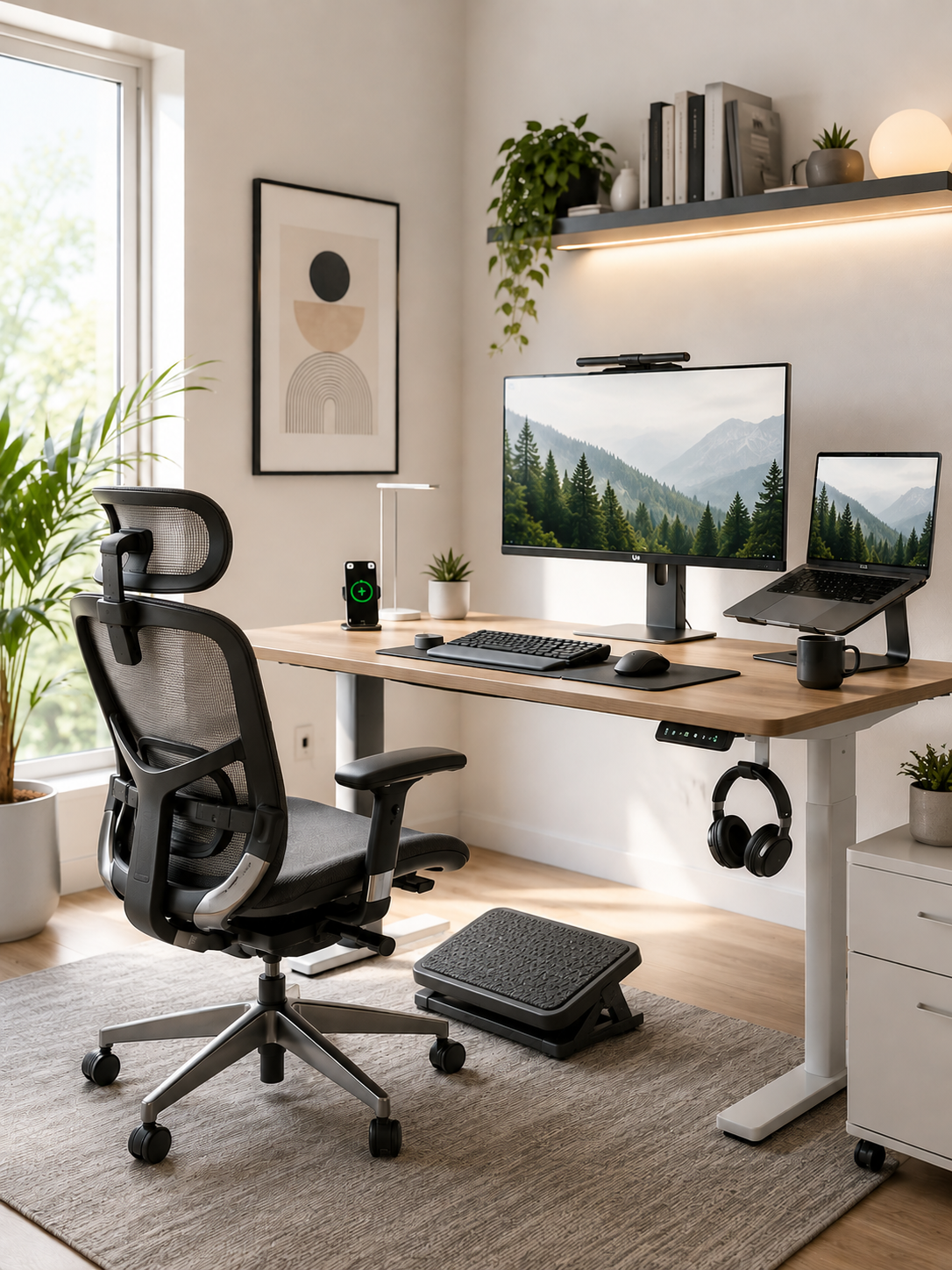
This is one reason footrests continue to play an important role in ergonomic workspace design, particularly for workers whose desk or chair height makes full foot contact difficult.
As ergonomic trends evolve, supporting the body from the ground up will remain just as important as supporting the spine from the top down.
The future of home office ergonomics will continue to build upon these foundations rather than replace them.

How to Future-Proof Your Home Office Starting Today
You don't need to wait for the next generation of ergonomic technology to improve your workspace.
Many of the most effective changes can be made today.
Raise Your Screen
Use a laptop stand or monitor riser to bring screens closer to eye level.
Improve Lower Back Support
Adequate lumbar support can help reduce unnecessary strain during long work sessions.
Reduce Pressure While Sitting
Consider ways to improve pressure distribution and sitting comfort.
Build Movement Into Your Day
Use timers, standing breaks, or walking meetings to increase movement frequency.
Create a Sustainable Setup
The best ergonomic workspace is one you can maintain consistently.
| Future-Proof Action | Potential Benefit |
|---|---|
| Raise screen height |
Reduced neck strain |
| Improve lumbar support |
Better spinal alignment |
| Reduce sitting pressure | Increased comfort |
| Take movement breaks | Improved circulation |
| Optimize workstation fit | Reduced fatigue |
These improvements may seem simple.
But simple changes performed consistently often create the greatest long-term results.
Create a Workspace That Supports Better Posture Every Day →
How Ergonomic Support Tools Help Bridge Today's Workspace and Tomorrow's Trends
Many future ergonomic technologies focus on awareness.
Others focus on automation.
But physical support remains one of the most direct ways to improve comfort right now.
Consider what happens during a typical workday.
Hours of sitting create pressure on the hips and lower back.
Laptop use often encourages the head to move forward.
Muscles gradually become fatigued as they work to stabilize posture.
Over time, discomfort becomes familiar.
Ergonomic support tools work by addressing some of these underlying mechanical challenges.
Seat Cushions
Ergonomic seat cushions help distribute pressure more evenly across sitting surfaces.
This can reduce pressure concentration and improve comfort during extended sitting sessions.
Lumbar Support Pillows
Lumbar pillows help support the natural curve of the lower back.
By improving alignment, they may reduce the amount of muscular effort required to maintain posture.
Laptop Stands
Laptop stands elevate screens closer to eye level.
This helps reduce the tendency to lean forward and can improve workstation ergonomics.
The goal isn't to force perfect posture.
The goal is to make healthy positioning easier to maintain.
And when healthy positioning becomes easier, consistency becomes more realistic.
That's often where meaningful ergonomic improvements begin.
Footrests
Footrests are becoming increasingly relevant as ergonomic experts place greater emphasis on full-body support rather than focusing exclusively on the back and neck. This kind of full-body support is part of ergonomic design and can increase productivity by 15%.
A footrest helps provide a more stable base for sitting by supporting the feet and encouraging improved lower-body positioning.
For many remote workers, this may help:
- Reduce pressure on the backs of the thighs
- Improve sitting comfort
- Encourage more balanced posture
- Support proper desk and chair alignment
The Serenform Axis Footrest is designed to provide this type of lower-body support while also encouraging subtle movement throughout the workday.
While many people focus on monitors and chairs, foot positioning often influences comfort more than they realize.
Small improvements at the base of the body can have effects that extend upward through the entire sitting posture.

The Serenform Approach: Supporting Comfort in a Changing Workplace
As the future of ergonomics evolves, one theme appears repeatedly:
Support matters. Investments in ergonomic furniture are associated with a 24% increase in employee satisfaction.
Whether we're discussing AI posture coaching, movement-centered workspace design, or personalized ergonomics, the goal remains the same:
Helping people work comfortably and sustainably for the long term. Ergonomic interventions can reduce absenteeism by up to 67%.
For remote workers spending hours at a desk, ergonomic accessories can help support healthy positioning throughout the entire body.
Serenform Elevate Laptop Stand
Supports better screen positioning by raising laptops closer to eye level, helping reduce excessive neck flexion and forward-head posture.
Serenform Atlas Lumbar Pillow
Provides lower-back support that may help maintain more comfortable spinal alignment during extended sitting sessions.
Serenform Summit Seat Cushion
Helps distribute sitting pressure more evenly, improving comfort during long workdays.
Serenform Axis Footrest
Supports the lower body by creating a more stable foundation for sitting posture.
For workers whose feet do not rest comfortably on the floor—or who spend long hours in one position—a footrest can help improve comfort while encouraging subtle movement throughout the day.
Serenform Home Office Complete Bundle
Combines multiple ergonomic support tools into a cohesive workstation designed to address screen positioning, spinal support, sitting comfort, and lower-body support simultaneously, and modern ergonomic furniture increasingly uses sustainable materials.
This reflects a broader trend shaping the future of home office ergonomics:
The most effective workspaces do not rely on a single product.
They support the body as a complete system.
Because when support improves at multiple points of contact, healthy posture often becomes easier to maintain naturally.
Discover Ergonomic Support Designed for Long Workdays →
How to Decide What to Do Next
If you've made it this far, you may recognize some of these challenges in your own workspace.
Perhaps you're experiencing:
- Neck tension after laptop use
- Lower back discomfort during long meetings
- Afternoon fatigue that arrives earlier than it should
- Difficulty maintaining good posture consistently
The good news is that improving ergonomics does not require a complete office renovation.
Start by asking yourself three questions:
Is My Screen Positioned Properly?
If not, screen height may be contributing to neck and shoulder strain.
Does My Chair Provide Enough Support?
If not, additional support may help improve comfort.
Can I Sustain My Current Setup Long-Term?
This question matters most.
Many people can tolerate discomfort for weeks or months.
But years of unnecessary strain can gradually become much harder to ignore.
The most effective ergonomic solutions are often the ones that make healthy habits easier to sustain every day.
If your workspace currently requires constant effort just to remain comfortable, it may be time to create an environment that provides more support.
Take the First Step Toward a More Comfortable Home Office →

Conclusion: The Future of Ergonomics Is About Working Better, Not Harder
The future of home office ergonomics is not simply about technology.
It is about creating work environments that better support the people using them, and modern office thinking increasingly brings in natural light and plant life as part of biophilic spaces.
AI-powered posture coaching, smart workstations, personalized ergonomics, and movement-centered design will continue shaping how we work in the years ahead.
But the underlying goal remains unchanged.
Reduce strain.
Improve comfort.
Support healthier work habits.
Help people stay productive without sacrificing their wellbeing.
If you work from home for long hours, the future of ergonomics begins with the choices you make today.
Small ergonomic improvements can compound over time.
Better support can make healthy posture easier to maintain.
Consistent comfort can make long workdays feel more sustainable.
The sooner you begin improving your workspace, the sooner your body can benefit from it.
Your future workspace doesn't need to wait for future technology.
You can start building it now.