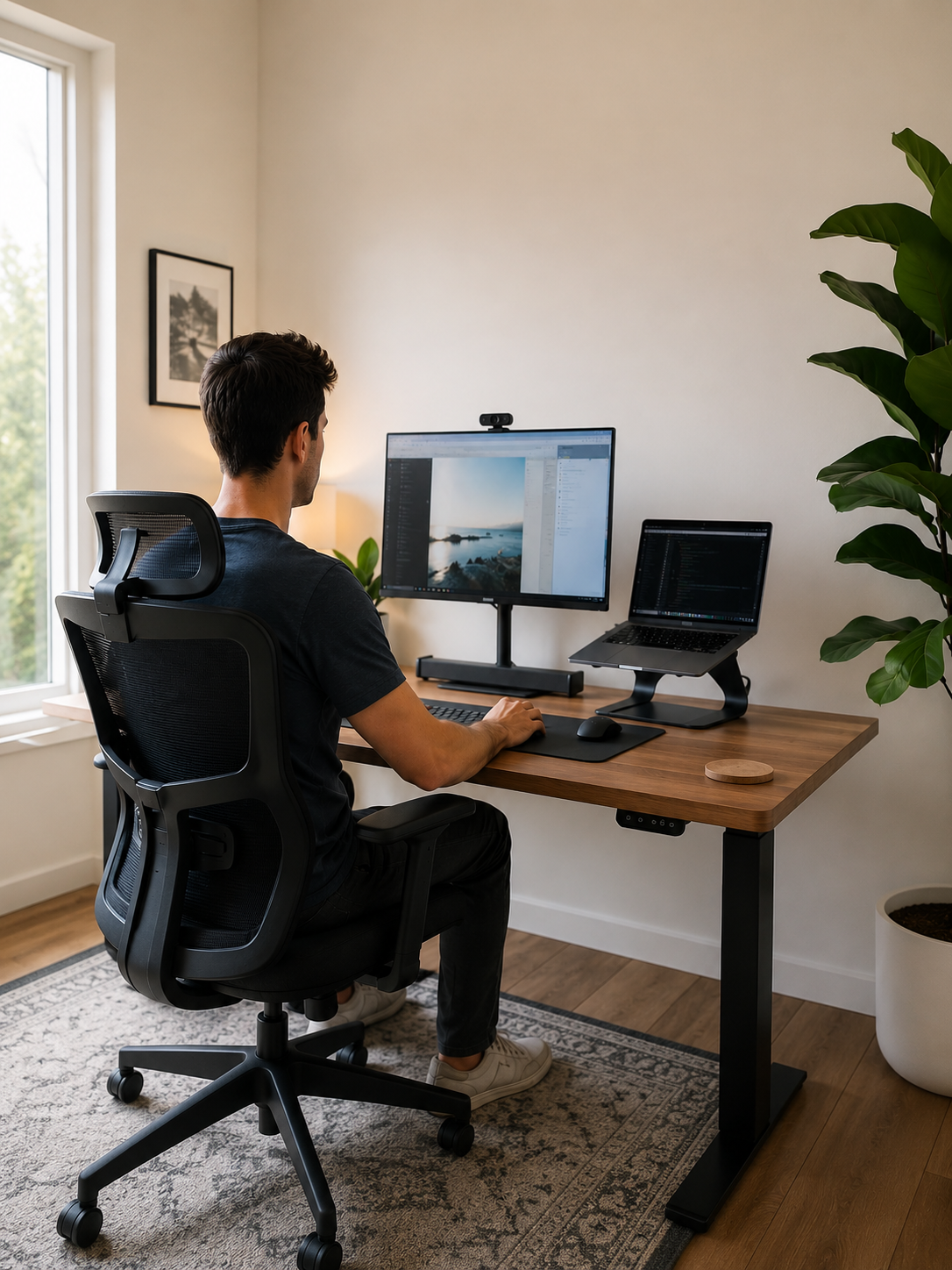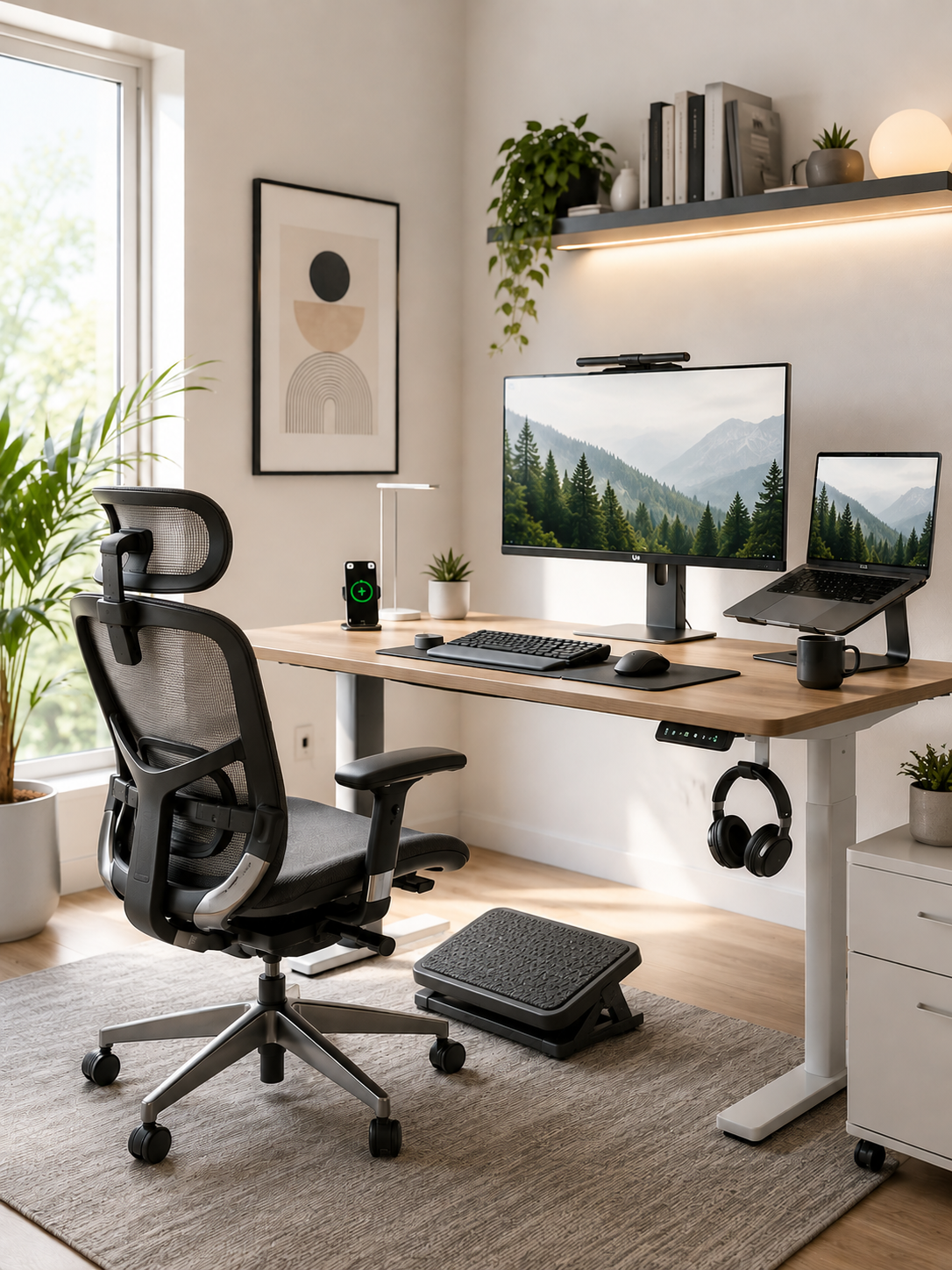
Science-Backed Benefits of Ergonomic Products: What Research Says About Comfort, Posture, and Productivity
If you work from home, chances are you've experienced it.
The lower back ache that appears halfway through the afternoon.
The stiff neck that lingers long after you shut down your laptop.
The shoulder tension that seems to build with every meeting.
The exhaustion that makes a full workday feel harder than it should.
At first, these discomforts may seem minor. Most people assume they simply need to sit up straighter, stretch more often, or power through the discomfort.
But here's the problem.
Small aches and pains rarely stay small when they are repeated every day.
What starts as occasional stiffness can gradually become chronic discomfort. Poor posture can become habitual. Physical strain can turn into fatigue that affects not only your body, but also your focus, productivity, and overall well-being.
For remote workers, these challenges are especially common. Unlike traditional offices that may provide ergonomic assessments and equipment, many home office setups were assembled quickly using existing furniture, kitchen chairs, or laptop-only workstations.
The result is a work environment that often places continuous stress on the body.
This is where ergonomic products come in.
But do ergonomic products actually work?
Or are they simply expensive accessories marketed to desk workers?
The good news is that ergonomics is not based on trends or opinions. It is supported by decades of occupational health research focused on reducing physical strain and improving workplace comfort.
In this guide, we'll explore the science-backed benefits of ergonomic products, examine what research says about workplace ergonomics, and explain how remote workers can create a healthier, more supportive home office environment.
For anyone spending hours behind a desk, understanding these principles could make a significant difference in how you feel every day.

What Are Ergonomic Products and Why Do They Matter?
Before discussing the benefits of ergonomic products, it's important to understand what ergonomics actually means.
Ergonomics is the science of designing environments, tools, and workstations to better fit the people using them, and a scientific discipline that combines knowledge from anatomy, physiology, and psychology..
Rather than forcing the body to adapt to a workspace, ergonomics focuses on adapting the workspace to support the body's natural movement and alignment.
In practical terms, ergonomic products are designed to help reduce unnecessary physical stress while performing everyday tasks.
Examples include:
- Lumbar support pillows
- Ergonomic seat cushions
- Laptop stands
- Footrests
- Adjustable desks
- Ergonomic keyboards and mice
Each product serves a specific purpose, but they all share the same goal:
To reduce physical strain and make prolonged work more comfortable and sustainable.
This distinction matters because discomfort often develops when the body must constantly compensate for poor positioning.
For example:
- A low laptop screen encourages forward head posture.
- An unsupportive chair increases pressure on the lower back.
- Poor foot positioning can create tension throughout the hips and spine.
Over time, these small stressors accumulate.
The body adapts by recruiting muscles to stabilize positions they were never intended to maintain for hours at a time.
The result?
Fatigue, discomfort, and reduced comfort during long work sessions.
Ergonomic office equipment helps address these issues by creating a workspace that works with the body rather than against it.

Why Working From Home Creates Unique Ergonomic Risk Factors and Challenges
Many remote workers assume their discomfort is simply a consequence of sitting all day.
But sitting itself is often only part of the problem.
The larger issue is how people sit and what type of workstation they use.
Traditional offices often invest heavily in ergonomic design because employers understand the impact workplace comfort has on employee well-being and productivity.
Home offices, however, frequently evolve out of convenience.
Many remote workers spend months or even years working from:
- Dining tables
- Kitchen counters
- Sofas
- Non-adjustable chairs
- Laptop-only setups
These environments may be functional, but they rarely support proper ergonomics.
A laptop, for example, creates a built-in ergonomic conflict.
When the screen is positioned at a comfortable viewing height, the keyboard becomes too high.
When the keyboard is positioned comfortably, the screen becomes too low.
This often encourages:
- Forward head posture
- Rounded shoulders
- Neck strain
- Upper back tension
Research consistently shows that prolonged sitting and poor workstation design contribute to musculoskeletal discomfort among office workers.
According to the Occupational Safety and Health Administration (OSHA), musculoskeletal disorders remain among the most common workplace injuries, affecting millions of workers annually.
The challenge for remote workers is that many of these risk factors exist inside the home office environment every day.
And because discomfort develops gradually, it is easy to underestimate the cumulative effect.
The body adapts.
Until eventually it can't.

What Does Science Say About Ergonomic Interventions?
For skeptical researchers and evidence-focused readers, this is where the conversation becomes particularly interesting.
The science behind ergonomics is extensive.
Researchers have spent decades studying how workplace design influences comfort, physical strain, productivity, and long-term musculoskeletal health.
A systematic review published in Applied Ergonomics found that ergonomic interventions can help reduce musculoskeletal symptoms among office workers, particularly when interventions address workstation design and worker support, and assessment data.
Similarly, research published in the Journal of Occupational Rehabilitation has shown that ergonomic improvements are associated with reductions in physical discomfort and improvements in workplace functioning.
While no single product can eliminate all discomfort, the evidence consistently points toward a clear conclusion:
Reducing physical stressors within the work environment improves comfort outcomes.
Reported returns can also be substantial, with ergonomic interventions delivering ROI in the 2:1 to 10:1 range.
The strongest ergonomic interventions typically focus on:
| Ergonomic Factor | Potential Benefit |
|---|---|
| Proper lumbar support |
Reduced lower back strain |
| Improved screen positioning |
Reduced neck strain |
| Better seating support | Increased sitting comfort |
| Foot positioning support | Improved lower body alignment |
| Workstation optimization | Reduced overall physical fatigue |
What is particularly important is that ergonomic improvements often work together.
A lumbar support pillow may improve spinal alignment.
A laptop stand may improve neck posture.
A seat cushion may improve pressure distribution.
Combined, these interventions can create a more supportive environment than any single adjustment alone.
And that is often where meaningful improvements occur.
Because discomfort rarely comes from one source.
It usually develops from multiple small stresses accumulating throughout the day.
These interventions can also improve safety records by 82%.

Understanding the Bigger Picture
At this point, many readers start looking for a single mistake they can fix.
Maybe it's monitor height.
Maybe it's posture.
Maybe it's taking more breaks.
Those adjustments absolutely help.
But there is an important insight that many remote workers overlook:
Good ergonomics is not about perfection.
It's about support.
Even people who know exactly how to sit properly often struggle to maintain ideal posture for eight or more hours every day.
The body naturally seeks easier positions as fatigue develops.
This is why supportive tools often play an important role.
Instead of relying entirely on willpower, they help make healthier positioning easier to maintain throughout the workday.
That distinction becomes even more important when we examine the specific science-backed benefits of ergonomic products.
Science-Backed Benefit #1: Reduced Lower Back Discomfort
If there is one complaint shared by remote workers worldwide, it is lower back discomfort.
And it's not difficult to understand why.
When sitting for extended periods, the spine experiences sustained loading forces.
Without adequate support, muscles must work continuously to stabilize posture.
Over time, this can contribute to:
- Lower back fatigue
- Muscle tension
- Postural compensation
- Reduced sitting comfort
This is where lumbar support becomes particularly valuable.
The natural lumbar curve of the spine helps distribute forces efficiently.
When that curve is unsupported, many people gradually slump forward or collapse into less stable positions.
Lumbar support products are designed to help maintain this natural curvature while sitting.
For remote workers spending six, eight, or even ten hours at a desk, this additional support may help reduce the physical demands placed on the lower back.
A practical example is the Serenform Atlas Lumbar Pillow.
Rather than forcing posture into a rigid position, lumbar support helps fill the gap between the lower back and the chair, encouraging more natural alignment throughout the workday.
Small changes in support can have surprisingly large effects over time.
Especially when repeated every day.

Science-Backed Benefit #2: Improved Posture Support
One of the biggest misconceptions about posture is that it is purely a matter of discipline.
People often assume they simply need to remember to sit straighter.
In reality, posture is heavily influenced by the environment.
The body responds to what is easiest.
If a workstation encourages slouching, most people will eventually slouch.
If a workstation supports alignment, maintaining posture becomes easier.
This is why ergonomic posture support products can be so valuable.
They reduce the effort required to maintain healthier positioning.
For example:
- Lumbar support promotes spinal alignment.
- Laptop stands improve viewing height.
- Footrests improve lower-body stability.
- Seat cushions improve pelvic positioning.
Together, these tools create conditions that support better posture rather than relying solely on conscious correction.
Because the truth is simple:
Posture is easier to maintain when the workspace helps you do it.
Not when it constantly works against you.
Improve Your Daily Comfort With Better Postural Support

Science-Backed Benefit #3: Reduced Neck and Shoulder Strain
For many remote workers, neck and shoulder discomfort can become just as frustrating as lower back pain.
In fact, if you spend most of your day working from a laptop, there is a good chance your workstation is contributing to the problem.
The average laptop places the screen significantly below eye level. To see the display clearly, users often tilt their heads downward and round their shoulders forward.
This position may feel harmless initially.
But over time, it can place significant strain on the muscles supporting the neck, upper back, and shoulders.
Researchers often refer to this as forward head posture—a common consequence of prolonged screen use.
Even a slight forward shift of the head increases the workload on supporting muscles.
The farther the head moves forward, the harder those muscles must work to maintain stability.
This is why many people experience:
- Neck stiffness
- Shoulder tightness
- Upper back soreness
- Tension headaches
- Fatigue during computer work
One of the most effective ergonomic adjustments is improving screen positioning.
Elevating a laptop screen closer to eye level helps reduce the need to constantly look downward.
In office ergonomics, screen setup also includes visual habits, such as following the 20-20-20 rule to help reduce digital eye strain during computer use.
This is where products like the Serenform Elevate Laptop Stand can play an important role.
By raising the screen to a more ergonomic height, it helps create a workstation that encourages better neck and shoulder alignment throughout the day.
Because sometimes the issue isn't your posture.
It's the position your workstation forces your body into.

Science-Backed Benefit #4: Improved Sitting Comfort and Pressure Distribution
Many people assume sitting should be effortless.
But if you've ever felt sore after several hours in a chair, you know that isn't always the case.
When sitting for extended periods, pressure becomes concentrated on specific parts of the body, particularly around the hips, tailbone, and thighs.
Over time, this pressure can contribute to:
- Tailbone discomfort
- Hip soreness
- Leg fatigue
- Reduced sitting endurance
- Frequent repositioning
Sitting comfort matters, but staying in the same position too long can still create strain, while alternating between sitting and standing often improves engagement through more dynamic working.
This is one reason ergonomic seat cushions have become increasingly popular among desk workers.
Their purpose is not simply to make a chair softer.
Instead, they help redistribute pressure more evenly across the sitting surface.
Pressure distribution matters because localized pressure points often become uncomfortable long before the body itself becomes fatigued.
When pressure is better managed:
- Sitting feels more comfortable.
- Position changes become less frequent.
- Concentration improves.
- Work sessions become easier to sustain.
For remote workers spending eight or more hours at a desk, support in this area can make a meaningful difference.
Products such as the Serenform Summit Seat Cushion are designed to address this challenge by helping reduce concentrated pressure and promoting a more supportive sitting experience.
Because comfort isn't a luxury.
It's a factor that influences how long your body can comfortably perform its daily work.

Science-Backed Benefit #5: Reduced Physical Fatigue Throughout the Day
Have you ever finished a workday feeling physically exhausted—even though you spent most of it sitting?
Many remote workers find this confusing.
After all, sitting doesn't seem physically demanding.
Yet prolonged desk work often leaves people feeling drained.
The reason is that maintaining unsupported postures requires constant muscular effort.
When posture is compromised:
- Stabilizing muscles work harder.
- Tension accumulates.
- Physical strain increases.
- Energy expenditure rises.
This process is often subtle.
You may not notice the effort hour by hour.
But by the end of the day, the cumulative effect becomes obvious.
Your shoulders feel heavier.
Your lower back feels tighter.
Your energy levels drop.
Research on workplace ergonomics suggests that reducing unnecessary physical strain can help improve comfort and reduce fatigue during prolonged work tasks.
This is one reason ergonomic interventions are often associated with improved workplace endurance.
The body simply doesn't have to work as hard to maintain its position.
For remote workers, this can translate into:
- More comfortable afternoons
- Less end-of-day exhaustion
- Greater workday sustainability
- Improved overall well-being
Small ergonomic improvements may not feel dramatic in the moment.
But over hundreds of workdays each year, they can significantly influence how your body feels.
Reduce Daily Strain and Work More Comfortably

Comfort Alone Is Not the End Goal
Most people begin their ergonomic journey because of discomfort.
They want relief from back pain.
Less neck tension.
More comfortable sitting.
And those are important goals.
But the benefits of ergonomics extend beyond physical comfort.
Because discomfort doesn't just affect the body.
It affects how you think, focus, and perform.
This is where ergonomics becomes just as much a productivity conversation as a health conversation.
Science-Backed Benefit #6: Improved Focus and Productivity
Physical discomfort is distracting.
Anyone who has tried to focus while experiencing back pain or neck stiffness understands this immediately.
When the body is uncomfortable, part of your attention is constantly pulled toward that discomfort.
You shift positions.
Adjust your chair.
Stretch your shoulders.
Rub your neck.
Refocus.
Repeat.
These interruptions may seem small, but they add up throughout the day.
Research has found associations between workplace comfort and productivity outcomes.
While ergonomic products are not productivity tools in the traditional sense, they can help remove physical barriers that interfere with concentration.
When workers are more comfortable:
- They are less distracted by physical discomfort.
- They spend less time repositioning.
- They can maintain focus for longer periods.
- Work feels less physically demanding.
For remote workers, this can be particularly important.
The home environment already contains countless distractions.
Physical discomfort doesn't need to be one of them.
Creating an ergonomic workspace allows more mental energy to be directed toward meaningful work instead of managing preventable discomfort.
And over time, those small gains in focus can become substantial.

Science-Backed Benefit #7: Better Long-Term Musculoskeletal Health and Reduced Musculoskeletal Disorders
Many people only think about ergonomics after discomfort appears.
But some of the greatest ergonomic health benefits come from prevention.
Musculoskeletal issues often develop gradually.
Weeks become months.
Months become years.
And repeated physical stress accumulates.
This doesn't mean every remote worker will develop chronic discomfort.
However, reducing unnecessary physical strain is generally considered a positive long-term strategy for workplace wellness. Minimizing repetitive motions also helps reduce the risk of musculoskeletal disorders such as carpal tunnel syndrome and other work-related injuries.
Ergonomic products help support this goal by addressing common sources of workplace stress such as:
- Unsupported sitting
- Poor posture
- Inadequate screen positioning
- Pressure concentration
- Repetitive strain
The goal is not perfection.
The goal is creating an environment that supports healthier working habits over time.
Because prevention is almost always easier than recovery.
And when it comes to physical discomfort, the earlier you improve your workspace, the easier those improvements often are to maintain. Applying ergonomic principles can also lower healthcare costs associated with chronic injuries.

How Ergonomic Products Actually Work
At this point, you may be wondering what separates ergonomic products from ordinary office accessories.
The answer lies in their mechanism.
Good ergonomic products are designed to support the natural alignment of the human body, reduce unnecessary physical stress, and optimize the work envelope to improve accessibility and reduce over-stretching.
For example:
| Product | How It Works | Potential Benefit |
|---|---|---|
| Lumbar Pillow |
Supports natural lumbar curve |
Reduced lower back strain |
| Seat Cushion |
Improves pressure distribution |
Increased sitting comfort |
| Laptop Stand | Raises screen height |
Reduced neck strain |
| Footrest | Improves lower-body positioning | Better posture support |
| Ergonomic Bundle | Addresses multiple risk factors simultaneously | More complete workstation support |
Notice a common theme.
None of these products "fix" the body.
Instead, they improve the environment surrounding the body.
That distinction is important.
The body performs best when the workspace supports it.
Not when it constantly has to compensate for poor positioning.

Which Ergonomic Products Deliver the Greatest Benefits?
One of the biggest mistakes remote workers make is searching for a single product that solves every problem.
Unfortunately, discomfort rarely develops from a single source.
Lower back strain may be connected to posture.
Neck tension may stem from monitor height.
Fatigue may be influenced by seating support.
This is why many ergonomic experts recommend taking a systems-based approach.
Instead of asking:
"What product should I buy?"
Ask:
"What sources of strain exist in my workspace?"
For many remote workers, the most impactful upgrades include:
Lumbar Support
Best for:
- Lower back discomfort
- Poor posture support
- Long sitting sessions
Seat Cushion
Best for:
- Tailbone discomfort
- Hip pressure
- Sitting comfort
Laptop Stand
Best for:
- Neck strain
- Laptop users
- Screen positioning
OSHA's guidelines recommend an ergonomic assessment across various industries to help identify and reduce injury risks.
Office assessments focus on desk setup and screen position, while industrial ergonomics evaluates different task demands in warehouse, factory, and manufacturing settings.
Footrest
Best for:
- Improved lower-body support
- Better sitting posture
- Workstation alignment
For people working from home full-time, combining multiple ergonomic improvements often produces the most noticeable results.
This is why solutions like the Serenform Home Office Complete Bundle can be useful.
Rather than addressing a single issue, they help support multiple aspects of workstation ergonomics simultaneously.
The goal isn't to create a perfect workspace.
The goal is to create a workspace your body can comfortably sustain every day.
Build a More Supportive Home Office Setup

What Should You Do Next? Consider an Ergonomic Assessment
If you've made it this far, there is a good chance some of these challenges sound familiar.
Maybe it's the lower back discomfort.
Maybe it's the neck tension.
Maybe it's the fatigue that seems to appear every afternoon.
The important thing to recognize is that these issues are rarely random.
In many cases, they are signals that your workspace is placing unnecessary demands on your body.
You can certainly start with simple adjustments:
- Raise your screen.
- Improve your chair positioning.
- Take regular movement breaks.
- Pay attention to posture.
These changes help.
But maintaining those habits consistently can be difficult when your workspace itself provides little support.
That's why ergonomic products can be so valuable.
They help reinforce healthier positioning throughout the day without requiring constant attention or effort.
For remote workers spending thousands of hours each year at a desk, creating a more supportive environment is often one of the most practical investments in comfort, productivity, and long-term well-being.

Conclusion: Better Workdays Start With Better Support
The science behind ergonomic products is not built on trends or marketing claims.
It is built on decades of research exploring how workplace environments influence comfort, posture, fatigue, and musculoskeletal health.
The evidence consistently points toward a simple conclusion:
When physical strain is reduced, people tend to work more comfortably.
For remote workers, this matters.
Because the discomfort you feel today may not disappear on its own tomorrow.
Small issues often become persistent when ignored.
Small improvements often become meaningful when repeated every day.
Whether your goal is reducing lower back discomfort, improving posture support, minimizing neck strain, increasing sitting comfort, or creating a healthier home office setup, ergonomics offers practical solutions grounded in how the body actually works.
The best time to improve your workspace is before discomfort becomes your new normal.
Start by identifying the sources of strain in your current setup.
Then take steps to support your body more effectively.
Because working from home shouldn't mean working in pain.