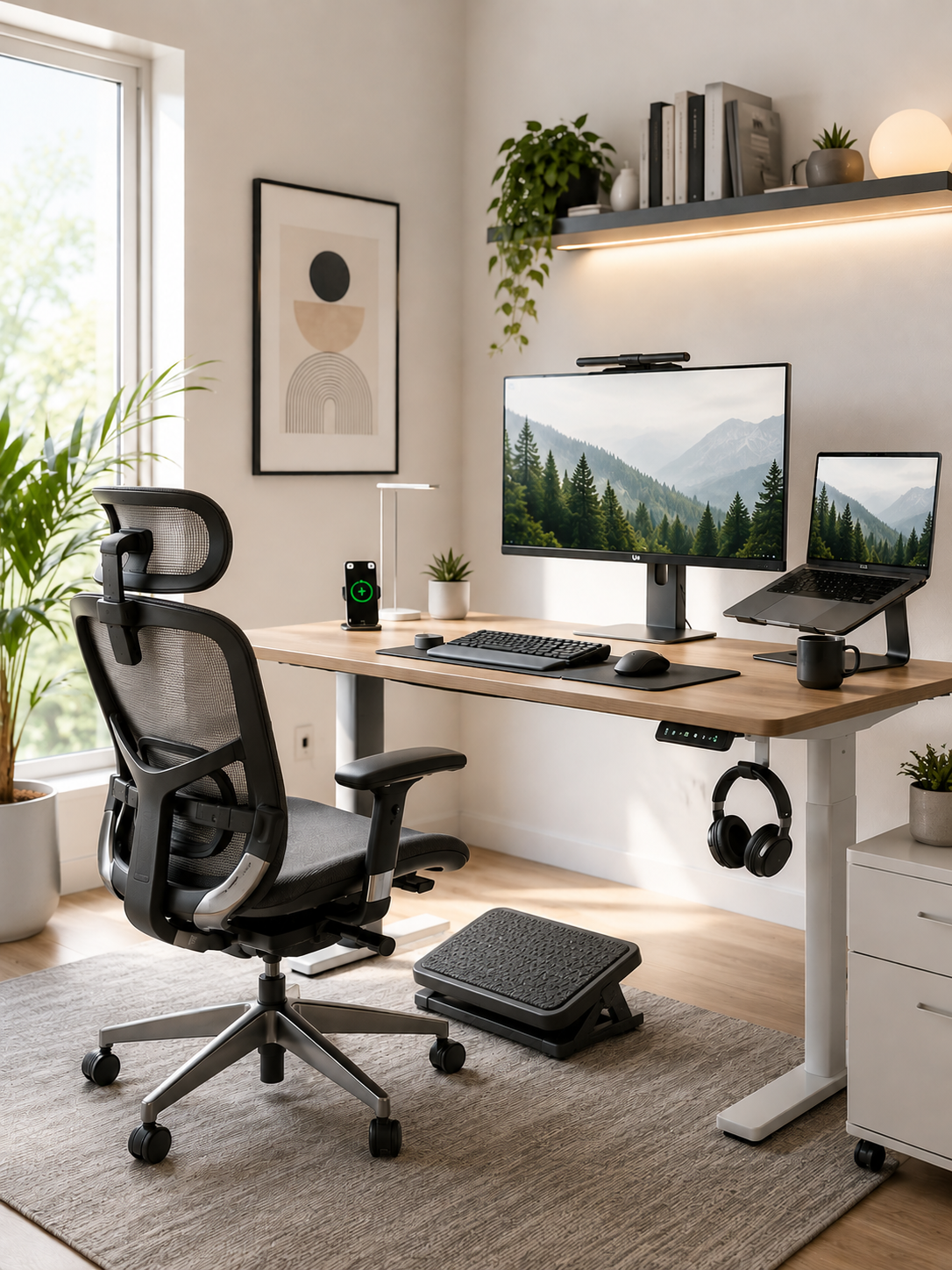
Article: Daily Habits That Support a Healthier Workday
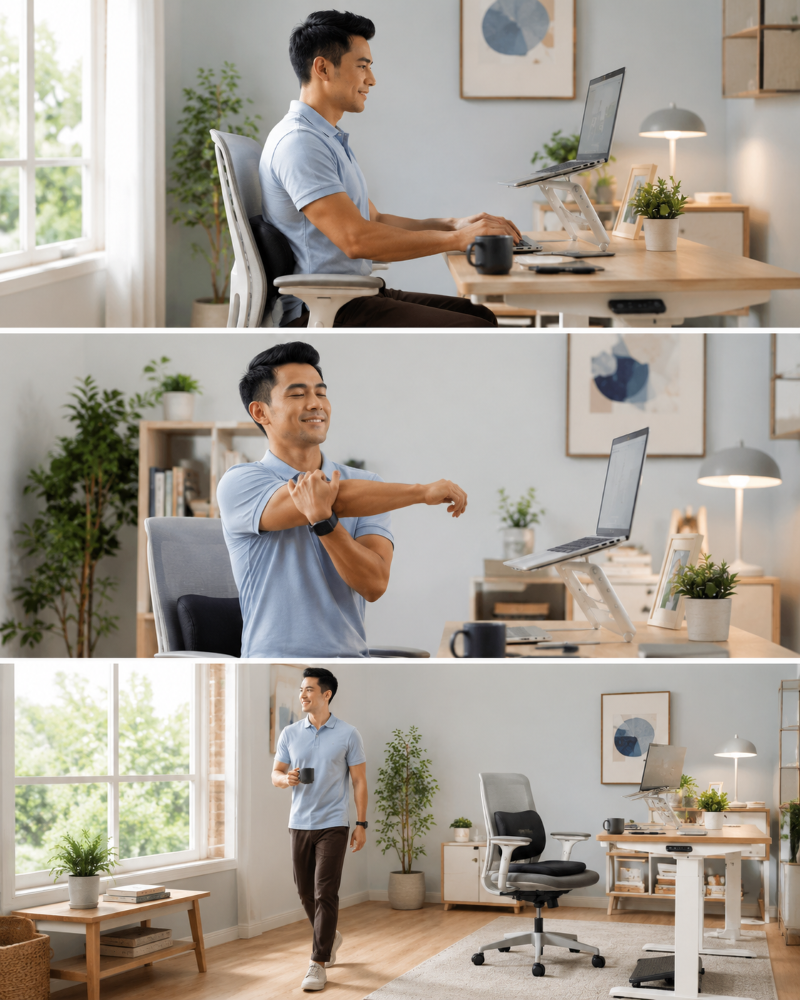
Daily Habits That Support a Healthier Workday
Working from home offers flexibility that many people once dreamed about. But if you're like most remote workers, freelancers, or desk professionals, there's a good chance that flexibility has come with an unexpected cost.
Maybe your lower back starts aching before lunch. Your shoulders feel tight after a few video calls. By mid-afternoon, your neck is stiff, your energy has dropped, and staying focused feels like a struggle. At the end of the day, you close your laptop only to realize your body feels as exhausted as your mind.
The frustrating part is that these problems rarely appear overnight.
They build gradually through the small habits you repeat every single workday. Sitting in the same position for hours. Forgetting to take movement breaks. Working from a laptop that's too low. Ignoring discomfort because you're trying to finish one more task.
The good news is that improving your work from home wellness doesn't require completely redesigning your office or following a complicated fitness program.
Instead, it starts with small, consistent changes.
Developing healthy work from home habits can help reduce physical strain, improve posture, support better focus, and make long workdays feel far more sustainable. When those habits are paired with an ergonomic workspace that supports your body, maintaining them becomes much easier.
In this guide, we'll walk through practical daily habits for a healthier workday that can help desk workers feel more comfortable, productive, and energized—without disrupting their workflow.

Why Daily Habits Matter More Than One-Time Workspace Upgrades
Many people assume that buying a new office chair or adjustable desk will instantly solve their discomfort.
While quality ergonomic equipment can certainly help, even the best workspace can't compensate for unhealthy daily habits.
Think of ergonomics as a system rather than a single product.
A supportive chair helps—but only if you sit in it properly.
A laptop stand improves screen height—but only if the rest of your workstation is adjusted accordingly.
A lumbar pillow supports your lower back—but only if you spend time changing positions and moving throughout the day.
Healthy workdays are built through repetition.
Small decisions made consistently often have a greater long-term impact than dramatic one-time changes.
Consider these examples:
| One-Time Change | Daily Habit That Makes It Effective |
|---|---|
| Buying an ergonomic chair |
Adjusting it before each workday |
| Raising your monitor |
Sitting back against your chair instead of leaning forward |
| Using lumbar support | Maintaining regular movement breaks |
| Purchasing ergonomic accessories | Using them consistently throughout the day |
The science behind ergonomics supports this approach. Research published by the U.S. Occupational Safety and Health Administration (OSHA) emphasizes that workstation design and work practices should work together to reduce physical stress and minimize the risk of musculoskeletal disorders.
In other words, equipment and habits complement one another.
If one is missing, the other becomes less effective.
That's why the goal isn't finding a perfect posture that you maintain for eight hours.
It's creating an environment that encourages healthier movement, better alignment, and less physical strain throughout your workday.
Because comfort isn't something you achieve once.
It's something you support repeatedly.

Habit #1: Start Every Morning by Setting Up Your Workspace
One of the easiest healthy desk habits is also one of the most overlooked.
Before opening your inbox or joining your first meeting, spend one or two minutes checking your workstation.
Many remote workers begin working immediately without adjusting anything.
Over time, small positioning mistakes add up.
Perhaps your chair is slightly lower than yesterday.
Maybe your laptop has shifted off-center.
Or your feet are dangling because your seat height changed.
These seemingly minor issues encourage your body to compensate throughout the day, increasing strain on your neck, shoulders, hips, and lower back.
A simple morning setup routine can prevent many of these problems before they start.
Your Daily Ergonomic Workspace Checklist
Before you begin working:
- Adjust your chair so your knees are roughly level with your hips.
- Keep your feet flat on the floor or supported by a footrest.
- Position your monitor so the top of the screen is at or just below eye level.
- Place your keyboard and mouse close enough that your elbows remain around a 90-degree angle.
- Sit back in your chair instead of perching on the edge.
- Keep frequently used items within comfortable reach.
This routine takes less than two minutes.
Yet those two minutes can help reduce unnecessary strain during the next eight hours.
For laptop users, maintaining proper screen height is often the biggest challenge.
Because laptops combine the keyboard and screen, raising one often compromises the other. Many remote workers end up looking downward for most of the day, placing additional stress on the neck and upper back.
A quality laptop stand can help elevate the screen closer to eye level, while an external keyboard and mouse allow your arms to remain in a more neutral position.
Likewise, if your chair height prevents your feet from resting comfortably on the floor, a footrest can help improve lower-body support and encourage healthier sitting posture throughout the day.
These adjustments aren't about achieving perfection.
They're about creating a workspace that makes healthier posture the easier choice—not the harder one.

Habit #2: Support Your Body Instead of Fighting Gravity
If you've ever promised yourself to "sit up straight" only to realize you're slouching again twenty minutes later, you're not alone.
Maintaining perfect posture through willpower alone is incredibly difficult.
Your muscles naturally become fatigued over time.
As they tire, your body begins searching for easier positions.
Shoulders round forward.
The head drifts toward the screen.
The pelvis tilts.
Pressure increases on the lower back.
Eventually, what started as a comfortable sitting position becomes an uncomfortable one.
That's because gravity never stops working.
Your muscles are constantly resisting it.
The goal of ergonomic habits isn't to force your body into rigid positions.
Instead, it's to reduce how hard your muscles have to work.
Supportive seating helps distribute pressure more evenly across your body, allowing larger muscle groups to share the workload instead of placing excessive strain on a few overworked areas.
What Proper Support Looks Like
Healthy sitting posture generally includes:
- Natural support for the curve of the lower back
- Even weight distribution across the hips
- Relaxed shoulders
- Head aligned over the spine
- Feet supported rather than hanging
- Hips positioned toward the back of the chair
Without these supports, muscles compensate continuously throughout the day.
That compensation contributes to fatigue long before you actually notice pain.
DIY reminders—like sticky notes telling yourself to "sit straight"—can certainly help.
But remembering every few minutes isn't realistic during a busy workday filled with meetings, deadlines, and constant concentration.
This is where ergonomic support tools become valuable.
Rather than relying entirely on conscious effort, they help create an environment that naturally encourages healthier positioning.
For example:
- A lumbar pillow helps support the natural curve of your lower back, reducing the tendency to slump.
- A supportive seat cushion helps distribute pressure more evenly, improving sitting comfort during extended work sessions.
- A footrest stabilizes the lower body, helping maintain better pelvic alignment.
These tools don't force posture.
They simply make healthier posture easier to maintain over longer periods.
And that's an important distinction.
The best ergonomic solutions work with your body—not against it.

Transition: Healthy Habits Become Sustainable When Your Workspace Supports Them
By now, you may have noticed a pattern.
Most workplace discomfort isn't caused by one dramatic mistake.
It's usually the result of dozens of small habits repeated throughout the day.
Adjusting your workstation each morning and supporting your body properly are excellent first steps. But even the most ergonomic setup can't eliminate the effects of sitting still for hours at a time.
That's why the next habits focus on something equally important: movement.
Because the healthiest posture isn't one you hold all day.
It's the one you're able to change regularly.
Habit #3: Build Movement Into Your Schedule
If there is one habit that can immediately improve your healthy work routine, it's this:
Move more often.
That advice sounds simple, but it's surprisingly difficult to follow when you're immersed in work. You tell yourself you'll stand after answering one more email. Then another meeting starts. Before you know it, three hours have passed without leaving your chair.
Your body isn't designed to stay in one position for extended periods—even if that position is technically "correct."
Remaining seated for too long can reduce circulation, increase muscle stiffness, and contribute to discomfort in the neck, shoulders, hips, and lower back. Over time, prolonged sitting can also negatively affect energy levels and overall well-being.
The solution isn't to interrupt your workflow every few minutes. It's to make movement part of your workflow.
Easy Ways to Add Movement Without Losing Productivity
Instead of viewing movement as a break from work, think of it as part of how you work to increase productivity by breaking up long periods in the same position.
Try incorporating habits like:
- Standing while reading a report.
- Walking during phone calls.
- Stretching while waiting for a meeting to begin.
- Refilling your water bottle instead of keeping one at your desk all day, using the water cooler as a simple reason to stand up and walk.
- Taking the stairs whenever possible.
- Walking for five minutes after lunch.
- Doing seated leg lifts at your desk to improve circulation and reduce leg discomfort; they also gently engage the leg muscles while you sit.
These activities don't require extra time in your schedule. They simply replace periods of prolonged sitting with gentle movement.
A Simple Healthy Workday Schedule
| Time | Healthy Habit |
|---|---|
| Start of workday |
Adjust workstation |
| Every 30–60 minutes |
Stand, stretch, or walk for 2–5 minutes |
| Mid-morning | Refill your water and, if available, walk to the water cooler |
| Lunch | Take a short walk after a healthy lunch |
| Mid-afternoon | Shoulder and neck stretches |
| End of workday | Light mobility exercises |
Research published in the British Journal of Sports Medicine recommends breaking up prolonged sitting with regular movement throughout the day to support better health outcomes.
The important thing isn't creating the perfect schedule.
It's avoiding long, uninterrupted periods by taking consistent hourly breaks.
Some days you'll forget.
Some days meetings will make movement difficult.
That's perfectly normal.
The goal is consistency—not perfection.
Small movement breaks today can help prevent much larger discomfort tomorrow.

Habit #4: Protect Your Eyes and Reduce Mental Fatigue
By early afternoon, many remote workers assume they're mentally exhausted.
Sometimes they are.
But often, part of that fatigue is visual.
Hours of staring at a screen place continuous demands on your eyes. As your eyes tire, concentration becomes harder, headaches become more common, and your natural tendency is to lean closer toward the monitor—creating even more strain on your neck and shoulders.
This is why eye care is an important part of work from home wellness, not a separate issue.
Follow the 20-20-20 Rule
One of the simplest ways to reduce digital eye strain is the 20-20-20 rule.
Every 20 minutes:
- Look at something approximately 20 feet away.
- Hold your gaze for at least 20 seconds.
This brief pause allows your eye muscles to relax after prolonged close-up focus.
Other helpful habits include:
- Blinking more intentionally.
- Reducing glare from windows.
- Using comfortable screen brightness.
- Increasing text size when needed.
- Positioning your monitor about an arm's length away.
The American Optometric Association recommends these strategies as part of reducing digital eye strain for people who spend long hours using computers.
Screen Position Matters More Than You Think
Many people assume eye strain is only an eye problem.
In reality, monitor placement often affects your entire posture.
When your screen is too low:
- Your head tilts forward.
- Your neck bends downward.
- Your shoulders round.
- Upper back muscles work harder.
Over an entire workday, those small changes become significant.
Raising your laptop or monitor closer to eye level encourages a more neutral head position, helping reduce unnecessary strain on the neck and shoulders.
This is another example of how healthy habits and ergonomic equipment work together.
Looking away from the screen is a habit.
Keeping the screen at the right height makes that habit much easier to maintain comfortably.

Transition: Healthy Habits Work Best When They Don't Rely on Willpower Alone
By now you've probably noticed something important.
Every habit we've discussed requires consistency.
You have to remember to sit well.
Remember to stand.
Remember to stretch.
Remember to look away from your screen.
That's easier said than done during a busy workday.
The reality is that even the healthiest routines become difficult to maintain if your workspace constantly encourages poor positioning.
That's why ergonomics isn't about replacing healthy habits.
It's about making healthy habits easier to repeat.
When your environment supports your body instead of working against it, consistency becomes much more achievable.
How Ergonomic Support Helps Healthy Habits Stick
Think about brushing your teeth.
You don't have to remind yourself how to hold your toothbrush every morning because your environment supports the habit.
Healthy workplace ergonomics should work the same way: office ergonomics helps healthy habits stick by making proper ergonomics easier to repeat.
Instead of relying on constant self-correction, ergonomic tools help guide your body into more supportive positions naturally.
Here's how that works in practice, and how that combination can significantly improve well-being and productivity.
Better Alignment Reduces Unnecessary Strain
When your monitor is too low, your neck naturally bends forward.
Raise the screen to eye level, and your head stays in a more neutral position without conscious effort.
When your lower back lacks support, your spine gradually rounds.
Add proper lumbar support, and maintaining your natural spinal curve becomes much easier.
When your feet dangle because your chair is adjusted for desk height, pressure increases through your thighs and hips.
A supportive footrest helps stabilize your lower body, encouraging healthier pelvic positioning and more even weight distribution.
None of these products "force" posture.
Instead, they reduce the physical effort required to maintain healthier alignment throughout the day.
That's the mechanism behind good ergonomics.
It isn't about locking your body into one perfect position.
It's about reducing the small stresses that gradually build into discomfort.
Why DIY Solutions Often Fade Over Time
You can absolutely improve your workspace using simple reminders and homemade adjustments.
Many people start with:
- Stacking books under a laptop.
- Rolling up a towel for lumbar support.
- Using a box as a footrest.
- Setting movement reminders on their phone.
These are useful starting points.
The challenge isn't whether they work initially.
The challenge is maintaining them.
Books slide.
Towels flatten.
Boxes shift around.
Phone reminders eventually get ignored.
Healthy habits are easier to sustain when the tools supporting them are designed for everyday use.
That's where purpose-built ergonomic accessories can make a meaningful difference—not because they're magic solutions, but because they remove unnecessary friction from your daily routine.
Practical Office Ergonomics Solutions for Everyday Remote Work
If you're working from home for six, eight, or even ten hours each day, your body benefits from support in several key areas—not just one.
Here's how different ergonomic accessories fit naturally into a healthier workday.
Serenform Elevate Laptop Stand
Ideal for:
- Morning workstation setup
- Laptop users
- Video meetings
- Writing and focused computer work
By raising your laptop closer to eye level, the Elevate Laptop Stand helps encourage healthier neck positioning while reducing the tendency to look downward throughout the day.
Best paired with an external keyboard and mouse.
Serenform Atlas Lumbar Pillow
Ideal for:
- Long periods of focused work
- Deep concentration sessions
- Video conferences
The Atlas Lumbar Pillow supports the natural curve of your lower back, helping reduce slouching and encouraging better seated alignment during prolonged sitting.
Serenform Summit Seat Cushion
Ideal for:
- Extended sitting
- Home office chairs
- Dining chairs used as office chairs
The Summit Seat Cushion helps distribute pressure more evenly across your hips and thighs, improving sitting comfort during long work sessions.
Many remote workers discover that increasing comfort makes it easier to remain productive without constantly shifting due to discomfort.
Serenform Axis Footrest
Ideal for:
- Shorter users
- Adjustable desks
- Chairs positioned higher than the floor
Supporting your feet improves stability throughout your entire seated posture.
The Axis Footrest helps reduce pressure under the thighs while encouraging healthier positioning through the hips and lower back.
It also promotes subtle movement throughout the day, helping avoid completely static sitting.
Serenform Home Office Complete Bundle
Healthy habits rarely depend on one single adjustment.
They develop from an environment where multiple ergonomic supports work together.
The Home Office Complete Bundle combines the essential ergonomic accessories needed to improve alignment from head to toe.
Instead of treating neck pain, lower back discomfort, and poor sitting posture as separate problems, the bundle helps create a workspace that supports healthier movement and positioning throughout the entire workday.
For many remote workers, that means less effort spent correcting posture—and more energy available for meaningful work.
Build a Workspace That Supports Healthier Daily Habits
Explore the Serenform Home Office Complete Bundle →

Habit #5: Stay Hydrated and Fuel Your Energy Consistently
When productivity starts to fade in the afternoon, many remote workers assume they simply need another cup of coffee.
Sometimes that's true.
But just as often, the real issue is dehydration, inconsistent nutrition, or both.
Even mild dehydration can affect concentration, alertness, and mood, and staying hydrated may also help fend off headaches in office workers. When combined with prolonged sitting, it can leave you feeling sluggish long before your workday is over.
Creating a healthy work routine means supporting both your body and your brain.
- Keep water nearby throughout the day so drinking it becomes automatic.
- Pack healthy snacks ahead of time to help stabilize blood sugar levels and avoid energy dips.
- Choose nutrient-dense meals and snacks, which are more effective for sustaining energy through the afternoon.
Simple Habits That Keep Your Energy Steady
Instead of relying on caffeine to power through the afternoon, try building these habits into your day:
- Keep a reusable water bottle within reach—but refill it regularly so you're encouraged to stand and walk.
- Eat balanced meals that include protein, fiber, and healthy fats to help sustain energy.
- Choose nutritious snacks like fruit, nuts, yogurt, or vegetables instead of sugary snacks that can lead to energy crashes.
- Avoid skipping a healthy lunch, even during busy days—something simple like leftovers, a sandwich, fruit, or another balanced homemade option works well.
Hydration and nutrition work together with movement and ergonomics.
When your body has the fuel it needs, you're more likely to maintain better posture, stay mentally focused, and avoid the fatigue that often leads to slouching or remaining in one position for too long.
Small habits create momentum.
A short walk to refill your water bottle becomes a movement break.
A balanced lunch becomes an opportunity to step away from your screen.
Those moments help your body recover before discomfort begins to build.

Habit #6: Change Positions Throughout the Day
One of the biggest misconceptions about ergonomics is that there is a single "perfect posture."
There isn't.
In fact, many ergonomics professionals summarize the concept with a simple phrase:
"The best posture is your next posture."
Even an excellent sitting position becomes uncomfortable if you hold it for hours.
Your muscles, joints, and connective tissues benefit from variety.
That means alternating between:
- Sitting upright during focused work
- Leaning back briefly while reading
- Standing during phone calls
- Walking during short breaks
- Stretching between meetings
Changing positions distributes physical stress across different muscle groups instead of overloading the same areas all day.
Practical Ways to Add Variety
You don't need an elaborate schedule.
Simply look for natural transition points:
- Stand after completing a cluster of work tasks.
- Walk while brainstorming ideas.
- Stretch before joining a meeting.
- Change your sitting position every 30–60 minutes.
- Use lunch as an opportunity to move instead of eating at your desk.
Short breaks that change your position can also help prevent stiffness in the neck, shoulders, hips, and legs.
This approach also reinforces an important ergonomic principle:
Supportive equipment isn't designed to keep you sitting longer.
It's designed to make the time you do spend sitting healthier and more comfortable.
That distinction matters.
The goal isn't more sitting.
It's better sitting—combined with regular movement.

Habit #7: End Your Workday With a Recovery Routine
Many people carefully prepare for the beginning of their workday.
Far fewer think about how they finish it.
Yet ending your day intentionally can help reduce lingering stiffness and prepare your body for tomorrow.
After hours at a desk, your muscles have often been working in relatively fixed positions.
A short recovery routine helps restore mobility and encourages both physical and mental separation as you leave work intentionally by following a simple end-of-day routine.
This routine helps transition to personal time and can reduce stress.
A Five-Minute End-of-Day Routine
Try incorporating these simple movements:
- Shoulder rolls
- Gentle neck stretches
- Chest-opening stretches
- Hip flexor stretches
- Standing hamstring stretches
- Walking around your home or outside for five to ten minutes
- Read for a few minutes after you shut down work to help reduce stress
Just as importantly, close your laptop when you're done.
Working from home often blurs the boundary between work and personal life.
Creating a clear end to your workday supports recovery, reduces stress, and helps establish healthier routines over time. Even 6 minutes of reading can reduce stress levels by nearly 70%.
Recovery isn't a reward for working hard.
It's part of what allows you to work comfortably again tomorrow.

Transition: Healthy Habits Work Together—Not in Isolation
By this point, you may notice that no single habit solves every problem.
Hydration alone won't eliminate neck pain.
Movement breaks alone won't improve workstation alignment.
A better chair alone won't prevent fatigue if you sit without changing positions for hours.
The healthiest workdays come from combining supportive habits with an environment designed to encourage them.
When those pieces work together, staying comfortable becomes far less dependent on constant self-correction.
Your Daily Healthy Workday Checklist
Building healthier habits doesn't have to feel overwhelming.
Start with this simple checklist and aim for consistency rather than perfection.
| Daily Habit | Completed |
|---|---|
| Adjusted my workstation before starting work |
☐ |
| Sat with proper lower back support |
☐ |
| Kept my feet supported while sitting | ☐ |
| Positioned my screen at eye level | ☐ |
| Took movement breaks every 30–60 minutes | ☐ |
| Followed the 20-20-20 rule | ☐ |
| Drank water consistently throughout the day | ☐ |
| Kept a consistent sleep schedule | ☐ |
| Ate lunch away from my desk |
☐ |
| Took a short mindful break to reset focus and manage stress | ☐ |
| Limited distractions during focused work blocks | ☐ |
| Made time for a quick check-in or social connection to help manage stress | ☐ |
| Changed sitting positions regularly | ☐ |
| Finished the day with light stretching | ☐ |
You don't need to check every box perfectly every day.
Improvement comes from repeating these habits more often than not.
Many readers find it helpful to print this checklist or save it as a reminder near their workspace.

How to Decide What to Do Next
If you've recognized several of these habits in your own workday, you're not alone.
Most remote workers don't intentionally create discomfort.
They're simply busy.
Deadlines take priority.
Meetings run long.
Lunch happens at the keyboard.
Before long, small compromises become daily routines.
The encouraging news is that many of these issues are also addressed through small, sustainable improvements.
Start by asking yourself:
- Is my workstation encouraging healthy posture?
- Do I move enough during the day?
- Is my monitor positioned correctly?
- Are my lower back and hips properly supported?
- Do I end most workdays feeling energized—or physically drained?
If you've answered "no" to several of those questions, changing one habit at a time is an excellent place to begin.
Even a simple change, like turning on Do Not Disturb before focused work, can cut distractions.
But remember this:
Healthy habits are easier to maintain when your environment supports them.
Trying to remember perfect posture every minute of the day is exhausting.
A workspace designed with ergonomics in mind reduces that mental effort, and can also improve focus by cutting down on distractions and making healthier positioning feel more natural.
A workspace designed with ergonomics in mind reduces that mental effort by making healthier positioning feel more natural.
That's why many remote professionals choose ergonomic accessories that work together—not because they expect a quick fix, but because they want consistent support throughout every workday.
Whether it's improving screen height with the Serenform Elevate Laptop Stand, encouraging spinal alignment with the Atlas Lumbar Pillow, increasing sitting comfort with the Summit Seat Cushion, stabilizing lower-body positioning with the Axis Footrest, or creating a complete ergonomic setup with the Serenform Home Office Complete Bundle, the goal remains the same:
To make healthy habits easier to repeat.

Conclusion: A Healthier Workday Starts With Today's Habits
Your body adapts to the habits you practice every day.
If those habits involve prolonged sitting, poor alignment, and very little movement, discomfort gradually becomes part of your routine.
Fortunately, the opposite is also true.
Small improvements practiced consistently can transform the way you feel during—and after—work.
Adjust your workspace before you begin.
Support your posture instead of relying on willpower.
Move regularly.
Protect your eyes.
Stay hydrated.
Change positions throughout the day.
Finish with a few minutes of recovery.
These aren't dramatic lifestyle changes.
They're realistic habits that fit into even the busiest work schedule.
And when they're supported by ergonomic tools designed to improve alignment, reduce unnecessary strain, and encourage healthier posture, they become significantly easier to maintain over the long term.
You don't have to wait until discomfort becomes chronic before making a change.
Start with one habit today.
Improve another tomorrow.
Over time, those small choices can lead to healthier posture, greater comfort, better focus, and a workday that supports your well-being instead of working against it.
Your future self will spend thousands of hours at a desk.
Making your workspace healthier today is one of the best investments you can make in your long-term comfort, productivity, and quality of life.