Laptop Stand Buyer’s Guide: Find the Perfect Fit for Your Desk
Whether you work from a laptop at home, in a corporate setting, or in constantly changing environments, your posture is inevitably affected by the device’s design. Laptops require you to angle your gaze downward and draw your shoulders forward—often forcing the neck into a 30–60 degree forward tilt. This position significantly increases strain on the cervical spine and upper back, making it one of the leading contributors to modern workplace discomfort and chronic musculoskeletal fatigue. Using a laptop computer without proper support can further contribute to discomfort and poor posture over time.
A well-designed laptop stand is one of the most effective and accessible ways to improve your workstation ergonomics. By elevating your screen to eye level and encouraging a neutral posture, a stand supports healthier alignment, reduces strain, and promotes long-term comfort.
This guide is structured to help you identify the laptop stand that best suits your work habits, environment, and ergonomic needs. Each section speaks to a different user profile, allowing you to navigate directly to the scenarios that reflect your daily workflow—or explore all personas to create a more comprehensive, fully aligned ergonomic setup tailored to your body and routines.
Why Laptop Positioning Matters (And Why a Stand Helps)
Most laptops are not designed with prolonged use in mind. When placed flat on a desk, they position the screen far below eye level, causing the head to tilt downward and the shoulders to round forward. This alignment compresses the spine, restricts rib expansion, and increases muscular tension in the neck and upper back. Over time, this posture contributes to stiffness, headaches, reduced circulation, and chronic back and shoulder discomfort.
A thoughtfully engineered laptop stand directly addresses these issues by elevating the screen to a proper laptop height—ideally at or slightly below eye level. This simple adjustment plays a significant role in improving laptop ergonomics, helping you maintain a neutral neck posture, an upright spine, and a more stable sitting position. When paired with an external keyboard and mouse, a laptop stand also supports healthier wrist and arm alignment, making your overall workstation far more sustainable for long-term use.
Key Laptop Stand Benefits
A high-quality stand enhances more than just screen height. It contributes to a healthier, more efficient workspace in several important ways:
-
Improved Neck and Shoulder Alignment
Minimizes forward-leaning posture and reduces strain on the cervical spine. -
Enhanced Visual Comfort
Position the screen within your natural line of sight, reducing eye fatigue. -
Better Breathing Efficiency
Upright posture allows the rib cage to expand more fully, supporting clearer, deeper breathing. -
Healthier Typing Posture
When used with external accessories, it helps maintain neutral wrists and relaxed upper arms. -
Optimized Desk Organization and Airflow
Elevation creates more usable desk space and improves airflow around the device, helping manage heat buildup.
Achieving long-term comfort and maintaining healthy work habits require more than a supportive chair or well-designed desk—proper laptop height is a fundamental part of an ergonomic workstation.

Fixing Neck & Back Pain: Choosing a Stand That Supports Proper Alignment
If you’re dealing with neck pain, tight shoulders, or persistent upper-back discomfort, your laptop setup is likely a major contributor. These symptoms are hallmark signs of “computer hunch”—a posture pattern created when the screen sits too low, forcing the head to tilt forward and the spine to round. Over time, this position places significant strain on the cervical spine, traps, and supporting musculature, making even short work sessions feel taxing.
A well-chosen laptop stand can play a pivotal role in relieving this discomfort by lifting your screen into a more natural viewing position and promoting healthier alignment throughout the upper body.
What to Look For in an Ergonomic Laptop Riser
1. Height Adjustment
Select a stand that elevates your laptop screen to eye level or slightly below it. A height-adjustable laptop stand is particularly effective because it adapts to your unique physiology, seating height, and desk configuration. An ergonomic laptop riser adjusts its height and angle, allowing users to customize their setup for better posture and comfort.
2. Stable, Tilted Viewing Angle
A moderate upward tilt encourages the neck to remain neutral rather than dropping forward. This support is especially beneficial during extended work sessions.
3. External Keyboard + Mouse Setup
To maintain a neutral wrist and forearm position, pair your laptop stand with an external keyboard and mouse. This prevents wrist extension and supports overall ergonomic balance.
Best Stand Types for Posture Correction
-
Height-adjustable laptop stands for personalized screen elevation
-
Rigid, sturdy aluminum risers that provide stability and weight support
-
Stands with wide, stable bases designed for daily, long-duration use
A practical example is the Serenform Elevate Laptop Stand, engineered to provide reliable height elevation, structural stability, and precise positioning—making it an excellent choice for users prioritizing posture correction and long-term spinal health.
Pain Relief Alignment Checklist
Use the following guide to ensure your setup is supporting healthy posture:
-
Your eyes align with the top third of your screen
-
Your neck remains neutral, not angled downward
-
Your shoulders relax naturally, rather than rounding forward
- Your wrists stay straight and neutral while typing
Consistently achieving these checkpoints can significantly reduce strain and improve comfort throughout your workday.

Building a Better Home Office: Stands That Support All-Day Work
For many professionals, the home office has become a long-term or even permanent workspace. This shift has placed new emphasis on creating an environment that supports sustained comfort, productivity, and well-being. A thoughtfully selected laptop stand is central to that goal. The right stand enhances your home office laptop setup by providing the height, stability, and durability needed for full workdays without compromising posture or workflow efficiency.
A laptop stand suited for home office use should integrate seamlessly into your space, offering both ergonomic benefits and functional improvements that help maintain focus throughout the day.
What to Prioritize in a Home Office Laptop Stand
1. Full-Height Elevation
To create a truly ergonomic home office, your laptop screen should sit at eye level—whether the device is your primary display or part of a dual-monitor arrangement. Full-height elevation prevents downward gaze and reduces cumulative neck strain.
2. Stability & Build Quality
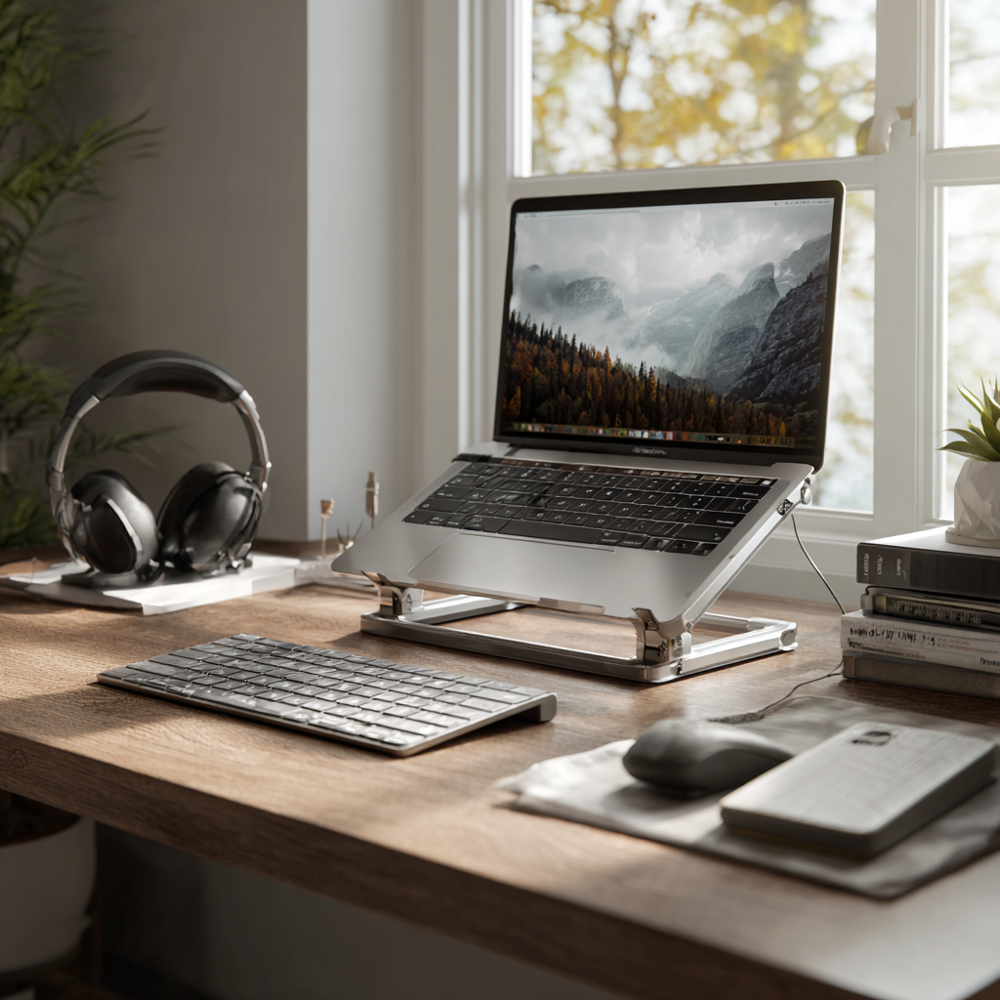
A stable laptop stand is essential for long hours of typing, video conferencing, and multitasking. High-quality aluminum stands remain the preferred choice because they are structurally rigid, long-lasting, and lightweight enough for everyday adjustments. Many of these stands are available in finishes like space gray to match other devices and create a cohesive, sleek workspace aesthetic.
3. Effective Heat Dissipation
Laptops generate considerable warmth during extended use. Stands with open-frame, ventilated, or airflow-friendly designs help maintain safe operating temperatures, improving performance and overall device longevity.
Ideal Stand Types for Remote Professionals
-
Fixed-height aluminum stands designed for maximum stability and professional desk setups
-
Adjustable risers that accommodate multi-monitor configurations or evolving workstation needs
-
Stands with integrated cable routing to support a clean, clutter-free environment

On-the-Go Ergonomics: Portable Laptop Stands for Mobile Work
Students, freelancers, and mobile professionals increasingly work across a variety of environments—cafés, libraries, co-working spaces, and even temporary seating areas in transit. These ever-changing setups often lack the structure and support of a traditional workstation, making it difficult to maintain healthy posture for extended periods. A portable laptop stand becomes an essential tool in these scenarios, providing consistent ergonomic alignment regardless of where you are working.
A well-designed travel or foldable laptop stand helps reduce strain on the neck and shoulders, supports better visual alignment, and promotes a healthier overall working posture, even in temporary or compact spaces.
What to Look For in a Portable Laptop Stand
Lightweight Materials
Aluminum and high-strength composite materials offer portability without compromising stability, making them ideal for backpacks, messenger bags, or daily travel.
Fold-Flat or Slim Designs
The best portable stands collapse into a compact profile, allowing them to fit easily alongside notebooks, tablets, or other essentials.
Quick, Tool-Free Setup
Mobile work requires efficiency. A stand that assembles in seconds, without tools, ensures you can settle into a more ergonomic position immediately. Handy features like built-in cable management or integrated storage make these stands even more convenient for mobile users.
Multi-Angle Support
Surfaces vary widely—from café tables to library desks—so angle adjustability is crucial for maintaining proper viewing height in different settings.
Best Stand Types for Students and Mobile Professionals
-
Compact foldable stands designed to slip easily into a bag or sleeve
-
Kickstand-style risers offering rapid deployment and variable angles
-
Lightweight collapsible frames that balance portability with essential support
While some portable stands can be a bit tricky to set up at first, their compact design makes them worth the minor effort.
These designs help ensure that no matter where you work, you can maintain a consistent level of ergonomic alignment and comfort.
Quick Posture Guide for Mobile Workers
To get the most out of your portable stand, keep these principles in mind:
-
Position your screen as close to eye level as possible
-
Use a compact external keyboard and mouse when feasible
- Avoid placing your laptop directly on your lap—always elevate the device to reduce neck and shoulder strain
Small ergonomic adjustments can significantly improve comfort and focus throughout the day.

Optimize Your Workflow: Stands for Multi-Screen Productivity
Professionals who rely on efficiency—designers, developers, analysts, writers, and other digital creators—understand that a well-organized visual workspace directly influences their performance. When your monitors are aligned correctly and your screens sit at consistent heights, task switching becomes more fluid, your eyes travel less, and your overall workflow becomes more intuitive. A thoughtfully selected laptop stand is essential for anyone building a multi-monitor laptop setup that supports both precision and speed.
Stands with adjustable height ranges are suitable for most people, ensuring ergonomic comfort for a wide variety of users.
Whether your laptop acts as a secondary display or functions as part of a dual-monitor arrangement, achieving proper height and alignment is fundamental to reducing visual fatigue and maintaining long-term productivity.
Why Laptop Height Matters for Productivity
-
Horizontal Eye Movement, Not Vertical
When both screens sit at similar heights, your eyes move naturally from side to side rather than repeatedly shifting upward or downward—significantly reducing strain. -
Seamless Secondary Display Integration
A properly elevated laptop becomes an efficient companion screen for reference materials, communication apps, or real-time previews. -
Reduced Eye Strain and Smoother Task Switching
With consistent screen height, your visual system adapts more easily, helping you maintain focus during extended periods of work.
Ideal Features for High-Performance Multi-Screen Workstations
Precise Height Adjustability
The ability to fine-tune your laptop height ensures alignment with your primary monitor, supporting visual continuity.
Rigid, Wobble-Free Frame
A stable structure is crucial during typing, editing, or intensive digital tasks, especially for creatives who rely on precision.
Wide, Supportive Base
Larger or heavier laptops—such as 15–16 inch devices—require a base that provides reliable support without shifting or flexing.
Best Stand Types for Productivity-Focused Workspaces
-
Aluminum risers with multi-level adjustment for exact height matching
-
Premium adjustable laptop stands designed for professional environments
-
Rigid, ergonomically engineered frames that maintain perfect alignment with dual monitors
Selecting a stand with these characteristics ensures your laptop works in harmony with the rest of your workstation, ultimately enhancing comfort and accelerating workflow efficiency.

Space-Saving Solutions: Maximizing Desk Real Estate with the Right Stand
Maximizing your desk real estate is essential for creating a workspace that feels open, organized, and efficient. The right laptop stand can make a significant difference by elevating your laptop to a comfortable viewing angle, freeing up valuable space for your external keyboard, mouse, and other essentials. Whether you’re working with a compact desk or simply want to keep your workspace tidy, choosing a laptop stand that fits your needs is key.
When selecting a laptop stand, consider how its material, adjustability, and portability will impact your daily routine. A wooden laptop stand can add a touch of warmth and style to your setup, while a portable laptop stand offers flexibility for those who move between locations. Adjustable laptop stands are especially useful for customizing your screen height and angle, ensuring both comfort and efficient use of space. By elevating your laptop, you not only improve your posture but also create room underneath for storing accessories, documents, or even your laptop bag.
Whether you prefer a minimalist look or need a stand that adapts to different environments, there’s a solution to help you keep your workspace clear and functional. Look for stands that balance aesthetics, portability, and ergonomic benefits to create a desk setup that supports both productivity and comfort.
Tips for Keeping Your Desk Organized and Clutter-Free
A tidy workspace isn’t just visually appealing—it’s also essential for maintaining focus, reducing neck strain, and supporting better posture throughout the day. Here are some practical tips to help you keep your desk organized and make the most of your laptop stand:
-
Invest in a Laptop Stand:
Using a laptop stand like the Rain Design iLevel 2 or the Coreminded Adjustable Vertical Laptop Stand elevates your device, creating space underneath for an external keyboard and mouse. This not only declutters your desk but also encourages an ergonomic laptop setup. -
Cable Management:
Select laptop stands with built-in cable management features to keep cords neatly tucked away. This simple upgrade can transform your workspace, making it easier to focus and reducing distractions. -
Choose Multi-Functional Items:
Consider stands that double as lap desks, such as the WorkEZ Best Laptop Stand & Lap Desk. These versatile options allow you to work comfortably from your desk, couch, or bed, adapting to your needs while keeping your workspace organized. -
Regularly Clean Your Desk:
Set aside a few minutes each week to clear away unnecessary items, wipe down surfaces, and reorganize your workspace. A clean desk supports productivity and helps you maintain a sense of control over your environment. -
Consider a Sit-Stand Desk:
For maximum flexibility, pair your laptop stand with a sit stand desk. This combination allows you to alternate between sitting and standing, promoting better posture and reducing the risk of neck and back discomfort during long periods at your computer.
By implementing these strategies and choosing the best laptop stand for your needs, you’ll create a workspace that not only looks great but also supports your health and productivity. Whether you’re working from a traditional desk, a lap desk, or a sit stand desk, the right ergonomic laptop stand can make all the difference in creating a comfortable, clutter-free environment.

The Complete Buyer’s Guide: Types, Materials & Features Explained
If you prefer to make purchasing decisions based on clarity, comparison, and well-structured information, this section is designed to support your evaluation process. Laptop stands vary widely in design, function, materials, and adjustability, and understanding these distinctions will help you identify the stand that aligns with your work habits and ergonomic goals.
Below is a detailed breakdown of the most common laptop stand categories to help simplify your decision.
Laptop Stand Comparison Table
| Stand Type | Ideal For | Pros | Cons |
|---|---|---|---|
| Fixed-Height Stand | Home offices, stable setups | Exceptional stability; optimal heat dissipation | Limited portability; single-height option |
| Height-Adjustable Stand | Posture correction, ergonomics | Fully customizable; adapts to user height | Slightly heavier and bulkier |
| Angle-Adjustable Stand | Lightweight or minimal setups | Highly portable; quick angle changes | Limited elevation for eye-level viewing |
| Portable/Foldable Stand | Students, mobile work, travel | Ultra-light, compact, packable | Less suitable for all-day desk use |
| Vertical Laptop Stand | Closed-lid, dual-monitor setups | Saves space; keeps desks organized | Requires an external monitor and keyboard |
This comparison highlights how each type supports different workflows—from stationary home offices to mobile work environments.
Material Considerations: Choosing the Right Build for Your Needs
The material of your laptop stand significantly influences its stability, durability, and cooling performance:
-
Aluminum:
Offers superior stability, excellent heat dissipation, and a premium, professional finish. Ideal for long-term use and heavier laptops. -
Hard Plastics:
Lightweight and cost-effective. Suitable for casual or temporary setups but generally less stable under heavy loads. -
Wood:
Aesthetic and sturdy, with a natural finish that complements many workspace styles. However, wood typically allows less airflow around the laptop.
Selecting the right material depends on how often you move your workstation, the level of stability you require, and the environment in which you work.
Your optimal laptop stand choice ultimately depends on where you work, how long you work, and the level of ergonomic precision you expect from your setup. This overview serves as a foundational guide to help you weigh each option with confidence.

Full-Body Alignment: Designing a Truly Ergonomic Laptop Setup
A laptop stand is most effective when it is integrated into a broader, holistic approach to workstation ergonomics. While elevating the screen solves a critical portion of the posture challenge, long-term comfort relies on supporting the entire body—from your feet to your spine to your visual line of sight. For individuals who prioritize wellness and long-term musculoskeletal health, this comprehensive perspective is essential.
A truly ergonomic desk setup ensures that no single part of the body carries undue strain. When each element of your workstation supports neutral posture and proper alignment, you create a healthier and more sustainable environment for focused work.
Full Ergonomic Alignment Includes:
Laptop Elevation at Eye Level
Raising the screen to eye height promotes proper ergonomic laptop alignment, allowing the head and neck to remain neutral.
External Keyboard & Mouse
Separating typing height from viewing height prevents wrist extension and supports healthy arm positioning.
Seat Cushion
A high-quality seat cushion helps maintain pelvic alignment, ensuring the spine sits in its natural, upright posture.
Lumbar Pillow
Lumbar support reinforces the spine’s natural curve, alleviating tension in the lower back and encouraging healthy sitting posture.
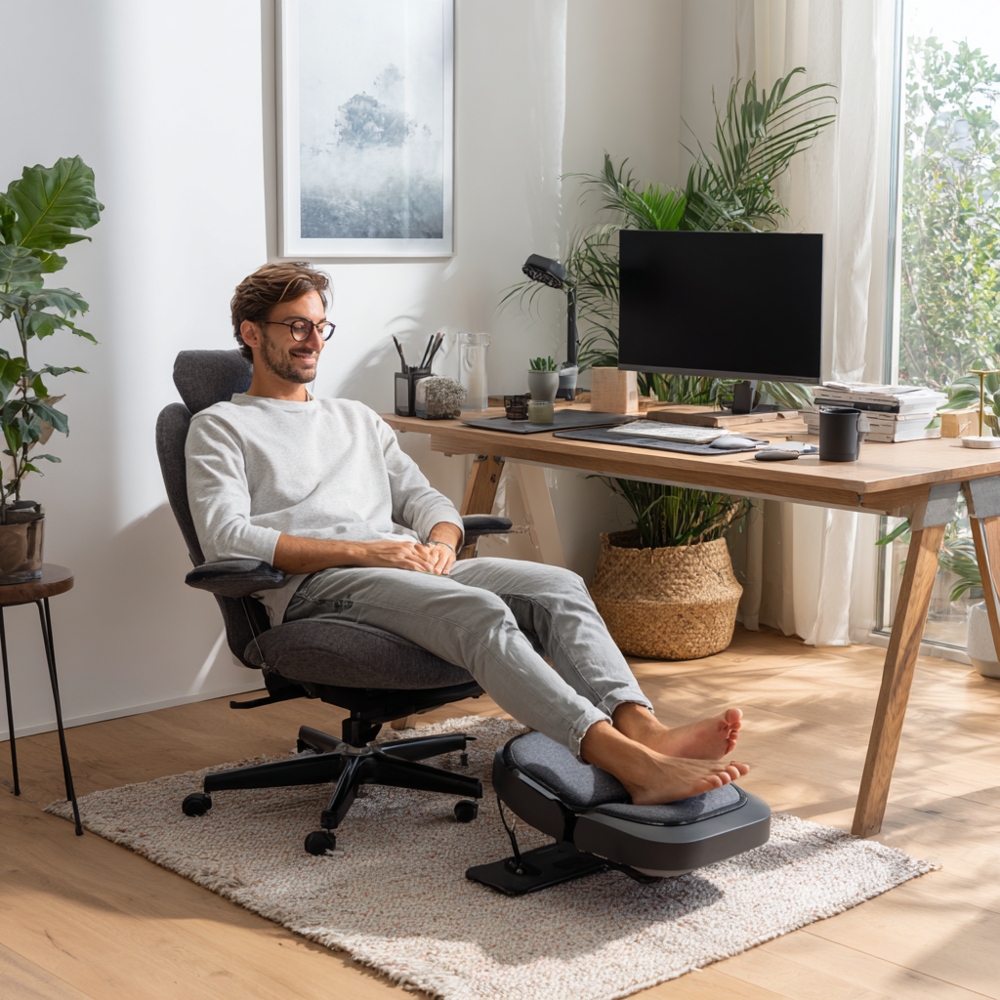
Footrest
A supportive footrest stabilizes the lower body, improves circulation, and reduces pressure on the lower back and hips.
Together, these components create a full ergonomic workstation that prioritizes balance, comfort, and long-term wellness.
The Serenform Elevate Laptop Stand integrates seamlessly into this system, offering the stable elevation required to align your upper body while the rest of your ergonomic accessories support proper posture from below.
Your Laptop Should Be Positioned:
-
At arm’s length, ensuring a comfortable viewing distance
-
At or slightly below eye height to minimize neck flexion
-
Tilted slightly upward, promoting a clear viewing angle
-
Supported with neutral elbows (90–110 degrees) when paired with an external keyboard
These guidelines help maintain alignment throughout the entire body, reducing fatigue and supporting healthier work habits over time.

How to Measure Your Desk Before Buying
Selecting the right laptop stand begins with understanding the physical dimensions of your workspace. Proper measurements ensure that the stand integrates comfortably with your desk and chair, supports your laptop securely, and helps you achieve the ideal ergonomic viewing height. Taking a few moments to measure your environment will significantly improve both compatibility and long-term comfort.
What to Measure Before Choosing a Laptop Stand
Eye Level to Desk Height
Measure the vertical distance from your seated eye level to the top surface of your desk. This determines the amount of elevation needed to bring your screen to its ideal height. A stand that cannot reach your required elevation will limit the ergonomic benefits of your setup.
Desk Depth
Evaluate the available depth of your desk to ensure your laptop stand fits without crowding your keyboard, mouse, or other essential accessories. A stand that pushes your keyboard too close can compromise your wrist and elbow angles.
Laptop Size and Weight
Most laptop stands accommodate devices ranging from 11 to 16 inches, but it is still important to verify compatibility—especially for larger or heavier models. Confirm that the stand’s weight capacity aligns with your device to guarantee stability and safety during daily use.
Chair Height and Elbow Angle
Your chair height directly influences your typing posture when using an external keyboard. Ideally, your elbows should rest at a comfortable 90–110-degree angle. If your chair is too high or too low relative to your desk and stand height, you may need to adjust your seating to maintain neutral posture.
Rule of Thumb for Ideal Screen Height
The top third of your screen should sit at eye level when you are sitting upright with your spine supported. This simple guideline helps ensure a neutral neck position and reduces long-term strain.
Taking these measurements in advance will help you select a laptop stand that not only fits your workstation but actively enhances your ergonomic alignment and daily comfort.

Recommended Serenform Solutions
A well-constructed laptop workstation delivers its greatest benefits when supported by a full suite of ergonomic accessories. Each component plays a distinct role in promoting alignment, reducing strain, and enhancing long-term comfort. By integrating complementary tools, you create a workstation that not only elevates your laptop but also supports the natural posture of your entire body.
Below are the recommended Serenform ergonomic solutions that work cohesively to transform your laptop setup into a healthier, more sustainable environment for extended work.
Highly Recommended Ergonomic Tools
Serenform Elevate Laptop Stand
Designed with premium stability, refined height elevation, and a professional-grade aluminum build, the Serenform Elevate Laptop Stand provides the structural foundation for proper laptop ergonomics. Its elevated design helps position your screen at an ideal viewing height, reduces neck strain, and supports a more neutral spine posture—whether you work with a single display or a multi-monitor setup.
Seat Cushion for Pelvic Alignment
A supportive seat cushion helps maintain the pelvis in a neutral, upright position, contributing to healthier spinal alignment and reduced pressure on the lower back.
Lumbar Pillow for Targeted Spinal Support
A lumbar pillow reinforces the natural curve of the lower spine, preventing slouching and helping you maintain an upright seating posture throughout the day.
Footrest for Lower-Body Stability and Circulation
Using a footrest stabilizes the legs and feet, improves circulation, and alleviates pressure on the lower back—creating a grounded foundation that supports your upper-body posture.
When used together, these ergonomic laptop accessories create a science-backed, fully integrated posture support system. This approach significantly enhances comfort, reduces cumulative strain, and helps you remain focused and productive throughout long work sessions.

Conclusion: Better Work Starts With Better Alignment
A laptop stand is far more than a peripheral—it is a foundational element of an ergonomic laptop setup and one of the most effective tools for improving desk posture. Elevating your screen to its proper height supports a neutral neck position, encourages balanced spinal alignment, and reduces the cumulative strain that often leads to long-term discomfort. In doing so, it directly enhances focus, visual comfort, and overall work quality.
Whether your goal is to alleviate existing pain, refine your home office, elevate your productivity, or design a comprehensive wellness-first workstation, the right laptop stand can profoundly transform your daily experience. It provides structural support that empowers healthier habits, allowing your body to work with greater ease and efficiency throughout the day.
As you consider the recommendations in this guide, begin by identifying the persona that best reflects your work style. This will help you select a stand—and complementary ergonomic accessories—that align with your needs and priorities. From there, you can build a workstation that supports your comfort, clarity, and long-term well-being—one that helps you work not only more efficiently, but more sustainably.