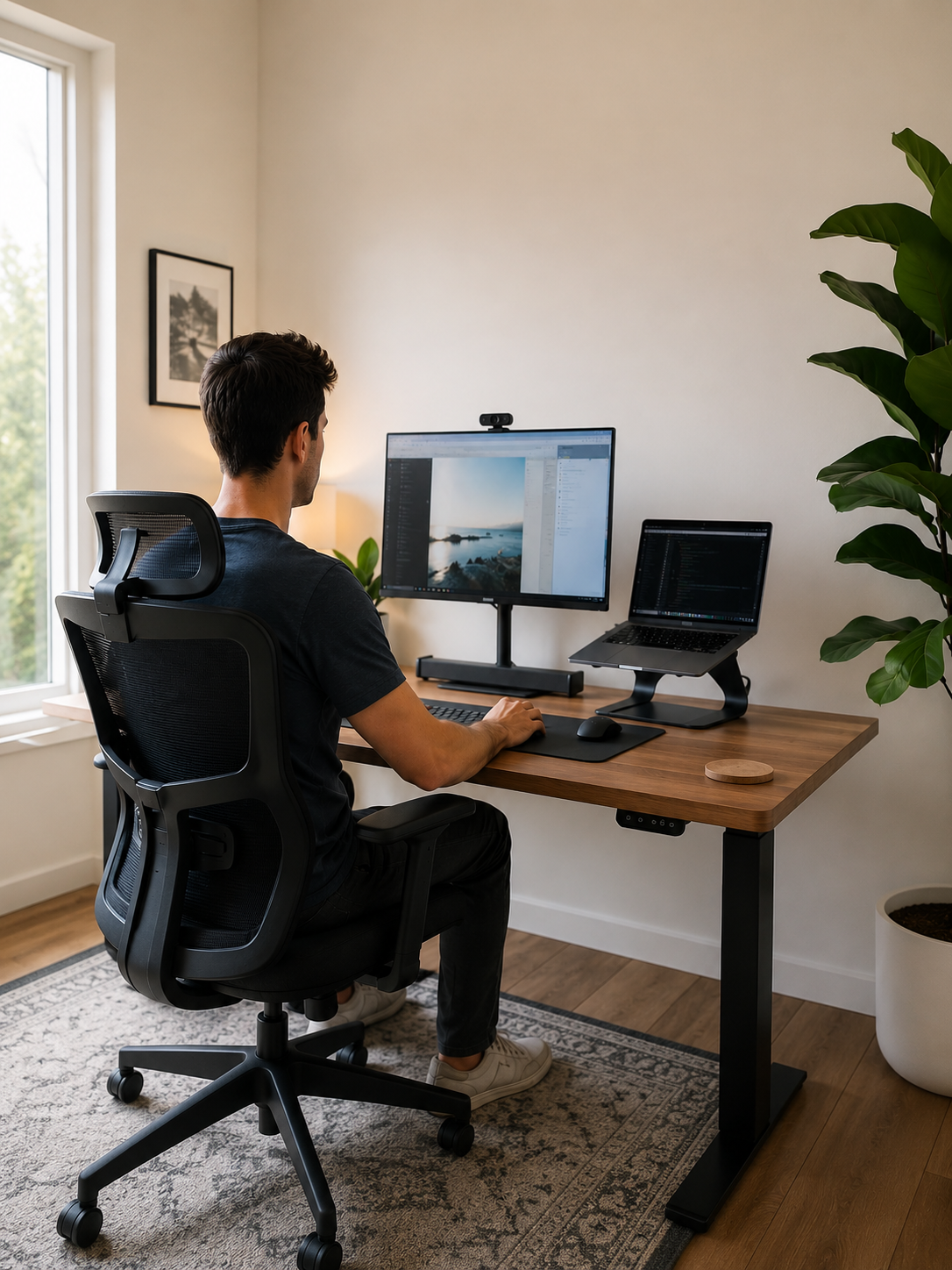
6 Ways Poor Desk Ergonomics Causes Afternoon Brain Fog
You sit down to work with a clear plan for the day.
Your inbox is under control. Your priorities are organized. You know exactly what needs to get done.
Yet by mid-afternoon, something changes.
Tasks that felt straightforward in the morning suddenly require more effort. You find yourself rereading emails. You lose your train of thought during meetings. Simple decisions take longer than they should. Your focus drifts, your productivity slows, and no amount of coffee seems to fully solve the problem.
For many desk workers, remote professionals, and people who spend long hours at a computer, this daily decline in concentration feels frustratingly familiar.
Most people immediately blame sleep, stress, workload, dehydration, or the infamous afternoon slump. While those factors can certainly contribute, there is another cause that often goes unnoticed:
Your workspace.
The reality is that your brain does not operate independently from your body. Every hour spent sitting places physical demands on your muscles, joints, eyes, and posture. When your workstation forces your body into unsupported positions, those demands accumulate throughout the day.
At first, the effects may seem minor.
A little neck tension.
A little shifting in your chair.
A little eye strain.
A little lower-back discomfort.
But as those small stressors build, they begin competing for your attention.
Your body becomes increasingly focused on managing discomfort, while your brain has fewer resources available for concentration, decision-making, and productive work.
That is why afternoon brain fog is often not just a mental problem.
It can also be a physical one.
And if left unaddressed, poor ergonomics can quietly affect more than your comfort. It can influence productivity, work quality, energy levels, and your ability to stay engaged throughout the day.
The encouraging news is that many of these issues can be improved.
By understanding how desk ergonomics affects focus, you can identify the hidden sources of fatigue that may be draining your concentration every afternoon—and take practical steps to create a workspace that supports both your body and your mind.
Let's explore six ways poor desk ergonomics can contribute to afternoon brain fog, mental fatigue, and reduced concentration during the workday.

What Is Afternoon Brain Fog?
Afternoon brain fog is a term many people use to describe the noticeable decline in mental clarity, focus, and energy that often occurs later in the workday.
You may start the morning feeling productive, motivated, and mentally sharp.
Tasks feel manageable.
Ideas come easily.
Concentration feels effortless.
Then, as the afternoon arrives, your mental performance begins to change.
You may find yourself:
- Struggling to maintain concentration
- Taking longer to complete routine tasks
- Forgetting information more easily
- Losing focus during meetings
- Feeling mentally exhausted
- Experiencing lower motivation
- Becoming more distracted than usual
- Having difficulty making decisions
In short, your brain feels slower than it did just a few hours earlier.
For many people, afternoon brain fog is immediately attributed to poor sleep, stress, dehydration, heavy meals, or excessive workload. These factors certainly matter.
However, for desk workers, another contributor is often overlooked:
The physical demands of sitting and working at a computer for hours at a time.
While desk work may not appear physically demanding, your body is constantly working behind the scenes to:
- Support your spine
- Maintain posture
- Stabilize joints
- Support your head and neck
- Manage muscle tension
- Process visual information from screens
When a workstation is poorly configured, these demands increase.
A low screen may create neck strain.
An unsupportive chair may increase pressure on the hips and lower back.
Unsupported feet may affect posture and stability.
Poor monitor positioning may increase eye strain.
Individually, these issues may seem insignificant.
Collectively, they can create a substantial physical workload over the course of an eight-hour day.
That is why mental fatigue at work is not always purely mental.
The body and brain function as a connected system. When the body is uncomfortable, distracted by tension, or working harder than necessary to maintain posture, concentration often becomes more difficult.
This is where ergonomics becomes particularly important.
Good ergonomics is not simply about preventing aches and pains.
It is about creating a workspace that helps your body conserve energy, maintain comfort, and stay supported throughout the day.
When a workspace supports healthy alignment:
- Posture becomes easier to maintain
- Physical fatigue develops more slowly
- Muscle tension is reduced
- Sitting requires less effort
- Focus becomes easier to sustain
- Long workdays feel less draining
While ergonomics is not the only factor that influences cognitive performance, it can play a meaningful role in how energized, comfortable, and productive you feel as the day progresses.
And for many people experiencing afternoon brain fog, it may be one of the most overlooked pieces of the puzzle.

1. Poor Posture Forces Your Brain to Manage Constant Discomfort
One of the most common ways poor desk ergonomics affects focus is through constant, low-level physical discomfort.
When posture is unsupported, your body must work harder to keep you upright.
This often happens when you sit with:
- Rounded shoulders
- A collapsed lower back
- A forward head position
- An unsupported pelvis
- Uneven weight distribution
At first, the discomfort may seem insignificant.
You shift slightly in your chair.
You stretch your neck.
You lean on one arm.
You cross your legs.
You uncross them again.
These adjustments happen so frequently that many people barely notice them.
However, they are often signs that the body is searching for support.
The challenge is that every adjustment requires attention.
Instead of directing all of your mental energy toward your work, your brain must repeatedly respond to signals from the body.
A tight shoulder.
A tired lower back.
A stiff neck.
An uncomfortable sitting position.
Each interruption may be small.
But over several hours, those interruptions accumulate.
This is one reason poor posture and brain fog are frequently connected.
Poor posture may not directly cause mental fatigue in the same way that lack of sleep can. However, the physical discomfort created by poor posture can gradually compete for your cognitive resources.
Your brain is no longer focused solely on your work.
It is also managing discomfort.
For desk workers, this becomes particularly important because posture tends to deteriorate throughout the day.
You may begin the morning sitting upright. By mid-afternoon, your shoulders have rounded forward, your head has drifted toward the screen, and your lower back has lost support.
As these compensations increase, maintaining concentration often becomes more difficult.
The result is rarely dramatic pain.
More often, it is a gradual accumulation of tension, fatigue, and restlessness that makes focused work feel increasingly difficult.
A healthier workstation supports a more neutral posture by helping you maintain:
- Supported feet
- Stable hips and pelvis
- Lower-back support
- Relaxed shoulders
- Proper screen height
- Comfortable arm positioning
The goal is not perfect posture.
The goal is reducing unnecessary strain.
Because when your body spends less energy compensating for poor alignment, your mind has more energy available for concentration, creativity, and productive work.

2. Unsupported Sitting Increases Physical Fatigue
Many people assume sitting should not be tiring.
After all, you are not lifting heavy objects, walking long distances, or performing physically demanding labor.
You are simply sitting at a desk.
Yet anyone who spends eight or more hours working at a computer understands that prolonged sitting can be surprisingly exhausting.
By the end of the day, you may feel:
- Physically drained
- Mentally sluggish
- Restless
- Uncomfortable
- Eager to leave your chair
Despite spending most of the day sitting still.
This happens because sitting is not actually passive.
Your body continuously works to:
- Support your spine
- Stabilize your pelvis
- Maintain balance
- Hold your head upright
- Support your upper body
When your seating setup lacks proper support, those demands increase significantly.
A chair that is too hard can create pressure points.
A chair that is too deep can prevent proper back support.
A chair that is too high can leave your feet unsupported.
A chair that is too low can place additional strain on the hips and lower back.
As these issues accumulate, pressure often develops around:
- The hips
- The tailbone
- The pelvis
- The lower back
- The thighs
Over time, your body begins searching for relief.
You shift positions.
Lean forward.
Slide backward.
Cross your legs.
Uncross them.
Adjust constantly.
These are not random habits.
They are often signs that your body lacks adequate support.
Over several hours, unsupported sitting can contribute to:
- Lower-back discomfort
- Hip pressure
- Tailbone soreness
- Restlessness
- Slouching
- Muscle fatigue
- Reduced patience
- Afternoon sluggishness
- Difficulty concentrating
This is where proper ergonomic support becomes important.
Because even the best posture habits become difficult to maintain when the body lacks a stable foundation.
For many desk workers, particularly those using dining chairs, older office chairs, or non-adjustable seating, additional support can make a meaningful difference.
A supportive seating surface helps distribute pressure more evenly and creates a more stable sitting position throughout the day.
The Serenform Summit Seat Cushion is designed specifically for long sitting sessions. Its ergonomic contour and high-density memory foam help reduce concentrated pressure around the hips, tailbone, and lower back while supporting a more comfortable sitting experience.
This matters because comfort and concentration are closely connected.
When your seat constantly creates pressure and discomfort, part of your attention is repeatedly pulled away from your work.
When sitting feels more supported, posture becomes easier to maintain. Your body spends less energy compensating, and your focus has a better opportunity to remain on the task in front of you.
Sometimes improving productivity is not about working harder.
It is about reducing the physical demands that have been quietly draining your energy all day.

A Quick Insight Before We Continue
Many people try to solve afternoon brain fog by addressing one symptom at a time.
They stretch their neck.
Adjust their monitor.
Take another coffee break.
These strategies can certainly help.
But if the underlying problem is that your workstation lacks proper support, individual adjustments often provide only temporary relief.
Because posture, comfort, movement, and stability are all connected.
And as you'll see next, one of the most overlooked contributors to afternoon fatigue is happening below the desk—not above it.
3. Poor Lower-Body Support Can Affect Your Whole Posture
When people think about workplace ergonomics, they often focus on what they can easily see.
Monitor height.
Neck posture.
Shoulder tension.
Lower-back support.
Yet one of the most overlooked factors affecting comfort and concentration is located much lower: your feet.
At first glance, it may seem unlikely that foot positioning could contribute to afternoon brain fog.
However, ergonomics is based on a simple principle:
The body works as a system.
When one area lacks support, other areas are forced to compensate.
Your feet play a critical role in creating stability while seated. When they are properly supported, they help create a strong foundation for the knees, hips, pelvis, spine, shoulders, and neck.
When they are not supported, that foundation becomes less stable.
For example, if your chair is slightly too high and your feet cannot comfortably rest on the floor, several problems may develop:
- Your legs may dangle
- Your thighs may press against the front edge of the seat
- Pressure may build behind the knees
- Your pelvis may become less stable
- You may begin shifting positions more frequently
Most people compensate without realizing it.
You slide forward in your chair.
Cross your legs.
Lean to one side.
Tuck your feet underneath you.
Sit asymmetrically for long periods.
These adjustments may temporarily relieve discomfort, but they often create additional strain elsewhere in the body.
As your lower body becomes less stable, the effects can gradually move upward.
Your hips may rotate.
Your pelvis may tilt.
Your lower back may lose support.
Your shoulders may round forward.
Your neck may move out of alignment.
Over time, these small compensations can contribute to physical fatigue, posture deterioration, and reduced comfort during long work sessions.
This issue is especially common among remote workers.
Many home office setups were never designed for eight-hour workdays. Dining chairs, kitchen tables, and standard office furniture often lack the adjustability needed to properly accommodate different body sizes and workstation heights.
As a result, many workers unknowingly spend hours sitting with unsupported feet and unstable lower-body positioning.
This is where a footrest can make a meaningful difference.
A supportive footrest helps create a stable surface for the feet when the floor is too far away or when chair height prevents proper positioning.
The Serenform Axis Footrest is designed specifically to support lower-body alignment during prolonged sitting. By elevating and supporting the feet, it helps create a more stable seated position while reducing the need for compensatory postures.
Its supportive foam construction provides comfort during long work sessions, while its gentle rocking design encourages subtle movement that can help reduce stiffness and improve sitting comfort throughout the day.
This matters because ergonomic fatigue does not always begin in the back or shoulders.
Sometimes the problem starts lower.
When your feet feel grounded and supported, your entire sitting position often feels more secure. Your hips settle naturally. Your pelvis becomes more stable. Your lower back gains a stronger foundation for support.
As a result, your body spends less energy compensating.
And when your body is not constantly searching for comfort, your attention has a better chance of staying focused on your work.

4. Neck and Shoulder Tension Makes Concentration Harder
Neck and shoulder tension is one of the most common complaints among desk workers.
It is also one of the most common signs that a workstation may not be properly supporting the body.
For many people, the problem develops gradually.
It may begin as mild tightness near the base of the neck.
A slight ache between the shoulder blades.
A feeling that your shoulders are carrying tension throughout the day.
By afternoon, that mild discomfort can become significantly more noticeable.
One of the most common causes is poor screen positioning.
When a monitor or laptop screen is too low, too far away, or positioned at an awkward angle, the body naturally adapts.
You lean forward.
Your chin moves toward the screen.
Your shoulders round inward.
Your upper back tightens.
Over time, this often contributes to a posture pattern commonly referred to as forward head posture.
In this position, the head drifts forward in front of the shoulders rather than remaining aligned over the spine.
While the shift may seem small, the muscles of the neck and upper back must work considerably harder to support the head in this position.
As the hours pass, tension builds.
Common symptoms include:
- Neck stiffness
- Shoulder tightness
- Upper-back discomfort
- Tension headaches
- Jaw tension
- Reduced concentration
- Mental fatigue
- Increased irritability
This is one reason people frequently search for:
- neck pain and brain fog
- shoulder tension and concentration
- tension headaches at work
- poor posture and focus
The connection is not difficult to understand.
When your body is uncomfortable, your attention becomes divided.
Even mild discomfort can become mentally draining when it persists for hours.
You may find yourself rubbing your neck.
Rolling your shoulders.
Stretching repeatedly.
Trying to find a more comfortable position.
Each adjustment interrupts concentration.
And over time, those interruptions can make deep, focused work increasingly difficult.
Many people assume they need more discipline or better time management.
In reality, they may simply need a workstation that places less strain on their body.
A more ergonomic screen setup can help significantly.
Ideally:
- Your screen should allow you to look forward comfortably
- Your neck should remain in a neutral position
- Your shoulders should stay relaxed
- Your elbows should remain close to your body
- Your upper back should not be supporting unnecessary strain
When your neck and shoulders no longer have to work overtime to support poor posture, concentration often becomes easier to maintain.
Because sometimes the problem is not your ability to focus.
It is the physical tension quietly competing for your attention all day.

Insight: The Problem Is Usually Not Just One Thing
By now, a pattern should be becoming clear.
Brain fog rarely develops because of a single ergonomic issue.
It is usually the result of multiple small stressors accumulating throughout the day.
Poor posture.
Unsupported sitting.
Unstable foot positioning.
Neck tension.
Individually, each issue may seem manageable.
Together, they create a workload your body must constantly manage.
And the longer that workload continues, the harder concentration becomes.
This is why many desk workers feel frustrated.
They improve one thing but still feel tired.
They adjust their monitor but continue to slouch.
They buy a better chair but still lack lower-body support.
They stretch their neck but continue sitting in unstable positions for hours.
Fixing individual symptoms can help.
But sustainable improvement often comes from creating a workstation that supports the body as a complete system.
That is where ergonomics becomes less about isolated adjustments and more about building a supportive foundation.
How Better Ergonomic Support Helps Reduce Fatigue
At this point, it is worth asking an important question:
Why do supportive ergonomic tools often make such a noticeable difference?
The answer is surprisingly simple.
They help reduce the amount of compensation your body performs throughout the day.
Without adequate support, your body constantly works to adapt.
Your muscles stabilize posture.
Your hips adjust for pressure.
Your feet search for stability.
Your shoulders compensate for poor positioning.
These adjustments happen continuously, often without conscious awareness.
The goal of ergonomic support is not to force your body into a perfect position.
The goal is to make comfortable alignment easier to maintain.
For desk workers, two areas are especially important:
Seating Support
When pressure is distributed more evenly across the hips and pelvis, sitting becomes more comfortable and stable.
The Serenform Summit Seat Cushion helps support this process through:
- Pressure relief around the hips and tailbone
- Improved sitting comfort
- Greater seated stability
- Reduced discomfort during prolonged sitting
This can help minimize the constant repositioning that often accompanies unsupported seating.
Lower-Body Support
Similarly, when the feet are properly supported, posture often improves naturally.
The Serenform Axis Footrest helps support:
- Lower-body alignment
- Stable foot positioning
- Reduced leg discomfort
- Improved sitting posture
- Gentle movement throughout the workday
Together, these forms of support help address two common sources of workplace fatigue: instability and discomfort.
The result is not perfect posture.
The result is a workstation that requires less effort to maintain.
And when your body works less aggressively to support itself, it becomes easier to preserve energy, comfort, and concentration throughout the day.

5. Eye Strain Can Contribute to Mental Exhaustion
When people think about the causes of afternoon brain fog, they often focus on sleep, stress, nutrition, or workload.
Yet for desk workers, there is another factor that can quietly drain energy throughout the day:
Visual fatigue.
If your afternoon slump is accompanied by tired eyes, headaches, blurry vision, or difficulty concentrating, your screen setup may be contributing more than you realize.
Modern work requires an enormous amount of visual effort.
Throughout the day, your eyes are constantly:
- Reading emails
- Reviewing documents
- Analyzing spreadsheets
- Attending video meetings
- Switching between applications
- Scanning digital information
- Focusing on screens for extended periods
While these tasks may not feel physically demanding, they place a continuous workload on the visual system.
Over time, that workload accumulates.
This phenomenon is often referred to as digital eye strain, sometimes called computer vision syndrome. According to the American Optometric Association, symptoms can include eye fatigue, headaches, blurred vision, neck pain, and difficulty concentrating after prolonged screen use.
That final symptom deserves special attention.
Because concentration is exactly what many people lose during the afternoon.
The brain relies heavily on visual input during computer-based work. Nearly every task performed at a desk requires some level of visual processing.
When the eyes become fatigued, maintaining mental performance often becomes more difficult as well.
In simple terms:
When your eyes work harder than necessary, your brain often works harder too.
This relationship becomes increasingly noticeable later in the day.
You may begin the morning feeling alert and focused. But after several hours of reading, scanning, and concentrating on digital screens, visual fatigue can begin to build.
By mid-afternoon:
- Tasks feel more demanding
- Concentration becomes harder to maintain
- Mental processing feels slower
- Attention drifts more easily
- Productivity declines
In many cases, the issue is not a lack of motivation.
It is fatigue.
Several workstation factors can increase visual strain throughout the day:
- A screen positioned too low
- A monitor that is too close or too far away
- Glare from windows or overhead lighting
- Excessively bright screens
- Text that is too small
- Poor contrast between text and background
- Long periods without visual breaks
- Looking downward at a laptop screen for hours
Many of these issues force the eyes to continuously compensate.
For example, if text is difficult to read, your eyes must work harder to maintain focus. If glare reflects across the screen, your visual system constantly adjusts to changing conditions. If the display is positioned too far away, you may lean forward to see more clearly, increasing both visual and physical strain.
This is one reason eye strain and brain fog often feel remarkably similar.
Both can make routine work feel more difficult than it should.
Both can reduce productivity.
And both tend to worsen as the day progresses.
To reduce screen-related fatigue:
- Position your monitor at a comfortable viewing distance
- Reduce glare whenever possible
- Increase text size if needed
- Adjust screen brightness appropriately
- Blink regularly during computer work
- Take periodic visual breaks
- Position your screen to support healthy posture
One simple strategy is the 20-20-20 Rule.
Every 20 minutes, look at something approximately 20 feet away for at least 20 seconds. This brief visual reset can help reduce eye fatigue during prolonged screen use.
However, while these habits are helpful, many workers struggle to maintain them consistently during busy workdays.
This is why creating a workstation that naturally reduces strain is often more effective than relying on reminders alone.
Because the easier it is for your body and eyes to remain comfortable, the easier it becomes to stay focused.

6. Static Sitting Reduces Movement and Alertness
Even the most ergonomic workstation cannot eliminate one important challenge of desk work:
Prolonged sitting.
A supportive chair, proper posture, and an optimized workstation can significantly reduce physical strain. But the human body was never designed to remain completely still for eight hours at a time.
Movement is a fundamental part of how the body functions.
Muscles are designed to contract and relax.
Joints are designed to move.
Posture is designed to change.
When movement becomes limited for long periods, physical fatigue often develops—even when you are technically resting.
At first, sitting may feel comfortable.
Then several hours pass.
Your muscles become tight.
Your joints feel stiff.
Your posture begins to deteriorate.
Your energy starts fading.
And as physical comfort declines, concentration often declines alongside it.
This is where movement becomes important.
Movement helps:
- Reduce muscular tension
- Change physical workload
- Interrupt static postures
- Improve comfort
- Restore alertness
- Re-engage attention
Most people have experienced this firsthand.
After sitting through hours of work, even a brief walk or stretch can make you feel noticeably more refreshed.
The work has not changed.
But your body has.
Without regular movement, the opposite often occurs.
The body becomes increasingly stagnant.
Physical fatigue accumulates.
Discomfort grows.
Mental engagement declines.
This is one reason prolonged sitting and mental fatigue are often closely linked.
When the body remains in the same position for extended periods, it gradually demands more attention.
The result can be:
- Afternoon sluggishness
- Reduced alertness
- Physical stiffness
- Mental fatigue
- Difficulty concentrating
- Lower productivity
Fortunately, reducing the effects of prolonged sitting does not require a complicated exercise routine.
Small movement opportunities throughout the day can make a meaningful difference.
Consider:
- Standing between tasks
- Taking brief walking breaks
- Stretching your neck and shoulders
- Looking away from your screen periodically
- Resetting posture throughout the day
- Alternating sitting positions
- Using ergonomic tools that encourage subtle movement
This is one reason the gentle rocking design of the Serenform Axis Footrest can be beneficial.
While subtle, these small movements help reduce the feeling of physical stagnation that often develops during long sitting sessions.
The goal of ergonomics is not finding one perfect posture and maintaining it indefinitely.
In reality, there is no single sitting position that remains ideal for eight straight hours.
The most effective workspaces support both posture and movement.
Because the goal is not constant motion.
The goal is regular variation.
And when the body is given opportunities to move throughout the day, maintaining focus often becomes easier.

Insight: Brain Fog Is Often the Final Symptom, Not the First
One of the biggest mistakes desk workers make is focusing only on the brain fog itself.
They notice declining concentration.
But they overlook everything that happened beforehand.
The neck tension.
The shifting in the chair.
The tired eyes.
The unsupported posture.
The stiffness from prolonged sitting.
Brain fog is often the symptom that finally gets your attention.
But the physical strain frequently begins much earlier.
That is why addressing individual symptoms alone rarely creates lasting improvement.
A better workstation does not simply target one problem.
It reduces multiple sources of physical fatigue simultaneously.
And when several small sources of strain are reduced together, the cumulative effect can be surprisingly significant.
Quick Table: How Poor Ergonomics Can Lead to Afternoon Brain Fog
Poor ergonomics rarely affects focus through a single pathway.
Instead, multiple small issues accumulate throughout the day, creating a cycle of discomfort, fatigue, and reduced concentration.
The table below summarizes how common workstation problems can contribute to afternoon brain fog.
| Ergonomic Problem | Physical Effect | Possible Cognitive Effect |
|---|---|---|
| Slouched posture |
Neck, shoulder, and back strain |
More distraction and reduced focus |
| Poor seat support |
Hip, tailbone, and lower-back pressure |
Earlier fatigue and restlessness |
| Unsupported feet | Unstable lower-body positioning |
More shifting and posture compensation |
| Low screen height | Forward head posture and neck tension | Headaches and reduced concentration |
| Screen glare or poor display setup | Eye strain and mental fatigue | Mental exhaustion and slower focus |
| Sitting too long without movement | Stiffness and reduced alertness | Afternoon sluggishness |
Notice a pattern?
Every physical issue creates a cognitive consequence.
The more strain your body experiences, the more difficult it becomes to sustain focus.
This does not mean poor ergonomics is the only cause of brain fog.
Sleep quality, stress, hydration, nutrition, medical conditions, workload, and overall health all play important roles.
However, if your concentration consistently declines during long desk sessions, your workstation deserves closer attention.
Because sometimes the missing piece is not another productivity technique.
It is a workspace that better supports your body.

Signs Your Workspace May Be Contributing to Brain Fog
Because brain fog has many possible causes, it is not always obvious when your workstation is involved.
Many people assume declining concentration is simply part of a busy workday.
However, the body often provides warning signs long before significant discomfort develops.
Your workspace may be contributing to afternoon brain fog if you regularly notice:
- Your concentration drops after several hours at your desk
- You feel more alert after standing or walking
- You frequently shift positions trying to get comfortable
- Your neck or shoulders tighten throughout the day
- Your lower back feels increasingly fatigued
- Your hips become uncomfortable during long sitting sessions
- Your eyes feel tired or dry by afternoon
- You experience headaches during computer work
- Your feet do not rest comfortably on the floor
- You slouch more as the day progresses
- You feel mentally exhausted despite a manageable workload
The most important word here is pattern.
Everyone experiences occasional fatigue.
What matters is whether the same symptoms appear repeatedly under the same circumstances.
Ask yourself:
- Does your focus consistently decline after several hours of desk work?
- Do you feel noticeably better after leaving your workstation?
- Does discomfort build gradually throughout the day?
- Do your symptoms improve on days when you move more often?
If the answer is yes, your workspace may be demanding more from your body than you realize.
And if that is the case, improving ergonomic support may be one of the most effective ways to improve both comfort and concentration.

Insight: Small Fixes Help. Better Support Helps More.
At this point, you may be thinking:
"I should probably sit up straighter."
Or:
"I need to take more breaks."
Those are both worthwhile improvements.
But many desk workers have already tried these strategies.
They remind themselves to sit properly.
They stretch throughout the day.
They adjust their monitor.
They stand up more often.
Yet the afternoon fatigue keeps returning.
Why?
Because maintaining healthy posture and movement habits becomes much harder when your workstation does not actively support them.
Good ergonomics is not about relying on constant self-correction.
It is about creating an environment where healthier positioning feels natural and sustainable.
When your chair supports you properly, you shift less.
When your feet are supported, posture feels more stable.
When pressure is reduced, discomfort develops more slowly.
When movement is easier, fatigue accumulates less quickly.
This is why long-term improvement often comes from combining good habits with supportive ergonomic tools.
The goal is not to force your body into better behavior.
The goal is to make comfort, alignment, and focus easier to maintain throughout the day.
How to Improve Desk Ergonomics for Better Focus
The good news is that improving desk ergonomics does not require rebuilding your entire workspace.
In many cases, the most meaningful improvements come from addressing a handful of areas that have the greatest impact on comfort and posture.
The objective is simple:
Reduce unnecessary physical strain so your body can devote more energy to productive work.
Start With Your Sitting Foundation
Everything begins with how you sit.
Because most desk workers spend the majority of their day seated, the quality of your sitting support can significantly influence both physical comfort and mental endurance.
Ideally:
- Your hips should feel stable
- Pressure should be distributed evenly
- Your pelvis should remain supported
- Your lower back should not collapse forward
Unfortunately, many office chairs and dining chairs do not provide adequate support for long work sessions.
As discomfort develops, the body begins compensating.
You shift.
You lean.
You slouch.
You continually search for a more comfortable position.
Over time, these adjustments contribute to fatigue.
The Serenform Summit Seat Cushion was designed to help create a more supportive sitting foundation during prolonged desk work. Its ergonomic contour and high-density memory foam help reduce pressure around the hips, tailbone, and lower back, helping sitting feel more comfortable for longer periods.
When sitting requires less effort, concentration often becomes easier to maintain.
Support Your Feet
Many people overlook the importance of proper foot positioning.
Yet unsupported feet can affect posture throughout the entire body.
If your feet do not comfortably reach the floor, your body often compensates through:
- Pelvic instability
- Slouching
- Leg crossing
- Frequent shifting
- Lower-back strain
Supporting your feet creates a stronger foundation for your entire posture.
The Serenform Axis Footrest helps elevate and support the feet while encouraging subtle movement throughout the day. This can help reduce stiffness, improve lower-body alignment, and create a more stable sitting position.
Small changes at the feet often create surprisingly noticeable improvements higher up the body.
Improve Screen Positioning
Your monitor should support your posture—not fight against it.
If your screen is too low, your head will naturally move forward.
If it is too far away, you may lean toward it.
If glare is excessive, your eyes will work harder.
Aim for a setup that allows you to:
- Look forward comfortably
- Keep shoulders relaxed
- Avoid excessive neck flexion
- Maintain a comfortable viewing distance
These adjustments help reduce both physical strain and visual fatigue.
Build Movement Into Your Workday
Even the best ergonomic setup benefits from regular movement.
Try incorporating:
- Standing breaks
- Short walks
- Posture resets
- Shoulder stretches
- Visual breaks from the screen
Movement helps interrupt the cycle of tension that often develops during prolonged sitting.
However, consistency can be challenging during busy workdays.
That is why creating a workstation that encourages natural movement and comfort can often be more sustainable than relying solely on reminders and willpower.

Why the Serenform Summit Seat Cushion and Axis Footrest Work Together
Many ergonomic products focus on a single area of the body.
But posture does not work that way.
Your body functions as a connected system.
Pressure at the hips can affect the lower back.
Foot positioning can influence pelvic stability.
Pelvic stability can affect spinal alignment.
Spinal alignment can affect the neck and shoulders.
This is why addressing only one source of discomfort sometimes produces limited results.
The combination of the Serenform Summit Seat Cushion and Serenform Axis Footrest helps address two foundational areas of seated posture:
The Summit Seat Cushion Helps By:
- Reducing pressure around the hips and tailbone
- Improving sitting comfort
- Supporting better weight distribution
- Helping create a more stable seating foundation
- Making long sitting sessions feel less physically demanding
The Axis Footrest Helps By:
- Supporting the feet during prolonged sitting
- Improving lower-body alignment
- Encouraging subtle movement
- Reducing lower-body restlessness
- Helping stabilize posture
Together, these tools help create a workstation that feels more supportive from the ground up.
This does not mean they replace healthy habits.
You still need movement.
You still need breaks.
You still need good workstation setup.
But when your body is supported properly, those healthy habits become easier to maintain.
And that can make a meaningful difference in how you feel at the end of the day.

What Should You Do Next?
If you recognize yourself in this article, you do not need to overhaul your entire workspace tomorrow.
Start by identifying where strain is accumulating.
Ask yourself:
- Does sitting become uncomfortable after a few hours?
- Do your feet feel unsupported?
- Do you constantly shift positions?
- Does your neck tighten throughout the day?
- Do your eyes feel fatigued by afternoon?
- Does your concentration consistently decline during long desk sessions?
If several of these sound familiar, there is a good chance your workstation is contributing to the problem.
The next step is to focus on support.
Because brain fog is often the result of many small stressors adding up over time.
Reducing those stressors can help improve:
- Comfort
- Posture
- Energy levels
- Productivity
- Focus
- Workday sustainability
The sooner you address these issues, the sooner your workspace can begin supporting your performance rather than working against it.
Final Thoughts: Your Brain Does Not Work Separately From Your Body
If afternoon brain fog has become part of your daily routine, it is worth looking beyond productivity hacks, caffeine, and willpower.
The way your body feels throughout the day matters.
Poor desk ergonomics can contribute to:
- Physical discomfort
- Neck and shoulder tension
- Eye strain
- Lower-body instability
- Sitting fatigue
- Constant posture compensation
Individually, these issues may seem small.
Collectively, they can have a significant impact on concentration, comfort, and energy levels.
The encouraging news is that meaningful improvements do not always require dramatic changes.
Sometimes better focus begins with better support.
A more supportive seat.
A more stable sitting position.
Better foot positioning.
Reduced pressure.
Less strain.
More comfort.
These small improvements can compound over time, helping make long workdays feel more manageable and sustainable.
For desk workers, remote professionals, freelancers, students, and anyone who spends hours sitting at a computer, ergonomics is not just about preventing discomfort.
It is about creating the conditions that allow you to think clearly, work comfortably, and stay productive throughout the day.
If your workspace is contributing to afternoon brain fog, now is the time to address it.
Start with the foundation.
Support your posture.
Support your movement.
Support your body.
Because the longer physical strain accumulates, the harder it becomes to do your best work.
And sometimes the most effective productivity improvement is not another tool, app, or technique.
It is a workspace that finally works with you instead of against you.