Why Ergonomic Support Matters More Than a Better Chair
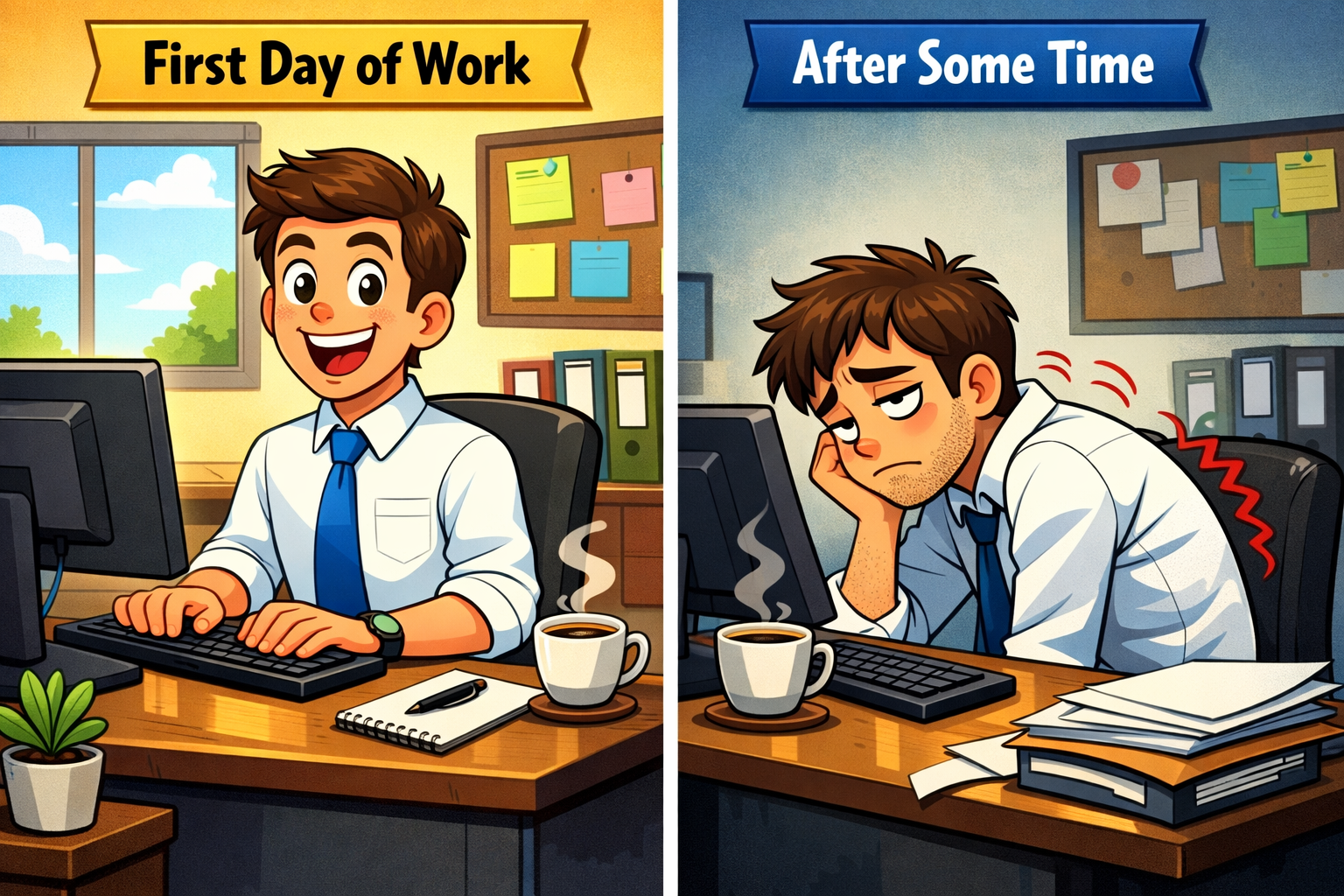
If you’ve ever invested in an “ergonomic” chair and still reached the end of the workday with back pain, you’re far from alone. This is a common experience—one that often leads to confusion about what went wrong.
Desk discomfort is frequently interpreted as a sign that the chair itself is inadequate. In response, many people upgrade their seating, sometimes spending hundreds or even thousands of dollars, expecting meaningful relief. When the discomfort persists, it can be frustrating and difficult to understand why a seemingly high-quality solution failed to deliver lasting comfort.
The reality—often overlooked in furniture marketing—is that desk-related pain is rarely determined by chair quality alone. More often, it stems from missing or insufficient support.
A chair is only one component of how the body experiences sitting. What ultimately determines comfort and strain is how well the body is supported throughout the day—consistently, passively, and across the key areas where mechanical stress tends to accumulate. When support is incomplete or unstable, sitting quickly becomes uncomfortable, muscles are forced to compensate, even in an otherwise well-designed chair.
Understanding this distinction is essential to addressing desk pain effectively. Rather than focusing solely on the chair itself, it’s important to examine how support—or the lack of it—shapes the body’s experience of sitting over time.

Introduction to Ergonomics
Ergonomics is the science of designing and arranging your workspace to fit the needs of your body, with the goal of minimizing strain and discomfort during long periods of sitting. When your work area is properly designed, it can help prevent common health problems such as back pain, neck strain, and general discomfort that often arise from poor posture and inadequate support.
A comfortable and supportive workspace starts with the basics: the height of your chair, the position of your desk, and the arrangement of your equipment. Adjusting these elements to suit your body can make a significant difference in how you feel throughout the day. For example, setting your chair at the right height allows your feet to rest flat on the floor, while keeping your knees and hips at a comfortable angle. Positioning your monitor at eye level and your keyboard within easy reach helps maintain a neutral posture, reducing strain on your neck and shoulders.
By applying ergonomic principles, you create an environment that supports your body, reduces pain, and makes it easier to maintain proper posture. This not only helps you feel more comfortable, but also lowers the risk of developing long-term health issues related to sitting. Ultimately, a workspace designed with ergonomics in mind allows you to work more efficiently and with less discomfort, making every day at your desk a little easier on your body.

Why an Expensive Ergonomic Chair Can Still Leave You in Pain
An ergonomic chair can be thoughtfully engineered, highly adjustable, and built with premium materials—and still fail to resolve sitting-related discomfort. This outcome often surprises people, especially when the chair is marketed as a comprehensive solution for back pain.
The reason lies in what chairs are actually designed to do. Even the most advanced ergonomic chairs primarily provide support at one main contact point: the seat. Many ergonomic chairs allow you to adjust features such as armrests and seat height to help achieve proper ergonomic alignment. Beyond that, they often rely on assumptions—that your feet remain firmly grounded, your pelvis stays in a neutral position, and your lumbar spine maintains its natural curve throughout the day.
In practice, those conditions are difficult to sustain for long periods. As the workday progresses:
-
Lumbar support can shift or lose effectiveness as you change positions
-
Pelvic alignment gradually changes as postural muscles fatigue
-
Feet may lose stable contact with the floor, increasing load through the spine
Armrests also play a crucial role in supporting the arms and maintaining proper shoulder alignment, which helps reduce strain on the upper body during extended sitting.
When these support elements become inconsistent, the body compensates automatically. Muscles are recruited to stabilize posture and maintain alignment—work they were never meant to perform continuously for hours at a time. Over the course of a day, that ongoing muscular effort accumulates, leading to fatigue, stiffness, and discomfort, regardless of how premium the chair itself may be.
This explains why so many people search for answers using phrases like “ergonomic chair still hurts” or “expensive office chair back pain.” The issue is rarely that the chair is poorly made or defective. Rather, it is that a chair alone cannot provide complete, sustained support for the entire sitting system.
Key takeaway:
A better chair can reduce friction and improve adjustability—but it cannot eliminate mechanical strain without consistent, well-distributed support.

Sitting All Day Isn’t the Problem—Unsupported Sitting Is
It’s common to hear that sitting for long hours is inherently harmful. While prolonged sitting can certainly contribute to discomfort, this explanation oversimplifies the issue. The more important factor is not the duration of sitting itself, but the conditions under which that sitting occurs.
The real challenge is unsupported sitting over extended periods. When adequate support is missing, the body must compensate in subtle but demanding ways. In these conditions:
-
Muscles remain engaged to hold posture instead of being able to relax, making it difficult for muscles to stay relaxed without proper support
-
Pressure becomes concentrated in specific areas rather than evenly distributed
-
Minor alignment deviations repeat continuously, hour after hour
Over time, this combination of muscular effort and concentrated pressure leads to the familiar pattern of desk-related discomfort—lower back pain, hip tension, and pronounced fatigue by the end of the workday. Without proper support, additional strain is also placed on the joints, increasing the risk of discomfort and long-term issues. This pattern is especially common among remote workers, whose home setups often lack the consistent support found in well-designed office environments.
The human body is capable of tolerating prolonged sitting when posture is properly aligned and the body is adequately supported. When the spine maintains a neutral position and pressure is distributed across stable contact points—such as the seat, backrest, and feet—the demand placed on the lower back muscles and surrounding connective tissues is significantly reduced. Under these conditions, sitting itself is not inherently harmful. Discomfort arises when support is insufficient, forcing muscles to remain continuously engaged to compensate for poor alignment and uneven load distribution over time. Incorporating moving into your routine, such as standing, stretching, or walking periodically, helps reduce strain and maintain comfort.
Key takeaway:
Pain is not inevitable. It is a predictable response to missing or inconsistent support.

Types of Support
Creating a truly comfortable and supportive workspace involves more than just choosing the right chair—it’s about using the right types of support to help your body maintain proper posture and reduce strain. There are several key support options that can make a significant difference in how you feel during and after long periods of sitting.
Lumbar support systems are designed to maintain the natural curve of your spine, helping to prevent back pain and discomfort by supporting your lower back. When your lumbar region is properly supported, your spine stays in a healthier alignment, reducing the risk of strain and fatigue.
Seat cushions are another valuable addition, providing extra comfort and support for your seat, legs, and feet. A well-designed cushion can help distribute your weight more evenly, relieve pressure points, and keep your pelvis in a neutral position. This not only makes sitting more comfortable, but also helps protect your body from the discomfort that comes with prolonged sitting.
Back supports, including ergonomic pads and pillows, can further enhance your posture by supporting your upper back and shoulders. These supports encourage you to sit upright, reducing the tendency to slouch and helping to minimize strain on your spine and shoulders.
By combining lumbar support, seat cushions, and back supports, you create a workspace that actively promotes proper posture and comfort. This approach helps reduce pain and discomfort, making it easier to stay comfortable and focused throughout the day.

Why Accessories Aren’t “Extras”—They’re Structural Support
Ergonomic accessories such as seat cushions, lumbar pillows, and footrests are often viewed as optional enhancements—items added for comfort rather than necessity. In practice, these components frequently play a far more critical role. They are often the primary load-bearing elements that determine how well the body is supported during sitting.
A useful way to understand this is to think in terms of contact points—the areas where your body interacts with the sitting surface and transfers load. Each contact point serves a distinct mechanical function:
| Support Area | Primary Function |
|---|---|
| Seat support |
Distributes pressure and stabilizes pelvic position |
| Lumbar support |
Maintains the spine’s natural curvature |
| Foot support | Grounds the body and reduces upward spinal load |
When all of these contact points are adequately supported, load is shared and alignment is maintained with minimal muscular effort. When even one is missing or inconsistent, the system begins to break down. Pressure becomes concentrated, posture becomes harder to sustain, and muscles are forced to compensate.
This is where targeted ergonomic supports make a meaningful difference. For example, a seat cushion like the Serenform Summit Seat Cushion helps distribute sitting pressure more evenly and supports the pelvis in a more neutral position, reducing the tendency for it to tilt backward over time. Similarly, a lumbar pillow such as the Serenform Atlas Lumbar Pillow provides consistent, passive support to the lower back, helping maintain natural spinal curvature without requiring continuous muscular engagement. For additional lumbar support, some ergonomic solutions include a pad or extra padding to further cushion the lumbar region. Certain back supports are also designed to cover a large area of the lumbar region, using wide lumbar pad inserts and adjustable fasteners to ensure comprehensive support and relieve strain.
These components are not comfort “extras” layered on top of a chair. They function as structural supports that allow the body to settle into sitting more naturally, reducing the effort required simply to remain upright. Large ergonomic supports are available to accommodate a variety of needs and preferences, ensuring that users can find the right fit for their occupational requirements.
Key takeaway:
Support is most effective when it is provided across multiple contact points, working together as an integrated system.

The Long-Term Cost of Missing Support
Desk-related pain rarely appears suddenly or without warning. More often, it develops gradually—building quietly over weeks, months, or even years of daily sitting without adequate support.
When sitting lacks proper structural support, the body is subjected to repeated low-level strain. Day after day, this pattern leads to:
-
Ongoing muscle overuse as stabilizing muscles remain engaged for prolonged periods
-
Reduced recovery between workdays, as tissues are never given a chance to fully rest
-
A gradual decline in sitting tolerance, where discomfort appears earlier and lasts longer
What may begin as occasional stiffness or mild discomfort can eventually progress into persistent or chronic desk pain. Prolonged unsupported sitting increases the risk of developing back injuries, especially from repetitive strain or poor posture. If pain becomes severe, persistent, or is related to a specific injury, it is important to consult a doctor for proper diagnosis and treatment. This progression does not occur because something is inherently “wrong” with your body. Rather, it reflects the cumulative effect of mechanical strain that is allowed to repeat without interruption.
The encouraging reality is that this trajectory is not fixed. Small, well-placed changes in daily support can significantly alter how the body responds to sitting over time. When pressure is redistributed across key contact points and alignment is maintained more consistently, muscles are no longer required to brace continuously. As a result, fatigue decreases, recovery improves, and sitting begins to feel more neutral and sustainable.
Key takeaway:
Prevention is not about maintaining perfect posture—it is about reducing the total daily load your body must manage while sitting.

Why “Good Posture” Fails Without Physical Support
Much of the guidance around sitting focuses on maintaining “good posture,” often implying that comfort and alignment are simply a matter of discipline or awareness. This approach assumes that a person can consciously hold themselves upright for hours at a time. From a biological standpoint, that expectation is unrealistic.
Posture is not a static position—it is an active process that relies on continuous muscular effort. Over the course of a workday, those muscles inevitably fatigue. When fatigue sets in, posture deteriorates naturally, regardless of how attentive or motivated someone may be. For optimal ergonomic support, it is important to keep your thighs parallel to the floor and your wrists, forearms, and shoulders in a straight line when using a keyboard or mouse. This is not a failure of willpower; it is a normal physiological response.
This is also why posture reminders, apps, and constant self-correction tend to fall short. They place the burden of alignment on muscles that are already being asked to work continuously. In effect, they ask the body to compensate for missing structural support rather than addressing the underlying cause.
When appropriate physical support is present, the experience of sitting changes fundamentally:
-
Posture becomes largely passive rather than something that must be actively maintained
-
Muscles assist with balance and movement instead of compensating for instability
-
Sitting feels stable and grounded, not effortful or fatiguing
To achieve proper ergonomic alignment, you may need to raise your chair or desk so that your body maintains the recommended positions.
In this context, support does not force the body into a rigid position. Instead, it creates the conditions that allow natural alignment to occur with minimal effort.
Key takeaway:
The body should not have to work continuously simply to remain seated.

Why Better Support Is Often Smarter Than a More Expensive Chair
A higher price tag does not automatically make a chair a better solution. Even premium chairs are built around fixed design parameters—specific seat depths, lumbar contours, and frame geometries that may or may not align well with an individual’s body. Once purchased, those design choices largely define how the chair interacts with you, regardless of how adjustable it claims to be.
Targeted ergonomic support takes a different approach. Rather than relying on a single piece of furniture to address every aspect of sitting, support components focus directly on the areas where strain tends to develop. Using a desktop setup with an external screen and computer keyboard can further improve ergonomics by allowing for better positioning and comfort. Positioning the screen at eye level and the computer keyboard within easy reach helps reduce neck and wrist strain. In doing so, they offer several practical advantages:
-
They adapt more easily to different body types and proportions
-
They can be transferred across multiple chairs, desks, and work environments
-
They address specific support gaps—such as pelvic stability or lumbar alignment—more precisely
-
They encourage you to stand and walk periodically, which helps reduce back strain and physical discomfort during long periods of sitting
For many people, this makes investing in better support both more effective and more economical than continuing to replace chairs in search of relief. Instead of committing to another fixed design, support-based solutions allow you to refine how your body is supported, regardless of the chair underneath.
It’s not surprising, then, that more people are searching for answers using phrases like “better support vs better chair” or “do I need an expensive office chair.” These questions reflect a growing recognition that comfort and sustainability are determined less by furniture branding and more by how well the body is supported throughout the day.
Key takeaway:
The goal is not to spend more—it is to support the body more effectively.

Improving Productivity
A comfortable and supportive workspace does more than just prevent pain—it can also have a powerful impact on your productivity. When your chair, desk, and equipment are designed to support your body and reduce strain, you’re able to stay focused and motivated for longer periods, without the distraction of discomfort or fatigue.
Incorporating ergonomic principles into your work area helps minimize the risk of health problems that can interfere with your ability to work efficiently. For example, using an adjustable chair or a standing desk can encourage better posture and reduce the strain on your back, neck, and shoulders. Taking regular breaks to stretch and move around helps keep your body flexible and reduces the risk of injury from sitting in one position for too long.
A workspace designed for comfort allows you to stay engaged and productive throughout the day. By reducing discomfort and supporting your body, you can concentrate on your tasks, maintain a higher level of energy, and avoid the common pitfalls of fatigue and distraction. Ultimately, investing in ergonomic support is an investment in your well-being and your ability to stay productive, comfortable, and healthy at work.

When Support Is Right, Sitting Stops Feeling Like Work
A chair, at its core, is simply a tool. It provides a surface to sit on, but it does not, on its own, determine how your body experiences sitting throughout the day. Support is what shapes that experience. When support is properly designed and consistently applied, it changes the physical demands placed on the body in meaningful ways.
When support is present and stable:
-
Pressure is distributed more evenly instead of accumulating in a few high-stress areas
-
Muscles are able to relax rather than remaining in a constant state of low-level contraction
-
Sitting endurance improves naturally, without conscious effort or correction
In this context, desk pain is not something that needs to be managed through greater discipline, posture policing, or constant self-monitoring. Instead, it is addressed by changing the conditions your body operates under for the majority of the workday. When those conditions reduce mechanical strain, the body responds accordingly.
Small, well-considered changes in support can have a disproportionate impact over time. As strain decreases, sitting becomes less demanding and more sustainable. The experience shifts from something you push through to something that feels neutral—and often, barely noticeable.
If you are reassessing your workspace, it is worth looking beyond the chair itself. Focus instead on how your body is supported while you sit, and whether that support is consistent, passive, and appropriate for the demands of your day. Avoid cradling your phone between your head and shoulder to prevent unnecessary strain. Take regular breaks to stretch your fingers and hands, especially during long periods of desk work, to promote ergonomic support. Maintain proper head alignment to reduce neck and upper back strain.
When the strain changes, the outcome does too.