Desk Habits Causing Pain Daily
For many people, discomfort during desk work becomes so routine that it fades into the background.
A stiff lower back by mid-afternoon. Tension across the shoulders by the end of the day. A dull ache that eases overnight, only to return the next morning.
Because these sensations develop gradually, they are often attributed to poor posture, insufficient stretching, or the assumption that sitting for long hours is inherently uncomfortable. While these factors are commonly blamed, they rarely tell the full story.
In reality, desk-related pain is seldom the result of a single, obvious mistake. It develops incrementally—through small, repeated behaviors that place low-level strain on the body for hours at a time. These habits often feel harmless in the moment, which is precisely why they go unnoticed.
The encouraging reality is that what develops gradually can also be interrupted early. When daily sitting habits are supported with thoughtful ergonomic adjustments based on office ergonomics principles, strain is reduced at its source. Over time, this support can prevent minor discomfort from progressing into persistent or chronic pain, with the goal of preventing pain before it becomes a bigger issue.

Why Desk Pain Rarely Comes From One Big Mistake
Desk-related pain rarely begins with an injury or a single “incorrect” way of sitting. In most cases, there is no defining moment when something goes wrong. Instead, discomfort develops through cumulative strain—the gradual effect of repeating the same sitting positions day after day without adequate support.
The human body is remarkably adaptable. It can tolerate:
-
Mild spinal rounding
-
Uneven distribution of body weight
-
Muscles remaining engaged longer than intended
At first, these conditions feel manageable. The body compensates quietly, using muscular effort to maintain stability and alignment. Because this compensation works—temporarily—there is little reason to suspect a problem.
Over time, however, the cost of this constant adaptation begins to surface. Muscles fatigue. Poor posture or unsupported sitting places more pressure on the spine and joints, leading to discomfort. What once felt neutral starts to feel demanding.
This is why desk pain often feels difficult to explain:
-
It does not appear suddenly
-
There is no clear starting point
-
Nothing feels acutely “wrong” while you are sitting
Pain is not a sign of sudden failure. It is simply the point at which the body’s ability to tolerate repeated strain has been exceeded. Without structural support to reduce that strain, the cycle continues—often unnoticed—until discomfort becomes persistent.

The Daily Desk Habits That Quietly Compound Neck and Shoulder Pain
Many of the desk habits that contribute to pain are not obvious or dramatic. In fact, they often feel comfortable—or at least neutral—in the moment. These behaviors are actually common posture mistakes that can accumulate over time. Because there is no immediate discomfort, these behaviors are easy to repeat throughout the day. Over time, however, they place increasing demand on the spine and surrounding muscles, allowing strain to accumulate gradually.
Perching Forward Instead of Sitting Back
Sitting on the front edge of the chair is a common response to screen-focused work. When this happens:
-
The lower back loses contact with supportive surfaces
-
Core muscles remain engaged continuously to maintain balance
-
Pressure through the lumbar spine increases
This posture often develops unconsciously as people lean toward a laptop or monitor. While it may feel attentive or engaged, it shifts much of the work of sitting from the chair to the body. To prevent this, avoid leaning forward by ensuring your back is supported and your screen is positioned correctly.
Holding One Static Position for Too Long
Remaining still can feel productive, but prolonged static sitting creates its own set of challenges:
-
Circulation decreases as muscles remain engaged
-
Spinal compression increases without periodic pressure relief
-
Postural muscles fatigue as they work continuously
Even well-aligned positions become problematic when they are held for extended periods without structural support or subtle variation.
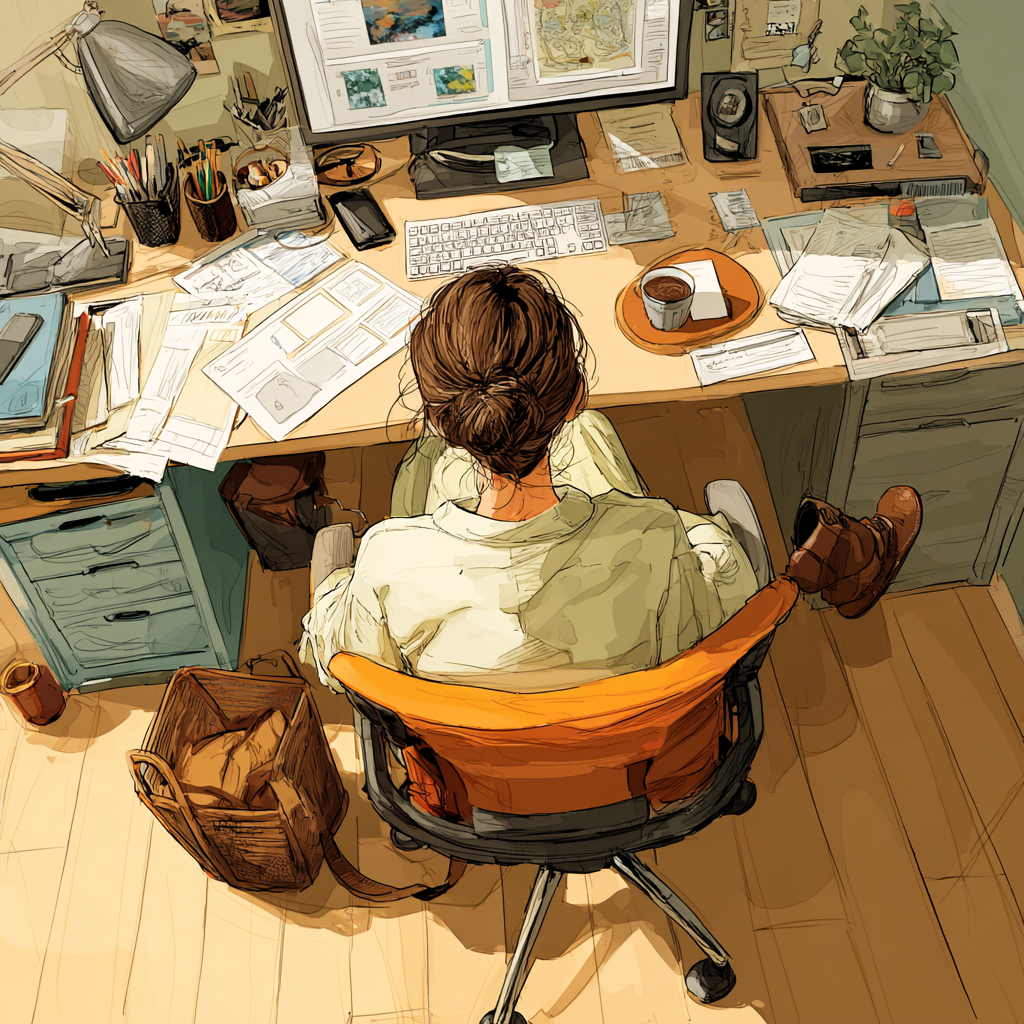
Letting Your Feet Float or Tuck Back
Foot position is frequently overlooked, yet it plays a significant role in sitting stability. When the feet are not grounded:
-
Pelvic stability decreases
-
The spine compensates to maintain balance
-
Load shifts upward into the lower back
Proper foot placement helps distribute or places body weight evenly, reducing strain on the spine.
Without a stable base, the body must rely on muscular effort to stay upright, increasing overall strain.
Leaning More on One Side
Habitually resting more weight on one arm or hip introduces asymmetry into the sitting position:
-
Load is distributed unevenly across the body
-
Imbalances develop gradually over time
-
Muscles on one side fatigue faster than the other
Because these shifts are subtle, they often go unnoticed—even as they quietly contribute to discomfort.
Individually, none of these habits feels harmful. Collectively, and over time, they create conditions that make desk-related pain far more likely.
Keeping your shoulders relaxed while sitting can help maintain symmetry and reduce the risk of developing imbalances.

Understanding Core Muscles and Their Role at Your Desk
Your core muscles are the unsung heroes of a comfortable workday. These muscles—including your abdominals, obliques, and lower back—form the foundation that supports your spine and helps you maintain good posture. When your core is strong and engaged, it takes pressure off your neck and shoulder muscles, reducing the risk of neck and shoulder pain that often comes with a desk job.
If your core muscles are weak or fatigued, your body is more likely to slip into poor posture. This can lead to slouching, which places extra strain on your neck and shoulder, and may even contribute to back pain and neck strain over time. The result? A cycle of discomfort that can affect your spinal health and make daily sitting more challenging.
Incorporating core-strengthening exercises into your daily routine—such as planks, gentle twists, or even mindful sitting with your core engaged—can make a noticeable difference. By supporting your upper body with a strong core, you help prevent pain, improve your posture, and create a more stable base for all your desk activities. Remember, a healthy core is key to keeping neck and shoulder pain at bay and maintaining comfort throughout your workday.

Managing Neck Strain from Everyday Desk Work
Neck strain is one of the most common complaints for anyone spending hours at a desk. It often sneaks up due to poor posture, prolonged sitting, or a computer screen that’s too low or too far away. Over time, these factors can overwork your neck and shoulder muscles, leading to persistent neck pain and tension.
To manage and prevent neck strain, start by checking your workspace setup. Your monitor should be at eye level—using a laptop stand can help—so you’re not constantly looking down or craning your neck. Keep your keyboard and mouse within easy reach to avoid overextending your arms, which can pull on your neck and shoulder muscles.
Movement breaks are essential. Every hour, take a moment to stand, stretch, or do a few shoulder rolls to relieve tension in your neck muscles. Simple neck stretches can also help keep your neck and shoulder feeling loose and comfortable. By maintaining good posture, keeping your screen at the right height, and moving regularly, you can reduce neck strain and prevent pain from becoming a daily part of your routine.

How Keyboard and Mouse Placement Shapes Your Comfort
The way you position your keyboard and mouse can make a world of difference in how your body feels at the end of the day. If your keyboard and mouse are too far away, too high, or too low, you may find yourself reaching, twisting, or bending your wrists—habits that can lead to pain in your neck, shoulders, and arms.
To minimize the risk of carpal tunnel syndrome, cubital tunnel syndrome, and general discomfort, keep your keyboard and mouse close enough that your elbows stay at a comfortable 90-degree angle and your wrists remain straight. This setup helps prevent unnecessary strain on your neck and shoulder muscles, and keeps your upper body relaxed.
Consider using an external keyboard and mouse if you work on a laptop, and make sure both are positioned so you can comfortably reach them without stretching. Taking regular breaks to move your hands and arms, and adjusting your setup as needed, can help you avoid pain and stay productive. Small changes in keyboard and mouse placement can have a big impact on your comfort and long-term health.

Why These Habits Don’t Hurt Right Away
One of the most frustrating aspects of desk-related pain is its delayed onset. It’s common to feel relatively comfortable through much of the workday, only to notice discomfort later in the afternoon, in the evening, or when standing up after prolonged sitting.
This pattern shows up in controlled research on prolonged sitting: studies tracking people during extended sitting bouts (including multi-hour sessions) consistently find that musculoskeletal discomfort tends to rise progressively over time, rather than appearing immediately at the start of sitting.
This delay occurs because pain is a lagging indicator. Before discomfort appears, the body makes a series of adjustments to maintain stability and function. The nervous system allows these compensations to occur quietly, often without drawing attention to them.
Initially:
-
Muscles take on additional work to support posture
-
Joints absorb increased pressure to maintain alignment
-
Stability is preserved through sustained muscular effort
This “silent workload” is a big reason desk-related discomfort can sneak up later. Research on prolonged desk work shows that sustained sitting and computer-based tasks can increase ongoing muscular demands over time, making breaks relevant not just for comfort, but for reducing accumulating strain. Taking regular breaks and making ergonomic adjustments can result in less pain by reducing the accumulated strain on muscles and joints.
For a time, these compensations are effective. Sitting feels manageable, and there is little reason to suspect a problem. However, as hours pass and the same demands are repeated day after day, the system begins to fatigue.
Pain often emerges only after the body’s capacity to compensate has been exceeded. At that point, discomfort acts as a signal—not of sudden injury, but of prolonged overload. Lab research on extended sitting also discusses measurable physical effects (like stiffness and reduced movement-related recovery) that help explain why discomfort may become more noticeable after long periods of stillness.
This is why desk pain often:
-
Feels unpredictable or unrelated to a specific moment
-
Appears later in the day rather than immediately
-
Returns even after briefly correcting posture or stretching
Without addressing the underlying sources of strain, the cycle simply resets and repeats.

Why Stretching and Poor Posture Fixes Don’t Stop the Cycle
Stretching plays an important role in maintaining mobility and easing tension, but on its own, it is rarely sufficient to prevent desk-related pain. Stretching helps to:
-
Restore range of motion
-
Improve circulation
-
Reduce short-term stiffness
However, stretching is inherently reactive. It occurs after the body has already been exposed to prolonged strain. While it can provide temporary relief, it does not change the conditions that created the discomfort in the first place.
Posture-based solutions face a similar limitation. Reminders to “sit up straight” rely on constant awareness and muscular effort. In practice, this often means:
-
Posture is corrected briefly, then gradually slips
-
Muscles remain engaged throughout the day to maintain alignment
-
Fatigue builds quickly, making sustained correction difficult
To help prevent fatigue and discomfort, it is important to frequently turn or adjust your position throughout the day. Regularly changing your posture can reduce strain and promote better ergonomic alignment.
The issue is not a lack of discipline or attention. The challenge lies in the fact that daily strain continues uninterrupted between these moments of correction. Muscles and joints are still being asked to compensate for missing support for hours at a time.
Relief strategies help the body recover from strain. Prevention, by contrast, requires reducing the amount of strain the body experiences while sitting. Without addressing the underlying demands of the workday, discomfort is likely to return—often in the same familiar patterns.

How Small Ergonomic Adjustments Interrupt Daily Strain
Preventing desk-related pain does not require dramatic interventions or sustained effort to maintain perfect posture. Instead, it depends on reducing the amount of work the body is required to do while sitting.
When sitting is unsupported, muscles must remain engaged to hold the body upright, stabilize the pelvis, and protect the spine. Over time, this constant effort contributes to fatigue and discomfort. Thoughtful ergonomic adjustments help shift that workload away from the body and back to the environment.
Well-designed ergonomic support can:
-
Maintain the natural curve of the spine without conscious correction
-
Distribute pressure more evenly across the pelvis and lower back
-
Reduce the need for continuous muscular bracing
Practical examples of these adjustments include:
-
Supporting the lower back so postural muscles can relax rather than compensate
-
Elevating screens to limit forward head and shoulder strain
-
Providing stable foot contact to improve overall sitting balance
These changes are intentionally subtle. They do not demand attention or frequent reminders. Instead, they work quietly in the background, maintaining supportive conditions throughout the workday and reducing strain before discomfort has a chance to build.
Office Ergonomics Tips
Position your monitor at least an arm's length away to help reduce eye strain and promote proper posture. To avoid eye strain, take regular breaks to rest your eye muscles by looking at distant objects—rest your eyes periodically throughout the day. Control screen glare by placing your monitor away from a bright background, such as a window, and adjust your setup to minimize reflections for visual comfort. Keep your head directly above your neck and maintain proper head position to reduce strain. Consider using a standing desk as an alternative to prolonged sitting, and avoid sitting in ways that cause discomfort or leave your arms unsupported. When using the phone, avoid cradling the phone receiver between your neck and shoulder. Support your arms to prevent arm pain and your wrists to prevent wrist pain. Remember to move and engage your leg muscles regularly to prevent fatigue and promote circulation.

Avoiding Fatigue Before It Starts
Fatigue can creep in quickly during a long day at your desk, especially if you’re sitting in the same position for hours or dealing with poor posture. Over time, this can lead to muscle strain, reduced blood circulation, and the negative effects of a sedentary lifestyle.
To avoid fatigue before it starts, build movement breaks into your daily routine. Stand up, stretch, or take a short walk every hour to get your blood flowing and give your muscles a chance to reset. Practicing good posture and using proper ergonomics—like adjusting your chair and desk height, or using lumbar support—can help you stay comfortable and avoid unnecessary strain.
Regular exercise outside of work also plays a key role in keeping your body resilient and healthy. By staying active, maintaining good posture, and making small adjustments to your workspace, you can reduce the risk of fatigue, prevent pain, and stay focused throughout your workday. Remember, a few simple habits can make a big difference in how you feel—helping you stay healthy, energized, and productive.
Why Support Works When Reminders Fail
The most effective ergonomic solutions do not rely on constant awareness or repeated reminders to “sit better.” Instead, they are designed to hold the body in a more neutral position automatically, reducing the need for continuous muscular effort throughout the day.
When appropriate support is present:
-
Muscles are able to assist posture rather than compensate for missing structure
-
Pressure is distributed more evenly instead of concentrating in vulnerable areas
-
Sitting begins to feel passive and sustainable, rather than demanding and effortful
This principle underpins the design philosophy behind Serenform’s approach to ergonomic support. Rather than addressing discomfort at a single point, Serenform products are designed to work together to reduce strain across the entire sitting system.
For example, a coordinated setup such as the Work Smarter Bundle helps improve full-body alignment by pairing the Serenform Elevate Laptop Stand with the Serenform Axis Footrest. Raising the screen closer to eye level helps reduce forward head posture and slouching, while the footrest supports the legs and encourages a more stable seated position. Together, these two contact points reduce the urge to lean, hunch, or constantly readjust—making neutral posture easier to maintain without ongoing effort.
Support does not force posture or require vigilance. It removes the need to fight gravity and maintain alignment through effort alone—allowing the body to settle into a more sustainable sitting position throughout the workday.

Daily Pain Is Built—But It Can Be Interrupted
Desk-related pain is not inevitable, and it is not a reflection of personal failure or poor discipline. In most cases, it is the predictable outcome of small, repeated habits combined with a lack of adequate support during the workday.
Over time, unsupported sitting asks the body to do more than it was designed to do for long periods. Muscles compensate, joints absorb excess pressure, and tolerance gradually diminishes. Discomfort emerges not because something suddenly went wrong, but because the same conditions were repeated without interruption.
Stretching plays an important role in recovery.
Movement helps the body reset and restore circulation.
But support is what allows the body to endure daily demands without constant strain.
When a sitting setup is designed to reduce ongoing load and maintain neutral alignment, the body no longer needs to compensate continuously. Muscular effort decreases, pressure is redistributed, and the conditions that allow pain to persist begin to change.
And when the strain placed on the body changes, the outcome does as well.