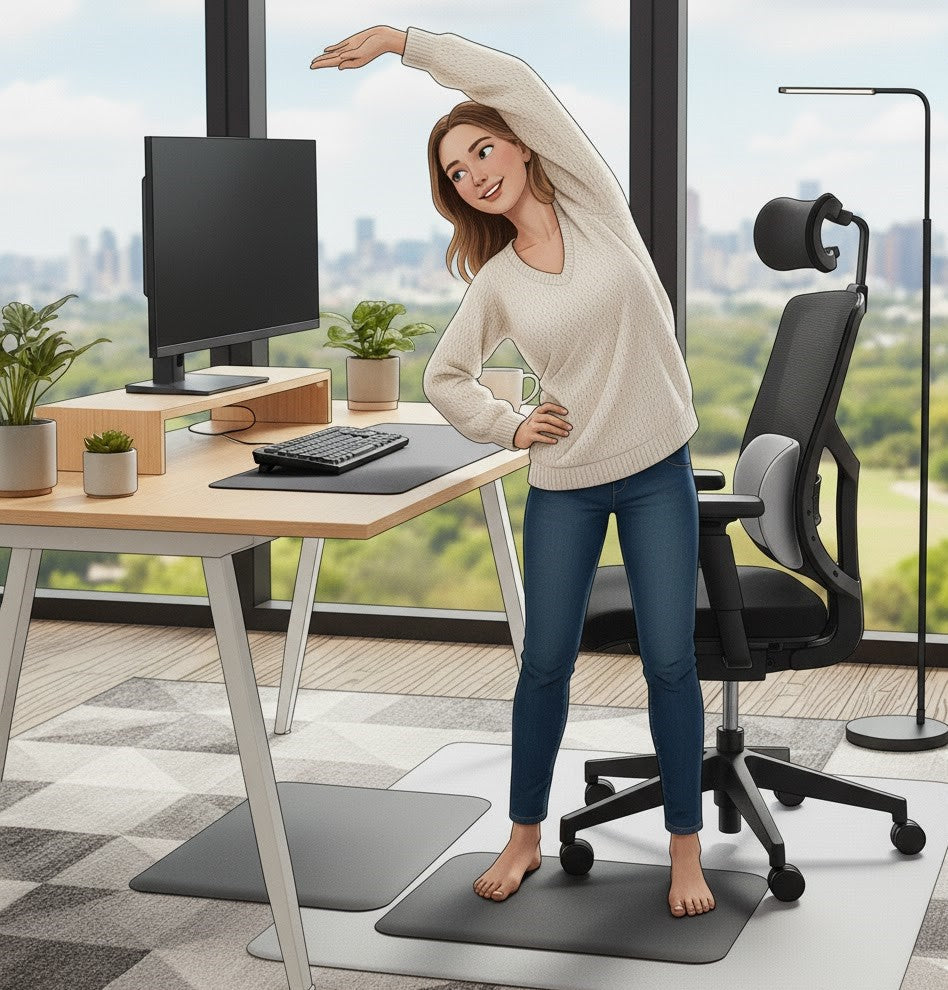
How to Reduce Back Pain While Working From Home
Working from home offers flexibility and convenience, but it has also introduced a challenge that many remote professionals now face: persistent back pain that begins subtly and intensifies as the day progresses. For some, this discomfort extends well beyond working hours, affecting energy, focus, and overall well-being. Poor posture can affect both physical and mental health, influencing how we feel and function throughout the day.
The encouraging reality is that most of this pain is neither inevitable nor unexplained. In the vast majority of cases, it stems from predictable factors—poor posture, inadequate lumbar support, non-ergonomic seating, and long periods of sitting in positions the spine was never meant to sustain. When left unaddressed, these habits place excessive strain on the muscles, bones, and joints that support the back, leading to the discomfort so many remote workers experience.
This guide provides a clear, practical, and evidence-informed approach to reducing back pain while working from home. Whether your workstation consists of a kitchen chair, a living room sofa, or a thoughtfully designed home office, the principles remain the same: support your body, improve your posture, and choose ergonomic solutions that help you sit well for longer.
The New Reality of Working From Home
The rise of remote and hybrid work has reshaped the modern workday, offering greater flexibility but also introducing new challenges to physical well-being. In traditional office environments, workstations are typically designed with ergonomics in mind—ergonomic features such as a good chair with lumbar support, adjustable desks, and monitors positioned at eye level. These elements work together to support posture, reduce strain, and promote long-term comfort.
In contrast, many home workspaces were never intended for full-time use. Dining chairs, soft sofas, low coffee tables, and improvised laptop setups may feel convenient at the moment, but they provide minimal support for the spine. For proper alignment, it is important to keep your feet flat on the floor and your knees at a right angle while seated. Proper shoulder and arm positioning is also important for maintaining alignment—arms should be bent at about 90 degrees when typing or using a desk. Over hours and days, the body adapts to these environments in ways that compromise posture and place unnecessary stress on the back, neck, hips, shoulders, and arms.
The impact is widespread. A 2023 study published in the Journal of Occupational Health reported that more than half of remote workers experienced increased back or neck pain compared to their pre-remote work routines. This trend underscores a simple truth: even small ergonomic shortcomings accumulate quickly when repeated day after day.
However, this discomfort is not an unavoidable consequence of working from home. With thoughtful adjustments—particularly improvements to the seating surfaces and support systems you use daily—you can meaningfully reduce strain, improve posture, and restore comfort throughout your workday. Simple, strategic upgrades often deliver measurable relief, allowing you to work more comfortably and sustainably from any home environment.

Why Working From Home Causes Back Pain
Experiencing working from home back pain has become exceedingly common, and it is rarely due to a single cause. Instead, discomfort typically results from a combination of environmental and postural factors that accumulate throughout the day. Most homes were not designed to support prolonged desk work, and the absence of ergonomic infrastructure places additional strain on the spine and surrounding muscles, often leading to muscle strain and increased muscle tension. Three primary contributors consistently emerge:
1. Inadequate Seating Surfaces
Many home seating options—such as kitchen chairs, bar stools, deep sofas, soft cushions, or even beds—are not engineered for sustained sitting. While they may feel comfortable initially, they often lack the foundational support required to maintain healthy posture. These surfaces typically fail to provide:
-
Lumbar support, which is essential for maintaining the natural curve of the lower spine
-
Proper hip alignment, which stabilizes the pelvis and supports neutral posture
- Even weight distribution, reducing pressure on the lower back and tailbone
Over time, these deficiencies force the body into compromised positions, resulting in muscle fatigue and strain.
2. Progressive Slouching and Postural Collapse
In the absence of adequate back support, the body naturally drifts toward positions that feel easier in the moment but place long-term stress on the musculoskeletal system. Common compensations include:
-
Rounded shoulders, which increase tension in the upper back
-
Forward head posture, leading to neck strain
- A collapsed or flattened lower back, reducing spinal stability
These patterns overwork the muscles responsible for supporting the spine, contributing significantly to poor posture and back pain.
3. Prolonged, Uninterrupted Sitting
Extended periods of sitting—common during remote workdays—intensify these issues. When the body remains in one position for too long, several physiological effects occur:
-
Muscle fatigue, especially in the lower back and hips
-
Compression of spinal discs, reducing shock absorption
- Restricted circulation, which limits oxygen and nutrient delivery to tissues
These factors lead to stiffness, reduced mobility, and the discomfort that gradually worsens throughout the day.
Together, these elements explain why non-ergonomic chair back pain is so prevalent among remote workers. The good news is that addressing these root causes with proper ergonomic support can dramatically reduce daily strain and create a healthier, more sustainable work environment.

Recognizing Your Posture Patterns: What’s Causing Your Pain?
Addressing back pain begins with understanding the postural habits that contribute to it. Many individuals are unaware of how their daily sitting patterns influence spinal alignment and muscular strain. By recognizing these subtle but impactful tendencies, you can begin to correct the underlying issues rather than only addressing the symptoms. Maintaining dynamic posture and balance is essential for keeping your body comfortable and preventing pain, as balanced postural muscles support proper alignment and reduce strain during movement.
Below are some of the most common posture patterns linked to discomfort during long hours of remote work.
Common Posture Mistakes
1. Forward Head Posture
This occurs when the head gradually shifts toward the laptop screen, placing excessive strain on the neck, upper back, and shoulders. Over time, this posture can shorten the muscles at the front of the neck and overactivate the muscles along the upper spine, contributing to bad posture and back pain.
2. Rounded Spine
Deep sofas, soft cushions, or unsupportive chairs often allow the spine to collapse into a C-shaped curve. This curvature stresses the mid and lower back, reduces stability, and limits the spine’s natural shock-absorbing capabilities. This curvature stresses the mid back and lower back, making it important to maintain the natural curve in the mid back to preserve stability and the spine’s natural shock-absorbing capabilities.
3. Posterior Pelvic Tilt
When the hips slide forward in the chair, the pelvis rotates backward, flattening the lower spine. This position reduces lumbar support and forces surrounding muscles to compensate for the lack of structural alignment. It is one of the most common signs of poor posture in home workstations.
4. Unsupported Lower Back
Without adequate lumbar support, the muscles along the spine must work continuously to maintain an upright position. This constant effort leads to fatigue and stiffness, both of which contribute significantly to posture causing back pain.
A Simple Self-Check
To evaluate your current posture, try this brief assessment:
-
Sit in your natural, relaxed position.
-
Place your hand at the small of your back.
- If you do not feel a gentle inward curve, your spine is likely collapsing into a rounded posture.
This quick test helps you identify whether your lower back is supported or if subtle adjustments—or improved ergonomic solutions—may be needed.

Quick, Low-Cost Fixes You Can Apply Today
While long-term comfort often requires thoughtful ergonomic upgrades, there are several practical adjustments you can implement immediately to help relieve home office back pain. These solutions are simple, cost-effective, and grounded in well-established ergonomic principles. For many remote workers, small changes to posture and workstation setup can produce noticeable improvements within a single workday. In addition to these adjustments, staying active and changing positions throughout the day are essential for preventing discomfort and promoting overall musculoskeletal health.
1. Elevate Your Screen to Eye Level
A misaligned screen height is one of the most common contributors to neck and upper back strain. When a laptop sits too low, the head naturally tilts forward, increasing pressure on the cervical spine.
A straightforward remedy is to raise your screen using a stack of books, a box, or a laptop riser. Position the top of the screen at, or slightly below, eye level. This encourages a more neutral head and neck position and reduces the tendency to lean forward over time.
2. Provide Temporary Lumbar Support
If your current chair lacks lower-back support, your spine must work harder to maintain an upright posture. Creating a simple lumbar bolster using a rolled towel, small cushion, or folded blanket can help restore the natural inward curve of the lower back.
Place the support between the backrest and the small of your spine to maintain healthy alignment and reduce lower-back fatigue throughout the day.
3. Choose a Firmer, More Stable Seating Surface
Soft seating options such as sofas, armchairs, or plush cushions may feel comfortable initially but allow the pelvis to rotate backward, which flattens the lumbar spine and encourages slouching. When possible, select a firmer, more structured surface that promotes upright sitting.
If you must work from a soft seat, pair it with temporary lumbar support or place a sturdy board or cushion beneath you to increase stability.
4. Incorporate Short, Frequent Movement Breaks
Long periods of uninterrupted sitting cause muscles to stiffen and circulation to slow, contributing to discomfort and reduced mobility. Brief, intentional breaks throughout the day are one of the most effective home remedies for back pain from sitting.
Standing, stretching, or simply walking for 60 seconds every 30 to 45 minutes can significantly reduce stiffness and reset your posture. A 2021 study published in the International Journal of Environmental Research and Public Health found that frequent micro-breaks reduced musculoskeletal discomfort, underscoring the value of consistent movement.
These quick fixes for back pain are not meant to replace ergonomic seating, but they can provide meaningful and immediate relief—particularly for individuals learning how to reduce back pain working from home for the first time.

How Ergonomic Seating Improves Posture and Relieves Pain
Improving posture and reducing back pain begins with one fundamental principle: your body performs best when the surfaces that support it are designed to maintain healthy alignment. Among all the changes you can make to your home workspace, upgrading to ergonomic seating is one of the most impactful and immediate steps toward long-term comfort. Ergonomic seating helps maintain good posture and correct posture by supporting the natural curves of your spine and encouraging proper body alignment.
Unlike standard household chairs, ergonomic cushions and supports are intentionally engineered to assist the body in maintaining proper posture throughout the day. They are designed to guide your spine, hips, and pelvis into positions that minimize strain and promote natural alignment—an essential foundation for reducing discomfort and enhancing overall well-being.
How Ergonomic Seating Supports Spinal Health
Ergonomic seating improves posture and relieves pain in several key ways:
1. Promotes Neutral Hip Positioning
By elevating the hips slightly and supporting the pelvis, ergonomic cushions help prevent posterior pelvic tilt—a common cause of lower-back strain. A neutral hip position allows the spine to maintain its natural curves without forcing muscles to overcompensate.
2. Reinforces the Natural Lumbar Curve
The lower back naturally curves inward. When seating does not support this curve, the lumbar spine collapses, placing pressure on discs and surrounding muscles. Ergonomic lumbar support preserves this curve, reducing mechanical stress and encouraging healthy posture.
3. Distributes Pressure More Evenly
High-quality ergonomic seating distributes body weight across a larger surface area, reducing pressure on sensitive regions such as the tailbone, hips, and lower back. This balanced support enhances comfort, especially during extended periods of sitting.
4. Reduces Fatigue in Postural Muscles
Proper support enables the deep stabilizing muscles of the spine to work more efficiently and with less effort. This reduces fatigue, minimizes stiffness, and helps maintain comfortable spine alignment while sitting throughout the workday.
Why Ergonomic Cushions Often Outperform New Office Chairs
While many office chairs advertise “ergonomic” features, they still vary widely in actual support and adjustability. In contrast, purpose-built ergonomic seat cushions and lumbar supports provide targeted assistance exactly where the body needs it most.
For this reason, many individuals experience more meaningful and consistent relief from dedicated ergonomic cushions than from purchasing an entirely new chair. These supports adapt to virtually any seating surface—making them a versatile, cost-effective solution for improving posture and addressing ergonomic seating for back pain.
If you spend long hours seated, enhancing the foundation beneath you can be one of the most influential changes you make to your work-from-home routine.

The Most Effective Ergonomic Seating Solutions (and Why They Work)
When it comes to reducing working from home back pain, not all interventions deliver the same impact. While posture awareness and environmental adjustments are essential, meaningful and sustained relief often comes from improving the surfaces that support your spine throughout the day. Ergonomic seating solutions are specifically engineered to address the root causes of discomfort—poor alignment, inadequate support, and uneven pressure distribution.
Below are the most effective tools for creating a healthier, more supportive home workspace, along with an explanation of why each one works.
1. Ergonomic Seat Cushions for Targeted Pressure Relief
A well-designed ergonomic seat cushion plays a vital role in stabilizing the pelvis, supporting the hips, and preventing the slouching that leads to lower-back strain. By elevating the hips and redistributing body weight, a quality cushion encourages upright posture and helps maintain the natural lumbar curve.
Recommended:
This cushion is engineered to mold to your body’s contours, providing both comfort and structural support. Its design gently raises the hips, promotes neutral pelvic alignment, and reduces pressure on the lower spine—key factors in alleviating back pain during extended sitting. For individuals seeking the best seat cushion for back pain, the Summit offers an effective, science-informed foundation for healthier posture.
2. Lumbar Support Pillows for Spinal Alignment
Lumbar support is essential for maintaining the natural inward curve of the lower spine. Without it, the body tends to collapse into a rounded posture, increasing strain on the lower back, shoulders, and neck.
Recommended:
The Atlas is designed with a contoured structure that follows the shape of the lumbar spine. It fills the space between your lower back and the chair, encouraging upright posture without requiring additional muscular effort. This makes it an ideal lumbar support for home office setups, particularly when working from chairs that were not originally engineered for long hours of sitting.
3. Coccyx Cutout Cushions for Tailbone and Sciatica Relief
For individuals experiencing tailbone pain or sciatica, a coccyx cushion with a U-shaped cutout can provide significant relief. By removing direct pressure on the coccyx, these cushions reduce nerve irritation and improve sitting comfort. The design also encourages forward hip rotation, which supports a more upright and anatomical posture.
Users seeking coccyx cushion benefits often find that this style of support transforms their ability to sit comfortably for extended periods.
4. Combining Seat and Lumbar Support for Comprehensive Alignment
While each ergonomic tool provides meaningful benefits on its own, the most effective approach for all-day desk work is pairing a supportive seat cushion with a dedicated lumbar pillow. This combination reinforces the spine from both the pelvis and the lower back—two of the most critical regions for posture stability.
A seat cushion establishes proper hip positioning and prevents slouching, while lumbar support maintains spinal curvature and reduces fatigue in the stabilizing muscles. Together, they provide a complete ergonomic foundation that works on virtually any chair, making this pairing a highly effective solution for improving comfort and reducing cumulative strain.
Ergonomic seating solutions are more than comfort accessories—they are structural tools that work with your body to minimize stress, support alignment, and improve long-term well-being. Implemented consistently, they can dramatically enhance the way you sit and work from home.

Choosing the Right Solution for Your Needs
Every individual’s work environment, posture habits, and comfort challenges are unique—meaning the ideal ergonomic solution should be tailored to the specific conditions you experience each day. Selecting the right tools is less about choosing the most advanced accessory and more about understanding what your body needs to maintain proper alignment and reduce strain.
The following guide provides a clear, structured overview to help you identify the most suitable ergonomic upgrades based on your current seating situation and the type of discomfort you may be experiencing. Whether you are sitting on a hard kitchen chair, working from a sofa, or managing persistent lower back pain, these recommendations are designed to help you make informed decisions.
Ergonomic Solution Guide
| Issue | Recommended Solution | Why It Helps |
|---|---|---|
| Hard kitchen chair or firm wooden seating | Ergonomic seat cushion | Helps distribute pressure evenly, improves hip positioning, and reduces stress on the lower spine. |
| Working from a sofa or bed | Lumbar pillow + firm supportive surface | Restores the natural lumbar curve and compensates for soft, unsupportive seating surfaces that promote slouching. |
| Tailbone pain or discomfort while sitting | Coccyx cutout cushion | Eliminates direct pressure on the tailbone and reduces irritation to the coccygeal region. |
| Slouching, fatigue, or difficulty maintaining upright posture | Seat cushion + lumbar pillow pairing | Encourages a neutral pelvic position and supports the lower back, reducing muscular effort required to sit upright. |
| Chronic lower back pain or long sitting hours | Seat cushion with firm, supportive foam | Provides structured pelvic support and enhances spinal alignment, reducing tension throughout the lumbar region. |
Selecting the right ergonomic accessory is an important step toward improving comfort and creating a healthier, more productive work environment. By aligning your choice with your specific needs, you can maximize the effectiveness of your ergonomic support and address the root causes of discomfort—rather than merely treating symptoms.
These options serve as practical, adaptable solutions for a wide range of remote workstations, making them valuable additions to any home office setup seeking improved posture and comfort.

How Better Seating Supports Productivity, Mood & Well-Being
Posture is not merely a physical consideration—it plays a meaningful role in shaping how you think, feel, and perform throughout the workday. When the body is supported in a healthy, neutral position, cognitive and physical functioning improve in measurable ways. Conversely, poor seating and misalignment can lead to fatigue, irritability, and reduced focus, all of which undermine productivity.
Investing in ergonomic seating creates a foundation that supports not only spinal alignment but overall well-being. When your body is no longer battling discomfort, your mind is free to devote attention to higher-value work. Ergonomic seating helps your muscles relax and reduces muscle tension, which in turn lessens pains and discomfort. By minimizing muscle tension, you support balanced muscle function and healthy alignment, positively affecting both your mood and productivity.
Key Benefits of Ergonomic Seating for Remote Workers
1. Sustained Energy Levels
Proper alignment allows the body to work more efficiently, reducing the muscular strain that often leads to afternoon fatigue. When the spine is supported and weight is distributed correctly, the body expends far less energy simply trying to maintain an upright posture.
2. Enhanced Cognitive Focus
Discomfort is a significant distraction. Studies consistently show that physical strain makes it more difficult to concentrate on cognitively demanding tasks. Ergonomic seating minimizes these interruptions, supporting deeper and more sustained focus.
3. Reduced Physical Stress and Tension
By supporting the lower back, hips, and pelvis, ergonomic seating prevents the micro-strains that accumulate throughout the day. This reduces overall tension in the back, neck, and shoulders—key contributors to diminished work performance and mood.
4. Long-Term Musculoskeletal Health
Healthy posture is cumulative. Consistent spinal support reduces the risk of chronic pain conditions, joint stress, and muscular imbalances. For individuals who work remotely full time, the long-term benefits of proper seating are especially significant.
Research on office ergonomics has found that improving posture and workstation design can significantly reduce discomfort and fatigue, and in some cases improve measurable productivity. For example, a 2023 study in BMC Public Health reported productivity improvements of around 6% when workers shifted to more ergonomic postures. When comfort becomes part of your workflow, you not only feel better—you work better.
For many professionals, ergonomic seating is a transformative investment, offering substantial comfort and productivity gains that extend well beyond the workday.

When to Upgrade Your Workspace: Signs Your Current Setup Isn’t Enough
Even with awareness and small adjustments, there comes a point when your current seating arrangement may no longer provide the support your body needs. Recognizing the early indicators of an insufficient workspace is essential for preventing more significant discomfort, long-term strain, or even injury. If issues are not addressed, the risk of injuries—such as back, neck, or joint problems—can increase, especially during physical activities or prolonged static positions. These signs often appear gradually but become increasingly disruptive if left unaddressed.
You may benefit from enhanced ergonomic support if you consistently experience any of the following:
1. Recurring or Persistent Pain
If discomfort returns daily—particularly in the lower back, hips, or shoulders—it is a strong indicator that your current seating does not adequately support your spine.
2. Numbness or Tingling in the Legs or Lower Back
These sensations can signal poor circulation or pressure on nerves caused by improper alignment or insufficient cushioning.
3. Difficulty Remaining Seated for More Than 60–90 Minutes
Struggling to sit comfortably for standard work intervals suggests that your seating surface may be too firm, too soft, or improperly shaped.
4. A Chair That Feels Unsupportive, Unstable, or Misaligned
Seating that is overly hard, excessively soft, or lacking lumbar contour can force the body into compensatory postures that contribute to discomfort.
5. Pain That Intensifies Throughout the Day
When discomfort escalates by afternoon, it is often due to cumulative muscle fatigue and poor pelvic stability—both signs that your current setup is insufficient.
Smart, Practical Upgrades That Make a Meaningful Difference
Improving your workspace does not require replacing your entire office chair. In fact, many individuals achieve significant relief by integrating a few targeted ergonomic accessories that address the root causes of persistent back pain from home office settings.
Two of the most effective first steps include:
-
A high-quality ergonomic seat cushion, which elevates and aligns the hips for better posture and comfort
-
A supportive lumbar pillow, designed to maintain the natural curve of the lower spine
Together, these tools correct foundational posture issues and create a more supportive sitting environment—making them ideal solutions for anyone recognizing signs you need ergonomic support.
Thoughtful upgrades like these can transform even the most basic chair into a more comfortable, sustainable workspace.
After making ergonomic upgrades, if you continue to experience persistent pain or musculoskeletal issues, consider consulting a physical therapist for a personalized assessment and guidance. Seeking physical therapy, either in-person or via telehealth, can be an important step in managing ongoing discomfort and preventing further injury.

Conclusion: Sit Smarter, Work Better
Back pain does not need to be an inevitable part of working from home. With intentional adjustments and the integration of well-designed ergonomic tools, you can meaningfully reduce discomfort, enhance daily focus, and support your long-term musculoskeletal health. Small, strategic changes—particularly those that improve the alignment of your spine and pelvis—often yield significant benefits, both immediately and over time.
Even if your home workspace was not originally designed for extended periods of sitting, your setup can be thoughtfully reimagined to promote comfort and resilience. The key lies in choosing ergonomic solutions that work with your body’s natural structure, rather than forcing it into positions that create strain.
Serenform’s seating innovations provide precisely this type of support. By incorporating science-backed materials and posture-centric design, these tools help you improve posture at home, reduce pressure on vulnerable areas, and maintain healthier alignment throughout the day.
Supporting your spine is ultimately an investment in your productivity, your comfort, and your overall well-being. When you sit smarter, you work better—and you set the foundation for healthier habits that extend far beyond the workday.