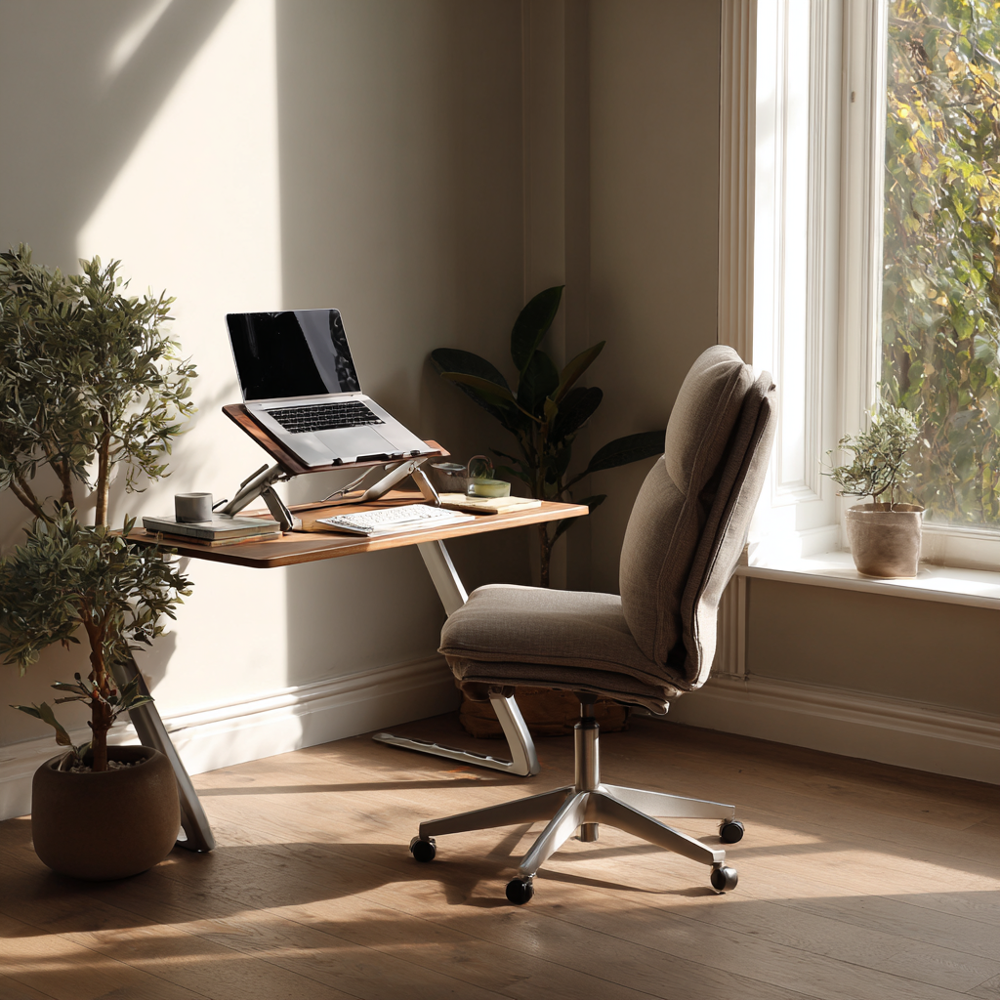
Article: Why You Experience Back and Neck Pain by 2 PM
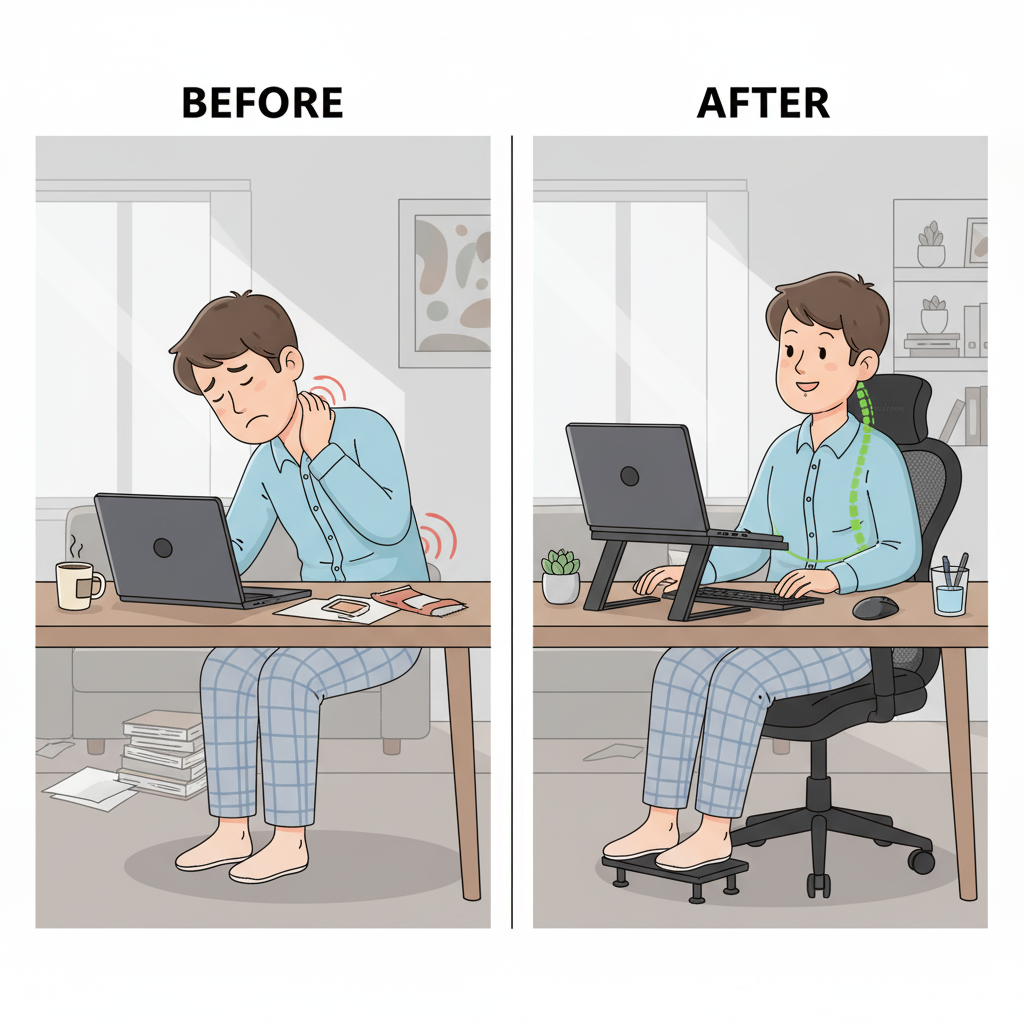
Why You Experience Back and Neck Pain by 2 PM
By mid-afternoon, many professionals experience a familiar pattern: discomfort sets in, concentration wanes, and the simplest tasks feel harder to complete. You may find yourself shifting in your chair, stretching your shoulders, or massaging the back of your neck in an attempt to regain focus. While it is easy to attribute this to stress or natural fatigue, research suggests that musculoskeletal strain is one of the leading causes of reduced productivity in office environments.
In most cases, the issue is not the workload but the workspace. An improperly adjusted chair, a monitor positioned a few inches too low, or the cumulative effect of sitting for hours without support can all contribute to mid-day back pain and neck stiffness. These small ergonomic misalignments compound over the course of the day, leading to the “afternoon slump” that so many workers face.
At Serenform Ergonomics, our mission is to address these challenges with evidence-based solutions. Through thoughtful product design, we aim to reduce the physical stressors that undermine both comfort and performance. In this article, we will outline the most common ergonomic causes of pain and provide practical strategies to create a healthier, more productive work environment.

The Hidden Causes of Mid-Day Back and Neck Pain
Identifying the source of discomfort is essential to creating lasting solutions. While many workers attribute their pain to stress or long hours, the reality is that most mid-day back and neck pain originates from subtle but significant ergonomic misalignments. Left unaddressed, these small issues accumulate over the course of the day and create the familiar 2 PM slump. The most common causes include:
1. Posture Creep
Even when you begin the day sitting upright, posture tends to deteriorate gradually. As the hours pass, the shoulders roll forward, the spine rounds, and the head begins to tilt toward the screen. This gradual “posture creep” places excess pressure on the lumbar spine and increases strain on the neck muscles. Maintaining correct posture is crucial to prevent excess strain on the spine and neck, as it helps preserve the natural curves of the spine and supports overall musculoskeletal health. Over time, this imbalance not only causes afternoon discomfort but also increases the risk of long-term musculoskeletal problems.
2. Monitor Misalignment
The position of your screen is one of the most overlooked aspects of workstation design. A monitor that is even a few inches too low or too high forces the neck into awkward angles for hours at a time. Prolonged tilting or craning can lead to neck pain while working at a desk, tension headaches, and upper back strain. Proper eye-level alignment is essential to minimizing cumulative stress on the cervical spine. Poor monitor alignment can also place undue stress on the vertebrae, increasing the risk of injury or chronic pain.
3. Prolonged Sitting
The human body is not designed for static sitting. Remaining in one position for extended periods compresses the spine, reduces circulation, and places uneven pressure on the hips and lower back. This is why so many professionals experience mid-day back pain — not from a sudden incident, but from the slow accumulation of hours without movement. While short periods of rest are important to help alleviate acute discomfort, they should be balanced with gentle movement to avoid stiffness and further discomfort. Research has linked prolonged sedentary time to higher rates of musculoskeletal discomfort and fatigue.
4. Insufficient Chair Support
A chair lacking proper lumbar or seat support forces the body to do all the work of maintaining posture against gravity. The result is muscle fatigue, spinal misalignment, and eventually chronic discomfort. Without ergonomic support, even minor posture deviations amplify stress on the lower back, shoulders, and hips throughout the day. Inadequate support can also increase stress on the vertebrae, making them more susceptible to injury or degeneration.
5. Keyboard and Mouse Placement
When the keyboard and mouse are positioned too far forward or too high, the shoulders and upper back must compensate. This constant, subtle elevation or reaching leads to muscular tension and stiffness. By afternoon, the strain becomes noticeable, often in the form of aching shoulders or tightness across the upper spine.
The good news is that many of these issues can be corrected quickly with the right ergonomic adjustments. Supportive accessories make it easier for the body to maintain healthy alignment throughout the day. For example:
-
The Serenform Atlas Lumbar Pillow restores the natural curve of the lower spine, reducing strain and preventing posture creep.
-
The Serenform Summit Seat Cushion relieves pressure on the tailbone and encourages upright, balanced sitting.
These solutions are designed to transform even a standard office chair into a healthier, more supportive seat — reducing mid-day pain and helping you stay comfortable and focused throughout the workday.

How Pain Affects Productivity
Musculoskeletal discomfort in the workplace is not simply a matter of physical annoyance — it directly undermines performance and output. When the body is strained, the mind is less able to concentrate, decision-making slows, and energy reserves are depleted more quickly. Over time, this can create a pattern of declining productivity that becomes especially noticeable in the afternoon hours.
Studies have shown that workplace musculoskeletal pain can reduce productivity by as much as 20%. For knowledge workers and professionals who rely heavily on sustained focus, this represents a substantial loss of efficiency over the course of a week, month, or year. Even minor discomfort, if persistent, erodes attention and diverts cognitive resources away from the task at hand.
| Impact of Pain on Work | Effect by Mid-Afternoon |
|---|---|
| Concentration | Noticeable decline as discomfort grows |
| Energy Levels | Fatigue accelerates due to physical strain |
| Task Efficiency | Workflows are interrupted by the need to adjust, stretch, or recover |
| Overall Productivity | Reduced by approximately 20% (NIH) |
This decline not only affects individual performance but also has broader organizational implications. Lost time, reduced engagement, and diminished focus can accumulate into significant productivity costs for teams and companies.

Diagnosing Neck Pain
When neck pain becomes persistent or starts interfering with your daily routine, getting a proper diagnosis is the first step toward relief. A healthcare provider will begin by asking detailed questions about your symptoms—where the pain is located, how severe it is, how long it’s been present, and what activities or positions make it better or worse. This information helps pinpoint whether the pain is related to muscle tension, posture, or something more serious.
During the physical exam, your provider will assess your neck muscles, check your range of motion, and evaluate muscle strength and reflexes. They may also observe your posture and how your cervical spine moves, looking for signs of tightened muscles or areas where movement is restricted. Sometimes, additional tests like X-rays, MRI, or CT scans are needed to rule out underlying issues such as a herniated disk or other structural problems in the spine.
The goal of this thorough evaluation is to identify the root cause of your neck pain so that an effective treatment plan can be developed. By understanding what’s causing the discomfort—whether it’s poor posture, muscle strain, or another condition—your healthcare provider can recommend strategies to relieve tension, reduce muscle tension, and help you maintain better posture throughout the day.

Quick Fixes for Immediate Relief
When discomfort sets in, it is important to have strategies that provide quick relief for back pain at work and instant neck pain relief. These techniques are not long-term solutions, but they can interrupt the cycle of strain and help restore comfort during the day:
1. Take a Movement Break
Aim to stand and move at least once every 45–60 minutes. Even brief activity — such as walking across the room, stretching overhead, or simply shifting your weight — helps reduce spinal compression and restores circulation to fatigued muscles. Regular exercise, including stretching and strengthening routines, is also essential for preventing and alleviating back and neck pain.
2. Realign the Neck
Simple “chin tuck” exercises can be performed at your desk in seconds. By gently pulling the chin straight back, you bring the cervical spine into alignment, reducing the forward head posture that contributes to neck pain while working at a desk.
3. Shoulder Mobility
Performing shoulder rolls or gentle retractions relieves tension in the upper back and shoulders, areas that often bear the brunt of extended keyboard and mouse use. These movements help reduce stiffness and promote better posture. Incorporating targeted exercise, such as balance and mobility exercises, can further support spinal health and reduce discomfort.
4. Adjust Monitor Height
If your monitor is too low, the neck tilts downward for hours at a time. Elevating the screen — even temporarily with a stack of books or a riser — can significantly reduce strain and improve head and neck alignment.
These methods are highly effective for short-term relief, but they are temporary fixes. Without correcting the underlying ergonomic issues, discomfort will inevitably return as the day progresses.
Practical Solution
For sustained comfort and improved posture, ergonomic accessories help create proper alignment automatically. The Serenform Summit Seat Cushion is designed to transform even a standard office chair into a healthier seating option. By relieving pressure points and encouraging upright posture, it addresses the root causes of discomfort rather than masking the symptoms that allow you to work more comfortably throughout the day. For those experiencing chronic discomfort or needing additional stability, ergonomic accessories can also provide extra support throughout the workday.
Ideally, the top of your screen should sit at or just below eye level, allowing you to look forward with a neutral neck posture. The Serenform Elevate Laptop Stand is specifically designed to raise laptop screens to a healthier, eye-level position. Aligning the screen correctly reduces neck and shoulder strain while promoting a more natural posture.

Building Long-Term Healthy Habits
While quick adjustments can provide short-term relief, preventing chronic back pain from desk work requires a commitment to consistent habits supported by the right ergonomic tools. Developing these practices not only alleviates discomfort but also protects long-term spinal health and enhances daily productivity.
1. Incorporate Microbreaks
Taking short breaks every 45–60 minutes allows the spine to decompress and improves blood flow to muscles that fatigue during prolonged sitting. Even a few minutes of standing, walking, or gentle stretching can reset posture and reduce the risk of cumulative strain.
2. Alternate Between Sitting and Standing
The body is not designed to remain static. Alternating between sitting and standing throughout the day reduces the stress associated with any single posture. A sit-stand routine helps maintain flexibility in the hips, decreases spinal compression, and supports overall musculoskeletal health.
3. Maintain Proper Ergonomic Positioning
Workstation setup plays a critical role in daily comfort. The monitor should be positioned at eye level, the keyboard and mouse kept within a comfortable reach, and feet flat on the floor or on a footrest. These small adjustments reduce unnecessary tension in the neck, shoulders, and lower back.
4. Use Supportive Seating
Even with the best intentions, posture naturally deteriorates over time. Supportive tools, such as lumbar pillows and seat cushions, provide consistent reinforcement of spinal alignment. By reducing the effort required to maintain healthy posture, these accessories minimize fatigue and prevent the slow onset of discomfort.
Without these interventions, poor ergonomics can progress into long-term conditions including chronic neck strain, tension headaches, and spinal misalignment. Chronic poor posture and workstation misalignment can also lead to persistent neck problems, such as stiffness, headaches, and reduced mobility. Establishing healthy habits now is not simply about comfort — it is an investment in sustaining productivity and well-being over the course of a career.
Practical Solution
The right ergonomic tools make it easier to maintain healthy habits consistently:
-
The Serenform Atlas Lumbar Pillow delivers continuous lower-back support, reinforcing the spine’s natural curve and preventing posture creep.
-
The Serenform Elevate Laptop Stand ensures screens are positioned at eye level, reducing cervical strain and supporting proper ergonomic positioning whether working at a desk or on the go.
With the right habits and ergonomic tools, neck pain can be managed effectively, reducing the risk of long-term discomfort and improving daily function.
Together, these tools address two of the most common causes of workplace discomfort — poor lumbar support and monitor misalignment — helping professionals build healthier, pain-free routines that last.

Working with a Healthcare Provider for Back Pain
If you’re experiencing back pain—especially severe pain or symptoms like shooting pain, numbness, or tingling in your upper arms or legs—it’s important to work closely with a healthcare provider. Professional guidance is essential for diagnosing the underlying cause, whether it’s related to muscle tension, soft tissue strain, or issues with the spine itself.
Your healthcare provider will help you develop a personalized treatment plan that may include targeted exercises and stretches to improve flexibility, relieve discomfort, and strengthen the muscles that support your spine. They might also recommend muscle relaxants or physical therapy to help relieve tension and reduce muscle tightness. Maintaining good posture and a healthy weight are often key components of long-term back pain management, as extra weight can put additional pressure on the spine and surrounding soft tissues, causing pain and increasing the risk of injuries.
Open communication is crucial—be sure to share all your symptoms, including any discomfort in your arms or legs, and discuss how pain affects your daily activities. Regular check-ins with your healthcare provider allow you to track progress, make adjustments to your plan, and address any new health problems that arise. By working together, you can relieve pain, prevent future injuries, and support your overall well-being, making it easier to maintain good posture and stay comfortable throughout the day.

What to Look for in Ergonomic Products
Not all office furniture or accessories are created equal. When selecting tools to improve your workspace, it is important to evaluate whether the product supports healthy posture, adapts to your needs, and contributes to long-term comfort. High-quality ergonomic products are designed not only to relieve pain but also to prevent it from developing in the first place. The following features are essential:
1. Lumbar Support
Effective lumbar support is critical for maintaining the natural curve of the lower spine. Without it, posture deteriorates over time, leading to muscle fatigue and chronic discomfort. Look for products that provide targeted support to the lumbar region, encouraging upright, neutral alignment throughout the day.
2. Adjustability
Ergonomic solutions must adapt to the user, not the other way around. Chairs should allow adjustments in seat height, backrest angle, and armrest positioning. Similarly, desks should provide height flexibility to accommodate both sitting and standing. Adjustability ensures that the workstation supports a variety of body types and working styles.
3. Cushioning and Pressure Relief
Long hours of sitting place pressure on the hips, tailbone, and thighs. Quality seat cushions distribute weight evenly, reduce pressure points, and enhance circulation. They also help maintain healthy circulation by minimizing compression of soft tissues and blood vessels during prolonged sitting. Materials such as memory foam or high-density supportive foam can provide comfort without sacrificing stability, making it easier to sustain proper posture.
4. Support for Movement
Static postures, even with good alignment, can still create strain. Ergonomic products should encourage movement and variation. Standing desks, for example, allow professionals to alternate between sitting and standing, reducing spinal compression and boosting circulation. Similarly, footrests or balance boards can promote subtle, healthy shifts in posture.
5. Proper Monitor Positioning
Screens that are too low or too high force the neck into unnatural angles, leading to neck pain at work and upper back strain. Adjustable monitor arms, risers, or laptop stands help ensure that the top of the screen is at or just below eye level, promoting neutral neck alignment and reducing cumulative cervical stress.
By focusing on these key features, professionals can make informed choices that transform their workspaces into environments that actively support health, comfort, and performance.

Final Thoughts: It’s Not You — It’s Your Setup
If your back and neck hurt by 2 PM, the problem is rarely a matter of personal weakness, poor fitness, or simply “working too hard.” More often, the cause lies in the design of the workspace itself. Hours of static sitting, unsupported posture, and misaligned screens create a cycle of discomfort that undermines both health and performance.
The good news is that this cycle can be broken. The solution is twofold:
-
Adopt healthier work habits — such as taking microbreaks, alternating between sitting and standing, and maintaining proper ergonomic positioning.
-
Invest in ergonomic tools that reinforce these habits, reduce physical strain, and make healthy posture the default rather than the exception.
Even small adjustments can have a dramatic impact. By creating a supportive environment, the afternoon slump becomes less about discomfort and more about productivity, focus, and sustained energy.
Explore our ergonomic essentials to begin transforming your workspace today:
-
Serenform Atlas Lumbar Pillow — engineered to provide continuous lumbar support, helping prevent posture creep and reducing cumulative strain.
-
Serenform Summit Seat Cushion — designed to relieve pressure on the tailbone and hips, improving comfort and posture throughout the day.
With the right setup, your body stays supported, your mind remains sharp, and your workday feels more sustainable — from the first email of the morning to the last meeting of the afternoon.
If your back or neck pain persists or worsens, consult a doctor to ensure proper diagnosis and treatment.