How a Proper Desk Setup Reduces Daily Strain on Your Body
If your body feels stiff, sore, or noticeably fatigued at the end of a workday, it’s common to assume the issue lies with you—your posture, your habits, or a lack of discipline at your desk.
In reality, daily discomfort from desk work is rarely random.
And it is rarely a personal shortcoming.
Most often, the cause is mechanical.
A poorly aligned desk setup increases physical strain in subtle but consistent ways. Hour after hour, small misalignments place additional load on muscles and joints—usually not enough to trigger immediate pain, but enough to accumulate over time. As this strain compounds, it commonly presents as lower back soreness, shoulder and neck tension, hip stiffness, or a generalized sense of fatigue that’s difficult to pinpoint to any single cause. Poor desk setup can also lead to muscle tension, and addressing alignment helps avoid tension and reduce stress throughout the workday.
A proper desk setup does not rely on conscious effort or constant correction. It does not ask you to “sit better” throughout the day. Instead, it reduces the overall physical load your body is required to manage while you work, allowing posture to be maintained with less muscular demand. This can help reduce fatigue over the course of the workday.
When that daily load is reduced, discomfort no longer has the conditions it needs to build.
And the workday begins to feel markedly different.

Daily Discomfort Isn’t Random—It’s Built Over Time
Most desk-related discomfort does not appear suddenly or without warning. It develops gradually.
During prolonged sitting, the body is exposed to low-level, sustained strain—small mechanical stresses that may feel insignificant in the moment but are repeated continuously throughout the workday. Individually, these stresses are easy to ignore. Collectively, they place a meaningful demand on muscles, joints, and connective tissue.
This pattern explains why desk discomfort so often:
-
Emerges later in the afternoon rather than early in the day
-
Feels more pronounced by the end of the workweek
-
Improves with rest overnight or over the weekend, only to return once desk work resumes
The underlying issue is not simply the number of hours spent sitting. It is the position the body is required to maintain while sitting, and the amount of muscular effort needed to sustain that position over time.
When alignment is unsupported, the body instinctively compensates. Muscles engage to stabilize joints, maintain balance, and resist gravity in ways they were not designed to do continuously. Over time, this compensatory effort leads to fatigue, tension, and discomfort.
Compensation is effective in the short term.
But it is costly when sustained day after day.

How Daily Desk Work Creates Cumulative Strain
Desk work requires the body to remain in a largely static position for extended periods. While this may appear harmless, even minor misalignments—such as an unsupported lower back, a screen positioned too low, or feet that lack stable contact with the floor—alter how forces are distributed throughout the body.
When alignment is compromised, muscles are required to compensate. Instead of engaging intermittently as they would during movement, they remain active for long stretches, working to stabilize joints and maintain balance against gravity. Over time, this pattern leads to:
-
Continuous muscular effort rather than natural cycles of engagement and rest
-
Pressure becoming concentrated in specific joints and tissues
-
Fatigue accumulating more quickly than the body can recover from it
This process is known as cumulative strain.
Unlike acute injuries, cumulative strain develops quietly. There is often no single moment that triggers discomfort. Instead, the effects build gradually, often going unnoticed until soreness, stiffness, or fatigue becomes a regular part of the workday.
The key insight is this:
Pain itself is not the root problem. It is the body’s signal that the underlying strain has been accumulating without adequate support.

Why “Sitting Up Straight” Doesn’t Reduce Daily Strain
A common response to desk-related discomfort is to try harder to maintain “good posture.” People sit up straighter, consciously engage their core, and repeatedly correct their position throughout the day.
While well intentioned, this approach has clear limitations.
The human body is not designed to hold posture through continuous muscular effort for hours at a time. When posture is maintained by force rather than support, it requires:
-
Ongoing attention and self-correction
-
Sustained muscle contraction
-
Significant mental and physical endurance
Over time, even strong and well-conditioned muscles fatigue. When that fatigue sets in, the body naturally seeks the path of least resistance. Posture gradually collapses, often resulting in rounded shoulders, a slouched spine, or a forward head position—patterns that increase strain rather than reduce it.
This is why posture reminders and “sit up straight” cues rarely provide lasting relief. They rely on effort, and effort is difficult to sustain throughout a full workday.
Effort-based posture eventually fades.
Structural support does not.
When alignment is supported by the desk setup itself, posture can be maintained with far less muscular demand—allowing the body to remain stable without constant correction.

Proper Desk Setup Is About Alignment, Not Discipline
A proper ergonomic desk setup is designed to work with the body’s natural structure, not against it. Its purpose is not to demand constant correction or conscious effort, but to create conditions in which the body can remain stable with minimal strain.
Rather than relying on muscles to hold you in position, an effective setup uses alignment and physical support to reduce the amount of work your body must perform while sitting. When alignment is correct, posture no longer requires continuous engagement—it is maintained automatically.
A well-aligned desk setup supports:
-
A neutral pelvic position, which serves as the foundation for spinal stability
-
The spine’s natural curves, reducing unnecessary compression and muscular tension
-
Relaxed shoulders, minimizing upper-body bracing and fatigue
-
A balanced head and neck position over the torso, decreasing strain through the cervical spine
When these elements are consistently supported, posture becomes passive rather than forced. Muscles are free to assist when needed, rather than compensating all day for missing structure. Maintaining a neutral position for the body, especially for the arms and wrists, is essential for reducing strain and preventing repetitive motion injuries.
This distinction matters. Sitting that relies on effort tends to be draining and difficult to sustain. Sitting that is supported feels calmer, lighter, and far more manageable over long periods.

Choosing the Right Desk for Your Body
Selecting the right desk is a foundational step in creating an ergonomic workstation that supports your body and enhances your well-being. An ergonomic desk should offer adjustable height options, allowing you to tailor your desk setup to your unique needs and switch between sitting and standing throughout the day. Sit-stand desks and standing desks are excellent ergonomic options, as they encourage more movement and help reduce the risks associated with prolonged sitting, such as back pain and other health issues.
When evaluating desks, consider not only the adjustable height but also the width and depth to ensure your workspace accommodates your tasks comfortably. A sturdy frame and a smooth, spacious surface are essential for supporting your equipment and maintaining proper posture. By investing in a desk that fits your body and workspace, you create an environment that supports your posture, reduces strain, and promotes productivity throughout the day. The right ergonomic desk setup is a proactive step toward preventing discomfort and supporting your long-term health.

Monitor and Display Placement: Setting Your Line of Sight
Proper monitor and display placement is key to maintaining a neutral posture and minimizing both neck and eye strain. Your monitor should be positioned so that the top of the screen is at eye level, allowing you to look straight ahead without tilting your head up or down. Keeping the monitor at arm’s length helps reduce eye fatigue and encourages a comfortable, sustainable viewing distance.
If you use a laptop, a laptop stand is an essential ergonomic setup tool, raising your screen to the optimal height and helping you maintain proper posture. Always position your monitor directly in front of you, rather than off to the side, to avoid unnecessary neck rotation and reduce neck strain. By setting your line of sight correctly, you support a neutral posture, reduce eye strain, and create a more comfortable and productive workspace.

Keyboard and Mouse Placement: Where Your Hands Belong
The placement of your keyboard and mouse plays a crucial role in reducing wrist strain and supporting overall comfort during extended periods of work. Position your keyboard so it sits directly in front of you, allowing your wrists to remain straight and your elbows to rest at a comfortable 90-degree angle. This alignment helps maintain proper posture and minimizes the risk of developing health issues related to repetitive strain.
Keep your mouse close to your keyboard and within easy reach, so you don’t have to stretch or twist your arm. Using ergonomic keyboards and mice can further promote a neutral hand position and reduce strain on your wrists and forearms. By paying attention to the position of your keyboard and mouse, you can reduce strain, avoid wrist pain, and support a healthier, more ergonomic workstation.

How Desk Alignment Affects Your Entire Body
Desk setup is often discussed as a lower-back issue, but alignment influences far more than the lumbar spine alone. Because the body functions as a connected system, small changes at one point of contact can alter how force is distributed throughout the entire body. Proper desk alignment also helps keep the arms in a comfortable, neutral position, which can enhance comfort and reduce strain on the shoulders, elbows, and wrists.
When alignment is supported, the body remains balanced with less effort. When it is not, compensation occurs—often in areas far from where the original misalignment began.
Pelvis & Lower Back
Seat height and lumbar support play a central role in pelvic positioning. When the pelvis tips backward, the natural curve of the lower spine flattens. This increases pressure on spinal discs and requires surrounding muscles to work harder to maintain stability.
Proper lumbar and seat support help:
-
Maintain neutral spinal alignment
-
Reduce excessive lower back strain
-
Decrease fatigue during prolonged sitting
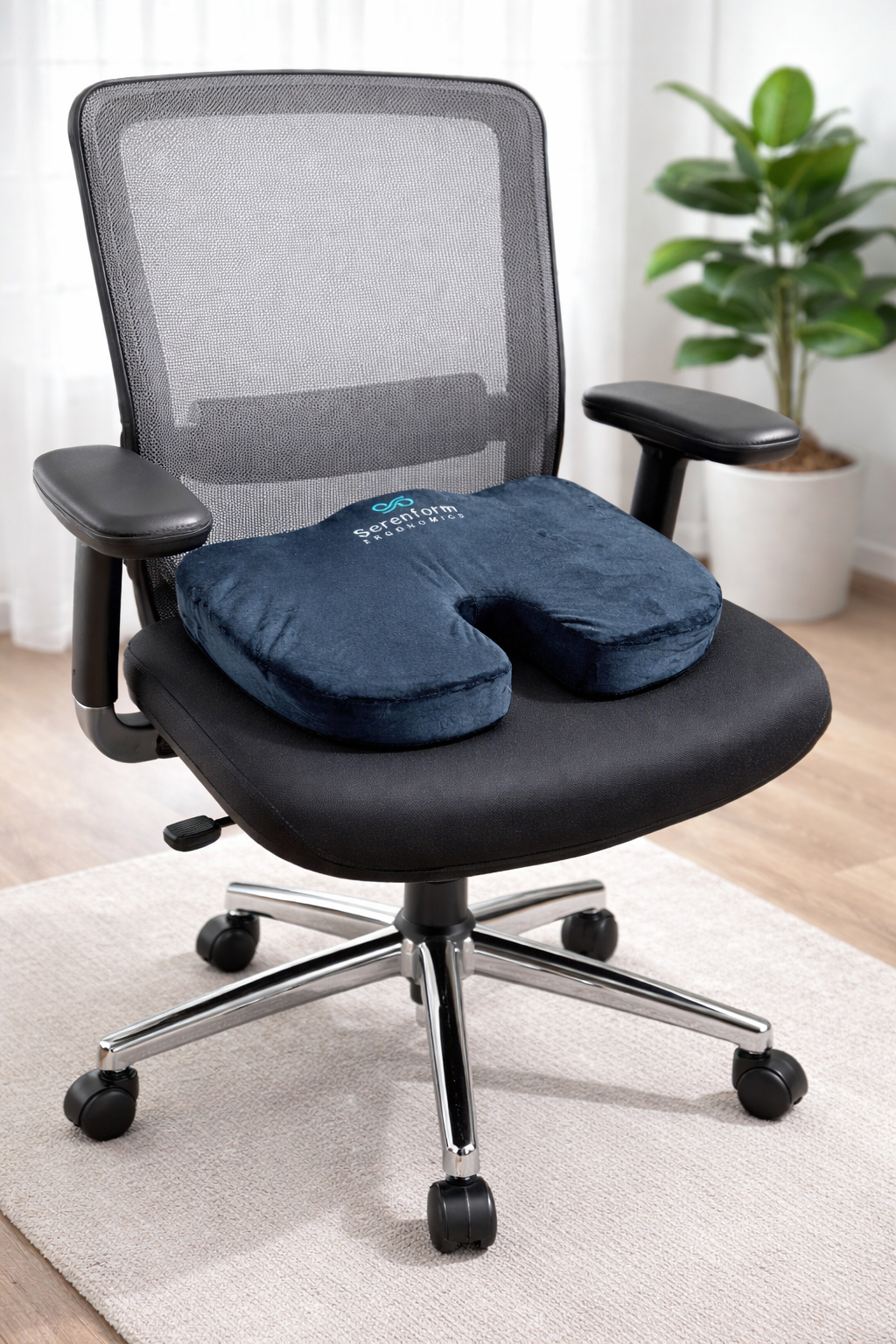
This is why effective ergonomic solutions focus on multi-point support rather than isolated adjustments. Systems such as the Serenform Desk Comfort Bundle are designed to support both the pelvis and the lower back together, helping the spine remain stable without constant muscular effort.
Shoulders & Upper Back
Upper-body alignment is strongly influenced by desk and screen positioning. When a desk surface is too low, or when the screen sits too far away, the shoulders tend to roll forward subtly. Over time, this rounded position increases tension through the upper back and places additional strain on the neck.
Proper alignment allows the shoulders to remain relaxed and stacked naturally over the torso, reducing the need for continuous bracing.
Neck & Head
The head represents a significant load for the neck to support. Even a slight forward lean increases the force transmitted through the cervical spine. Over long periods, this added load contributes to neck fatigue and stiffness.
Raising the screen to eye level helps bring the head back into balance over the torso. Tools such as the Serenform Elevate Laptop Stand are designed to support this alignment, reducing forward head posture and the strain that accompanies it.
Hips, Legs & Feet
Lower-body alignment is often overlooked, yet it plays a critical role in overall stability. When feet do not feel firmly grounded, the body loses a key point of support. To maintain proper ergonomic posture and stability, it is important to keep your feet flat on the floor or ensure your feet rest flat, as this provides essential support and helps prevent strain.
Providing stable, grounded support through the legs and feet improves balance throughout the body and reduces the need for compensatory muscle engagement elsewhere.

Lighting and Environment: The Overlooked Factors
While much attention is given to furniture and equipment, lighting and environment are equally important in creating an ergonomic workspace. Good lighting reduces eye strain and helps maintain comfort throughout the day. Whenever possible, take advantage of natural light, positioning your desk near a window to benefit from its even, gentle illumination. If natural light isn’t available, choose high-quality artificial lighting that provides consistent brightness without glare or harsh shadows.
Beyond lighting, consider the overall environment of your workspace. Maintaining a comfortable temperature and humidity level can help you stay focused and productive. By optimizing both lighting and environmental factors, you create an ergonomic setup that supports your comfort, reduces eye strain, and enhances your overall workspace experience.

Reducing Daily Strain Is About Load Distribution
Comfort during desk work is not simply a matter of softness or cushioning. It is primarily about how physical load is distributed throughout the body.
When a desk setup lacks proper alignment and support, pressure tends to concentrate in specific muscles and joints. These areas are then forced to absorb more load than they were designed to handle for extended periods. Over time, this concentrated pressure contributes to fatigue, tension, and discomfort.
A properly designed desk setup redistributes load more evenly across the body. Rather than relying on a few muscle groups to stabilize posture, support allows force to be shared across multiple structures. When load is distributed effectively:
-
Muscles assist posture instead of compensating for missing support
-
Pressure decreases rather than accumulating in isolated areas
-
Sitting feels lighter and less demanding, even during long work sessions
This redistribution of load is what improves sitting tolerance—the body’s ability to remain seated without fatigue escalating rapidly. Instead of working against gravity all day, the body is supported in a way that conserves energy and reduces unnecessary strain.
Over time, this difference is not subtle. It changes how long you can sit comfortably, how quickly fatigue appears, and how your body feels at the end of the day.

Why Support Works When Adjustments Alone Don’t
Adjustments to a desk setup can be helpful, but their impact is often limited when they are not reinforced by consistent support. Adjusting desk height, standing height, and using adjustable furniture are important ergonomic options, but their benefits are maximized when combined with proper support. Small changes in height or positioning may offer temporary relief, yet without structural reinforcement, alignment tends to degrade as the workday progresses.
Support works differently.
Effective ergonomic support maintains alignment consistently and passively. Rather than asking the body to remember or repeatedly correct its position, support holds key points of contact in place throughout the day. As a result, it:
-
Maintains alignment without constant readjustment
-
Reduces muscular demand automatically
-
Eliminates reliance on willpower, reminders, or sustained effort
This principle is central to Serenform’s approach to ergonomics. The goal is not to force posture or create rigid positioning, but to design support that operates quietly in the background—allowing the body to remain stable without conscious involvement.
When the desk setup provides this level of support, posture no longer requires active correction. Instead of managing alignment throughout the day, your environment does the work for you, reducing strain and preserving energy over time.

Common Mistakes to Avoid in Desk Setup
Even with the best intentions, it’s easy to make mistakes that undermine your ergonomic workstation and lead to discomfort or health issues. One frequent error is setting your chair height incorrectly—if your chair is too high or too low, it can cause strain in your back, legs, and hips. Another common mistake is improper monitor placement, such as positioning the screen too far away, too low, or at an angle, which can result in neck pain and eye strain.
Using a keyboard and mouse that are not ergonomic, or placing them too far from your body, can lead to wrist strain and other repetitive stress injuries. Avoid working with your laptop on your lap, as this often leads to poor posture and increased heat exposure. By being mindful of these common pitfalls and making a few tweaks to your desk setup, you can reduce strain, maintain proper posture, and create a workspace that supports your comfort and productivity throughout the day.
What Changes When Your Desk Setup Reduces Strain
When daily strain is reduced, the effects are often noticeable—yet not dramatic in the way quick fixes promise. Instead, the changes tend to be subtle, cumulative, and meaningful over time.
People commonly report:
-
Less soreness at the end of the workday
-
Improved focus and more consistent energy levels
-
Fewer recurring tension points in areas such as the neck, shoulders, and lower back
-
Greater comfort during extended periods of sitting
Using appropriate furniture and an ergonomic setup not only improves comfort but also plays a key role in enhancing productivity throughout the workday.
These improvements do not occur because posture has become rigid or “perfect.” They occur because the body is no longer required to constantly resist gravity or compensate for missing support. Muscles can relax when appropriate, joints are subjected to less concentrated pressure, and fatigue accumulates more slowly.
As a result, sitting no longer feels like something to push through or endure. It begins to feel neutral—calmer, more stable, and far easier to sustain throughout the workday.

Daily Strain Is Built—But It Can Be Reduced
Desk-related discomfort is not inevitable, and it is not a reflection of poor habits or personal shortcomings. In most cases, it develops as a result of repeated mechanical strain combined with insufficient support during daily work.
Stretching plays an important role in recovery.
Movement helps restore circulation and reset stiff tissues.
But neither addresses what the body experiences for the majority of the workday.
A properly aligned desk setup reduces the physical load placed on the body while you sit. By supporting alignment and distributing pressure more evenly, it minimizes the need for constant muscular compensation. Over time, this reduction in daily strain changes how the body responds to prolonged sitting.
When alignment is supported and load is managed effectively, the conditions that allow discomfort to accumulate are no longer present. Fatigue builds more slowly, tension decreases, and sitting becomes far more sustainable.
Because when the underlying strain changes,
the outcome changes with it.