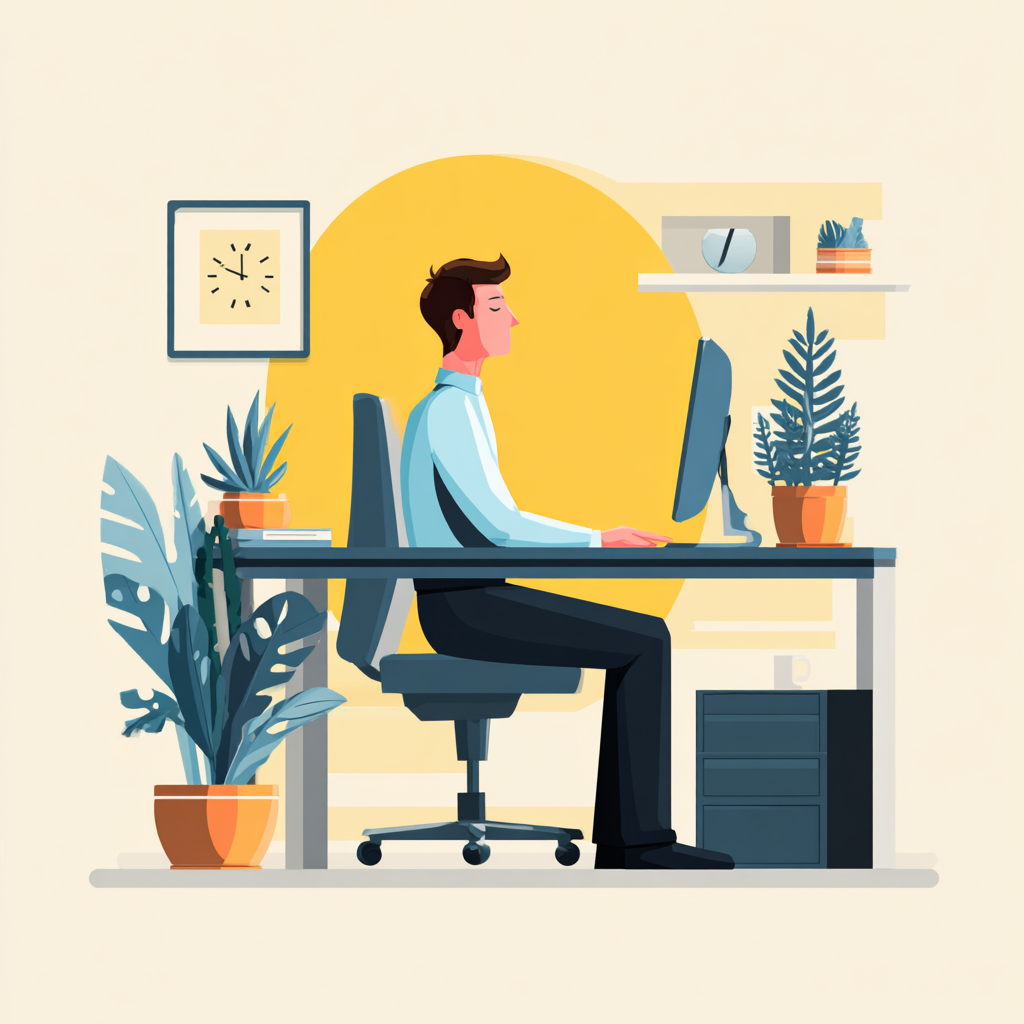
7 Desk Habits Causing Back Pain
For many people, back pain associated with desk work does not begin with a sudden injury. Desk jobs are a common source of these issues, as prolonged sitting in office environments can lead to poor posture and spinal strain. Instead, it tends to develop gradually—often becoming noticeable after long workdays, during the later hours of computer use, or when standing up after sitting for extended periods.
If you spend much of your day at a desk, you may have found yourself asking:
“Why does my back hurt when I sit at my desk?”
In most cases, the answer is not a single major mistake. Rather, it is the accumulation of small, everyday sitting habits repeated for hours each day. Over time, these patterns can place subtle but persistent strain on the spine, surrounding muscles, and supporting joints.
It is important to note that sitting itself is not inherently harmful. The human body can tolerate sitting well when the mechanics of sitting are properly supported. The challenge arises when the body lacks adequate support. In those situations, the body naturally compensates—adjusting posture, engaging stabilizing muscles, and redistributing pressure in ways that may not be sustainable over long periods.
When these compensations occur day after day, they can gradually contribute to muscle fatigue, increased spinal loading, and the development of back discomfort.
In the sections below, we will examine seven common desk habits that quietly contribute to back pain, along with practical ways to improve the way your body is supported throughout the workday.

Why Back Pain Builds Slowly During Desk Work
Back pain associated with desk work rarely appears all at once. In most cases, it develops gradually through a process known as strain accumulation—the repeated buildup of small physical stresses on the body over extended periods of sitting.
During desk work, the body is often held in relatively static positions or even in one position for long stretches of time. While this may feel effortless at first, the body is constantly working behind the scenes to maintain stability and alignment.
When sitting for prolonged periods:
-
Postural muscles remain continuously active to support the torso and maintain balance.
-
Pressure gradually builds within the spinal discs, particularly in the lumbar (lower back) region.
-
Small postural imbalances trigger compensations in surrounding muscles and joints.
Individually, these forces are usually manageable. However, when they persist for hours each day, they can slowly lead to muscle fatigue, increased spinal loading, and the onset of discomfort.
Research in spinal biomechanics supports this pattern. A well-known study by orthopedic researcher Dr. Alf Nachemson found that sitting can place up to 40% more pressure on the lumbar discs compared to standing, particularly when the spine is unsupported or slouched.
Source: Nachemson, A. “Lumbar Intradiscal Pressure.” Orthopedic Clinics of North America.
Why This Matters
The human body is highly adaptable and can tolerate occasional strain without difficulty. The problem arises when strain becomes repetitive and sustained throughout the workday.
Over time:
-
Muscles that stabilize posture may become fatigued.
-
Spinal structures experience repeated loading cycles.
-
Minor mechanical stresses accumulate.
Across weeks and months, this accumulation can gradually transition from temporary stiffness to persistent back discomfort during desk work.
For this reason, the seemingly small habits that occur while sitting—how the body is supported, how the pelvis is positioned, and how weight is distributed—often become ingrained in your daily routine and play a far greater role in long-term comfort than most people realize.

Habit #1: Leaning Forward Toward Your Screen
One of the most common posture habits associated with back pain from sitting at a desk is leaning forward toward the computer screen. Many people begin the workday sitting relatively upright, but as concentration increases or fatigue sets in, the body gradually moves closer to the monitor, often resulting in awkward positions that can contribute to back pain.
This pattern often occurs when:
-
The monitor is positioned too far away
-
The screen sits below eye level
-
Text or interface elements are difficult to read
Rather than adjusting the workstation, many people unconsciously move their head and torso forward in order to see the screen more clearly. Over time, this subtle shift can place additional stress on the neck, shoulders, and upper back.
Why This Posture Creates Strain
The human head weighs approximately 10 to 12 pounds in a neutral position. When the head moves forward, however, the mechanical load placed on the cervical spine increases significantly. This occurs because the muscles in the neck and upper back must work harder to counterbalance the forward position.
Biomechanical research demonstrates how dramatically this load increases as the head moves further forward.
| Head Position | Approximate Load on the Neck |
|---|---|
| Neutral posture |
~10–12 lbs |
| 15° forward |
~27 lbs |
| 30° forward | ~40 lbs |
| 60° forward | ~60 lbs |
Source: Hansraj KK, “Assessment of Stresses in the Cervical Spine Caused by Posture and Position of the Head,” Surgical Technology International.
As the head shifts forward, the muscles responsible for stabilizing the neck and upper spine must remain engaged for extended periods. Over the course of a workday, this increased load can contribute to:
-
Neck stiffness
-
Upper back tension
-
Shoulder fatigue
-
Gradual postural collapse during desk work
This posture is often referred to as forward head posture, and it is one of the most common contributors to discomfort among individuals who spend long hours working at a computer.
How to Reduce Forward-Leaning Posture
Improving screen positioning can significantly reduce the tendency to lean forward.
A few simple adjustments can make a noticeable difference:
-
Position the monitor at eye level, so the head remains in a neutral position.
-
Keep the screen approximately an arm’s length away from the body.
-
Increase text size or screen zoom rather than moving closer to the display.
These changes encourage the body to remain aligned with the chair rather than drifting toward the screen.
When the workstation is arranged so that the screen comes to the eyes, the body no longer needs to move forward to maintain visual comfort. This simple adjustment can help reduce unnecessary strain on the neck and upper back throughout the workday.

Habit #2: Sitting Without Lower Back Support
The human spine is not straight. In the lower back, it naturally forms a gentle inward curve known as the lumbar curve. This curve plays an important role in distributing weight through the spine and helping the body maintain balance while sitting or standing.
When the lumbar curve is properly supported, the spine can remain aligned with relatively little muscular effort. By reinforcing the natural lumbar curve, this type of support helps the pelvis remain in a more neutral position and allows the spine to stay aligned with less continuous muscular effort. This alignment is crucial for maintaining a neutral spine during desk work, which helps prevent misalignment and reduces the risk of back pain.
However, during desk work, this natural curve is often lost.
If a chair does not adequately support the lower back, the pelvis tends to tilt backward, causing the spine to round into a slouched position. Over time, this posture alters how forces are distributed through the spine and surrounding muscles.
Why Lack of Lumbar Support Causes Strain
When the lower back is unsupported, several mechanical changes tend to occur:
-
The lumbar curve flattens or collapses, reducing the spine’s natural shock-absorbing structure.
-
Postural muscles must work continuously to keep the torso upright.
-
Pressure increases within the spinal discs, particularly in the lower back.
These changes may not feel uncomfortable immediately. But after hours of sitting, the sustained muscular effort required to stabilize the spine can lead to lower back fatigue, stiffness, and discomfort.
Over weeks or months, repeated periods of unsupported sitting may contribute to chronic lower back strain during desk work.
Why Many Chairs Do Not Fully Solve the Problem
Many office chairs are designed with built-in lumbar contours, but in practice, they do not always provide consistent support. This can happen for several reasons:
-
The lumbar curve of the chair may not align with the user’s body.
-
People often shift position throughout the day, moving away from the chair’s support.
-
Over time, the body may slide forward slightly in the seat, reducing contact with the backrest.
As a result, even well-designed chairs may not maintain the natural lumbar curve throughout an entire workday. This lack of consistent support makes it challenging to maintain proper posture while sitting.
Adding Targeted Lumbar Support
For this reason, many desk workers use additional support specifically designed to maintain the lumbar curve.
Products such as the Serenform Atlas Lumbar Pillow are designed to provide structured support to the lower back while sitting. By reinforcing the natural lumbar curve, this type of support helps the pelvis remain in a more neutral position and allows the spine to stay aligned with less continuous muscular effort.
When the lower back is properly supported, the body no longer has to work as hard to maintain posture. This support can help relieve pressure on the lower back during prolonged sitting, making it easier to stay comfortable and reduce the risk of pain. As a result, sitting can feel more stable, balanced, and sustainable over longer periods of desk work.

Habit #3: Letting Your Feet Hang or Slide Forward
When people think about desk ergonomics, they often focus on the back, neck, or monitor height. However, the position of the feet plays a critical role in how the entire body stabilizes while sitting.
Your feet function as the foundation of your seated posture. When they are firmly supported, they help anchor the pelvis and create a stable base for the spine above. This stability allows the body to maintain alignment with less muscular effort.
However, many desk workers unknowingly adopt foot positions that reduce this stability. Common sitting patterns include:
-
Feet dangling above the floor when the chair is too high
-
Legs extended forward, with the heels resting lightly on the ground
-
One foot tucked beneath the chair, creating uneven weight distribution
While these positions may feel comfortable initially, they often introduce subtle imbalances that can affect the entire sitting posture. To maintain proper alignment and reduce the risk of back pain, it is important to keep your feet flat on the floor while sitting.
Why Foot Position Matters
When the feet are not properly supported, the body loses an important stabilizing point. Without this foundation:
-
The pelvis may tilt backward or shift unevenly
-
The spine may gradually round or collapse forward
-
The lower back may experience increased pressure and muscular strain
Because the pelvis acts as the base of the spine, even small changes in pelvic position can influence how the entire spine aligns. When the pelvis becomes unstable, the spine frequently compensates—often leading to slouching or increased lower back tension during desk work. Poor foot support can also contribute to tight hip flexors, which may further impact posture and increase the risk of back pain.
Ergonomic Guidelines for Foot Position
Most ergonomic recommendations emphasize creating a stable lower-body position while seated. This typically includes:
-
Feet resting flat on the floor
-
Knees positioned roughly level with the hips
-
Weight distributed evenly across both feet
These conditions help keep the pelvis in a more neutral position, which supports better spinal alignment.
However, desk setups do not always make this easy. If the chair is raised high enough to reach the desk comfortably, the feet may no longer rest flat on the floor. In these situations, additional support can help restore stability.
Improving Stability While Sitting
A seat cushion or foot support can help correct this imbalance by adjusting how the body interacts with the chair and floor.
For example, the Serenform Summit Seat Cushion is designed to improve pressure distribution while sitting and support more balanced pelvic positioning. By helping stabilize the base of the body, this type of support can encourage a more aligned and comfortable sitting posture throughout the workday.
When the feet are stable and the pelvis is properly positioned, the spine can maintain its natural alignment with less effort and less accumulated strain. This stability also helps prevent muscle imbalances that can develop from poor sitting habits, reducing the risk of tight or weak muscles that contribute to back pain.

Habit #4: Sliding to the Edge of Your Chair
Many desk workers begin the day sitting in a relatively upright position, with their back supported by the chair. Yet as the hours pass, it is common to gradually shift forward in the seat—often without realizing it. By the middle or end of the workday, many people find themselves perched near the edge of the chair, no longer supported by the backrest.
This pattern is extremely common during prolonged desk work. As postural muscles fatigue, the body naturally seeks positions that require less immediate effort. One of those positions is sliding forward in the seat, which may feel momentarily more relaxed but removes the structural support that the chair is designed to provide.
Why Sliding Forward Creates Strain
When the body moves away from the backrest, several changes occur in the mechanics of sitting:
-
Lumbar support is lost, leaving the lower back unsupported.
-
The pelvis often tilts backward, causing the spine to round into a flexed position.
-
The core muscles, along with the muscles of the lower back, must work harder to stabilize the torso and maintain spinal alignment.
Without the support of the chair, the spine bears a greater share of the body’s weight. Over time, this can increase pressure within the spinal discs and place additional demand on the muscles responsible for maintaining posture.
As the workday progresses, this unsupported posture may contribute to:
-
Lower back fatigue
-
Increased spinal compression
-
A gradual collapse of posture while sitting
Because this shift happens gradually, many people do not notice it until discomfort appears.
Maintaining Consistent Support
Preventing this forward slide often comes down to maintaining consistent support at the key contact points of the body, particularly the pelvis and the lower back.
When the pelvis is properly supported and the lumbar curve is maintained, it becomes easier for the body to remain aligned with the chair’s backrest. This reduces the likelihood of slowly drifting toward the edge of the seat.
For this reason, some desk workers use combined ergonomic supports that address multiple aspects of sitting posture. For example, the Sit Well Bundle pairs lumbar support with pressure-distributing seating. Together, these elements help stabilize pelvic positioning while supporting the natural curve of the lower spine.
By reinforcing support across multiple contact points, this type of setup can make it easier to maintain a balanced seated posture throughout the workday, reducing the tendency to slide forward in the chair. Maintaining proper posture in this way is essential for long-term comfort and spinal health.

Habit #5: Sitting Too Long Without Moving
Even when sitting posture is well aligned, remaining in the same position for extended periods can eventually lead to discomfort. To prevent back pain, it is important to regularly change positions throughout the day, as frequent movement and posture adjustments help relieve stress on the lower back. The human body is inherently designed for regular movement and positional change, not for maintaining a single static posture throughout the day.
During desk work, however, it is common for individuals to remain seated for long stretches while focusing on tasks, meetings, or computer-based work. Over time, prolonged sitting can begin to affect several systems within the body.
When sitting for extended periods without movement:
-
Circulation can slow, particularly in the lower body
-
Postural muscles may become fatigued or stiff from sustained activation
-
Joints may lose mobility, especially in the hips and lower spine
-
Pressure continues to build in the spinal discs and surrounding tissues
Even if the initial sitting position is relatively neutral, maintaining that position for hours can gradually increase mechanical stress on the lower back.
What Research Shows About Prolonged Sitting
A growing body of occupational health research has linked prolonged sitting with a higher prevalence of musculoskeletal discomfort among desk workers.
For example, research published in the Journal of Occupational Health found that individuals who sit for long periods during the workday report significantly higher rates of lower back pain compared to those who regularly change posture or take movement breaks.
This does not mean that sitting itself is harmful. Rather, the issue arises when the body remains static for too long without variation or movement.
If your back pain persists for a few weeks, it may be time to consult a professional.
Why Movement Matters
Movement plays an important role in maintaining spinal health and muscular comfort. When the body changes position periodically, several beneficial effects occur:
-
Blood flow to muscles improves, supporting muscle health, weight loss, healing, and injury prevention
-
Muscles that have been continuously engaged are allowed to relax
-
Joint mobility is restored
-
Pressure within the spinal discs redistributes
These small resets help reduce the accumulation of strain that often develops during long periods of desk work.
Simple Ways to Introduce Movement Into the Workday
Incorporating small movement habits throughout the day can significantly reduce the physical stress associated with prolonged sitting. Practical strategies include:
-
Standing or walking briefly every 30–60 minutes
-
Performing short stretches for the back, hips, or shoulders
-
Changing seated position periodically to redistribute pressure
-
Taking brief walks between meetings or tasks
These adjustments do not require major disruptions to the workday. Instead, they serve as short resets that help the body recover from static postures.
By allowing the body to move regularly, it becomes easier to maintain comfort, reduce stiffness, and minimize the buildup of lower back strain during desk work.

Habit #6: Reaching Forward for Your Keyboard or Mouse
The layout of a workstation has a direct influence on posture and physical comfort during desk work. Yet many people underestimate how much keyboard and mouse placement can affect the body throughout the day.
If these tools are positioned too far from the body, it is common to unconsciously reach forward while typing or using the mouse. At first, the movement may seem minor. However, when repeated continuously over hours of work, even small reaches can create unnecessary strain across the upper body. This sustained effort can gradually lead to muscular fatigue and tension during desk work. Poor workstation setup can also increase muscle tension in the upper back, shoulders, and neck, further contributing to discomfort and back pain.
Why Reaching Forward Creates Tension
When the keyboard or mouse sits beyond a comfortable distance, the arms must extend forward to interact with them. This subtle shift changes the alignment of the shoulders, neck, and upper spine.
As the arms reach forward:
-
The shoulders move away from the spine, reducing their natural support from the torso.
-
The upper back muscles engage to stabilize the arms, increasing muscular tension.
-
The head and neck may drift forward, compounding strain on the cervical spine.
Over time, this position can contribute to neck stiffness, shoulder fatigue, and upper back discomfort.
The effect is amplified by repetition. Typing and mouse use involve thousands of small movements each day. When these movements occur from an extended or unsupported arm position, the muscles responsible for stabilizing the shoulders and upper back remain engaged for prolonged periods. This can result in muscle tightness, which further contributes to discomfort and back pain.
This sustained effort can gradually lead to muscular fatigue and tension during desk work.
Ergonomic Guidelines for Keyboard and Mouse Placement
Improving workstation layout can significantly reduce these unnecessary stresses. Ergonomic recommendations typically emphasize keeping the arms close to the body while working.
A well-positioned keyboard and mouse should allow:
-
Elbows to remain close to the sides of the torso
-
Forearms to rest roughly parallel to the floor
-
Wrists to stay in a neutral, relaxed position
This configuration allows the larger muscles of the torso to support the arms more effectively, reducing strain on the shoulders and upper back.
Small Adjustments Can Make a Significant Difference
In many cases, improving comfort simply involves bringing frequently used tools closer to the body. Adjustments such as pulling the keyboard closer, repositioning the mouse, or lowering the desk surface slightly can help restore a more balanced arm position.
When the arms remain supported and close to the body, the shoulders can relax and the upper spine can maintain a more neutral posture. These small adjustments often lead to noticeable improvements in upper-body comfort and endurance during long periods of computer work. Even minor changes in your desk habits can make a big difference in reducing discomfort.

Habit #7: Relying on Willpower to “Sit Up Straight”
When discomfort appears during desk work, one of the most common pieces of advice people receive is simple: “Sit up straight.” As a result, many desk workers attempt to correct their posture by consciously reminding themselves to sit upright throughout the day.
While this intention is understandable, posture maintained purely through effort rarely lasts. Even when someone begins the day sitting upright, maintaining that position through constant muscular engagement can quickly become difficult.
In other words, the body is not failing to maintain posture—it is simply responding to the path of least resistance. Discomfort may actually be due to an underlying cause, such as poor support or inadequate ergonomics, rather than a lack of willpower.
Why Willpower Alone Isn’t Sustainable
Good posture is not simply a matter of discipline. It is heavily influenced by the physical environment surrounding the body.
When a person attempts to sit upright without adequate support:
-
The muscles of the lower back and core must continuously contract to stabilize the spine.
-
The shoulders and upper back remain actively engaged to prevent slouching.
-
The body must resist gravity for extended periods without structural assistance.
Over time, these muscles fatigue. As fatigue sets in, the body naturally shifts toward positions that require less effort to maintain. This often leads to gradual slouching, forward head posture, or leaning against the desk.
In other words, the body is not failing to maintain posture—it is simply responding to the path of least resistance.
Why Environment Shapes Posture
Posture is largely determined by the support conditions around the body, not just conscious effort. When the workstation provides appropriate support, maintaining a balanced sitting position becomes far easier and more sustainable.
Several factors influence this support system, including:
-
Lumbar support, which helps maintain the natural curve of the lower spine
-
Stable seating, which supports balanced pelvic positioning
-
Proper screen height, which reduces the tendency to lean forward
-
Balanced foot positioning, which stabilizes the base of the body
-
Using a standing desk, which allows for alternating between sitting and standing to promote better posture and reduce spinal strain
When these elements are aligned, the body naturally settles into a more neutral posture with significantly less muscular effort.
Supporting Posture Rather Than Forcing It
Instead of relying on repeated reminders to sit upright, a more effective approach is to adjust the environment so the body is supported by design. When the chair, desk setup, and support surfaces work together, posture becomes something the body can maintain comfortably over time. Incorporating simple exercises such as planks, bridges, or seated twists into your workday can further support good posture and help reduce back pain.
In this context, posture is not something that must be constantly corrected. Rather, it becomes the natural outcome of a workspace that supports the body’s structure and movement.

Why Desk Pain Is Often a Support Problem
When people experience discomfort during desk work, it is common to focus on a single potential cause—such as the chair, the desk height, or posture itself. In reality, desk-related discomfort rarely originates from just one factor. Identifying the root cause of back pain—such as muscle imbalances or postural habits—is essential for effective relief and long-term improvement. More often, it emerges from several small gaps in support that interact with one another throughout the workday.
The body functions as an interconnected system. Changes in one part of the sitting position can influence how the rest of the body responds. As a result, seemingly minor issues in support can gradually compound, creating strain across multiple areas.
For example:
-
Pelvic position influences spinal alignment. When the pelvis tilts backward or becomes unstable, the spine often rounds and loses its natural curves.
-
Foot stability affects hip positioning. If the feet are not firmly supported, the hips may shift or rotate, which can alter the alignment of the lower back.
-
Lumbar support affects upper body tension. Without proper support for the lower spine, the muscles of the back, shoulders, and neck must work harder to stabilize the torso.
Because these elements are connected, discomfort often develops when several small imbalances occur at the same time. Individually, each issue may seem minor. But when combined over hours of sitting, they can lead to increased muscular effort, uneven pressure distribution, and gradual postural fatigue.
The Role of Support in Ergonomic Sitting
Ergonomic workspaces are designed to address these interactions by supporting the body across multiple contact points simultaneously. Instead of forcing the body to maintain posture through effort alone, ergonomic setups aim to create conditions where alignment is naturally supported.
Key goals of ergonomic seating include:
-
Stabilizing the pelvis, which provides a balanced foundation for the spine
-
Supporting the natural lumbar curve, helping maintain proper spinal alignment
-
Distributing pressure evenly across the seating surface, reducing localized strain
-
Ensuring stable foot contact with the floor, improving overall balance while sitting
When these elements work together, the body can remain upright with less muscular effort and less accumulated strain over time.
In this way, improving comfort during desk work is not simply about correcting posture. Ergonomic support is crucial for long-term spine health, helping to prevent chronic issues and support overall well-being. It is about restoring the support structures that allow the body to sit efficiently and sustainably.

Small Support Changes Can Transform How Sitting Feels
Improving comfort during desk work does not always require replacing your chair, desk, or entire workstation. In many cases, meaningful improvements come from small adjustments that improve how the body is supported while sitting.
Because the body relies on multiple contact points for stability, relatively minor changes in support can significantly influence posture, pressure distribution, and muscular effort throughout the workday. These adjustments are important for preventing pain associated with desk work by proactively reducing strain and discomfort before it starts.
Several adjustments can help improve the mechanics of sitting, including:
-
Adding lumbar support to help maintain the natural curve of the lower back
-
Improving seat pressure distribution to support balanced pelvic positioning
-
Stabilizing foot position so the lower body can provide a solid foundation
-
Adjusting monitor height to reduce the tendency to lean forward
Each of these changes addresses a different component of seated alignment. When they work together, the body can remain upright with far less effort.
What Happens When Support Improves
When the body is properly supported during sitting, several important mechanical changes occur:
-
Pressure distributes more evenly across the seat and spine
-
Postural muscles no longer need to work continuously to stabilize the torso
-
The pelvis remains more balanced, allowing the spine to maintain its natural curves
-
The body can remain comfortable for longer periods without accumulating as much strain
Instead of constantly correcting posture, the body is able to settle naturally into a more stable and neutral sitting position. This improved support can help relieve lower back discomfort by reducing strain on the lumbar region and promoting better spinal alignment.
Supporting Multiple Contact Points
For many desk workers, combining lumbar support with improved seating pressure distribution can be particularly effective. Supporting both the lower back and the pelvis simultaneously helps stabilize the base of the spine and encourages better alignment throughout the upper body.
Solutions such as the Sit Well Bundle pair lumbar support with an ergonomic seat cushion to address these two areas together. By reinforcing the natural curve of the lower spine while improving seating support, this combination can help reduce muscular effort and promote a more balanced sitting posture.
Small improvements in support may seem subtle, but over the course of a full workday—and across months of desk work—they can significantly change how sitting feels and how the body responds to prolonged sitting. Incorporating regular physical activity, such as stretching and strength exercises, alongside ergonomic support is also essential for maintaining back health and preventing pain.

Conclusion: Back Pain Isn’t Always About the Chair
When discomfort develops during desk work, the chair is often the first thing people blame. While the design of a chair can certainly influence comfort, it is rarely the sole reason for back pain during long hours of sitting. More often, the underlying issue lies in how the body is supported throughout the workday.
Sitting is not inherently harmful. The challenge arises when the body must compensate for missing or inconsistent support over extended periods of time. Small habits—such as leaning forward toward the screen, sliding away from the backrest, sitting without lumbar support, or allowing the feet to become unstable—can gradually alter the mechanics of sitting.
Individually, these habits may seem minor. However, when repeated day after day, they can slowly increase strain on the spine, surrounding muscles, and joints. Over time, this accumulated strain often presents as lower back fatigue, stiffness, or persistent discomfort during desk work.
The encouraging news is that these patterns are often influenced by the environment. When the conditions of sitting improve—through better support, more balanced positioning, and thoughtful workstation adjustments—the body no longer has to work as hard to maintain alignment.
When the body is properly supported:
-
Pressure can distribute more evenly across the spine and seating surface
-
Postural muscles can relax rather than remain constantly engaged
-
Sitting becomes more stable and sustainable over longer periods
Rather than forcing posture through effort, a supportive workspace allows the body to maintain alignment more naturally.
By paying attention to the mechanics of sitting—how the pelvis is positioned, how the lower back is supported, and how the body interacts with the workspace—it becomes possible to reduce strain, improve comfort, and make long hours at the desk more manageable.
Because when the conditions of sitting change,
the experience of sitting changes with them.
Maintaining good desk habits is not just about comfort—it's essential for your overall health and well-being. Staying active throughout the day, incorporating movement, and considering physical therapy can help relieve pain and support long-term spine health. If you experience persistent or severe symptoms, consult a healthcare provider or physical therapist. They can help identify underlying issues such as a herniated disc or spinal cord problems and recommend appropriate medical treatment.
For pain relief, options include over the counter medications, physical therapy, and other medical treatments. Always consider your medical history when choosing pain relief methods to avoid potential complications. Taking a holistic approach to your desk habits supports both your immediate comfort and your long-term well-being.